Ever felt like you’re drowning in a sea of words? Is your essay long enough or is your social media post too short? Don’t worry, character and word counters are here to rescue you! They’re free, easy to use, and super fast. Imagine being able to see how many words you’ve written instantly.
But with so many character and word counter websites and word counter tools out there, how do you choose the right one for you? We’ve compiled a list of the best word and character counters online to help you find the perfect match for your writing needs!
Elevate your writing quality with professional editing services!
Here are the 10 best word counters:
1. QuillBot character and word counter
QuillBot is known for its AI writing tools, and its word counter is no exception. It’s a simple tool that goes beyond just counting words. It also provides a character counter, making it a great choice for writers.
Provides sentence and paragraph counter along with the word counter
Counts characters, syllables, and keyword density
Shows the reading time of your inserted words
Shows the character limits for different social networking platforms like Instagram, Facebook, etc.
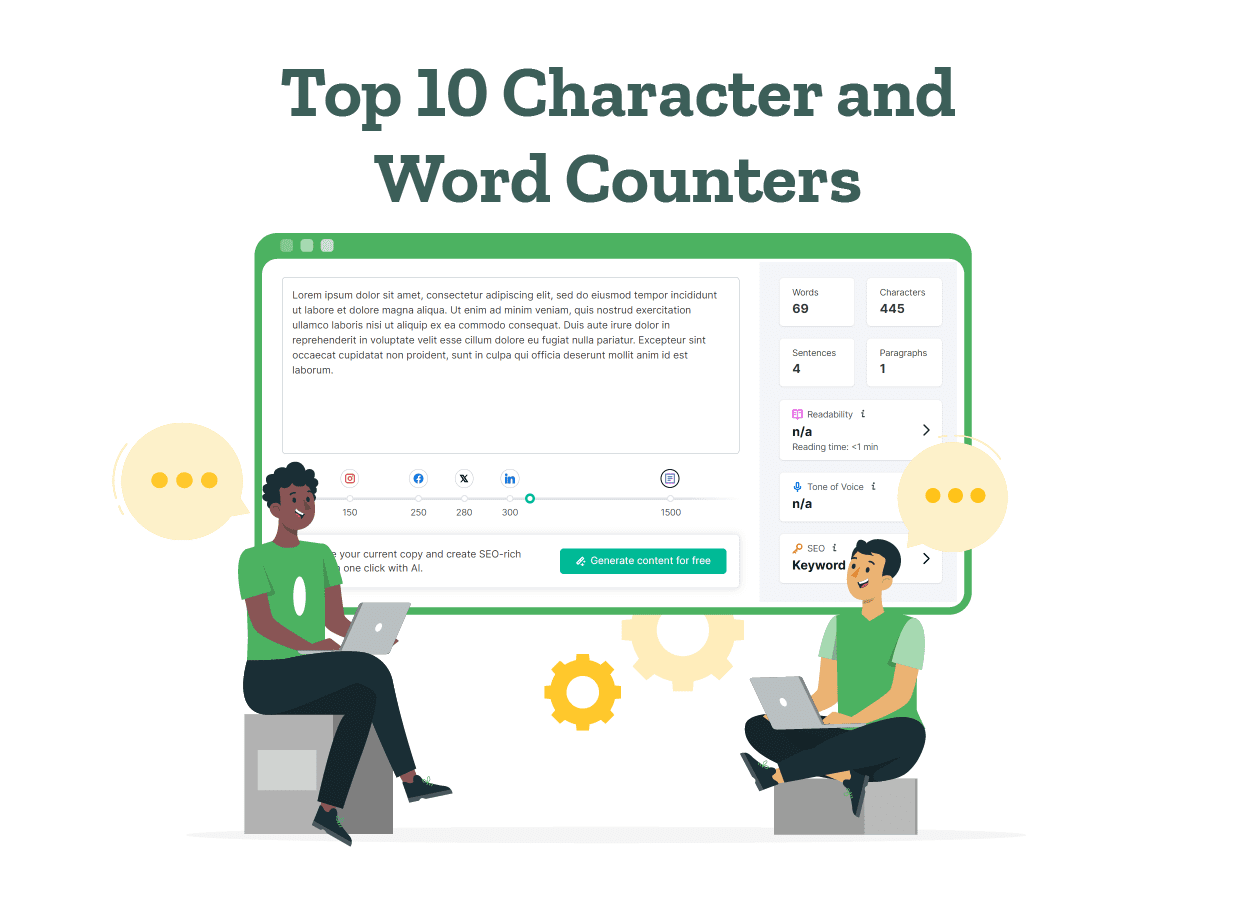
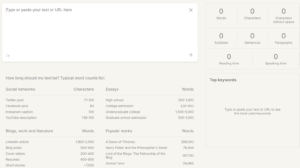
Semrush is a popular SEO platform, and its word counter is a valuable tool for content creators. This tool gives instant advice on the ideal length for different formats, whether you’re crafting social media posts or writing blog articles.
Provides precise counts for words, characters, sentences, and paragraphs
Analyzes keyword density and readability score
Depicts the tone of voice of the text
Option to improve text or generate a new copy with the “Generate content” button
Shows character count for various social media platforms and blog posts
3. Capitalize My Title character and word counter
This word counter website is a great all-in-one resource for writers. This website also gives information about word counts of various document formats and SEO. It’s a perfect tool for writers who need various resources in one place.
Counts words, characters, sentences, and paragraphs
Offers a wide range of writing tools, including a title capitalization tool, a grammar checker, and random generators
Gives word count statistics like number of lines, pages (with spacing), etc
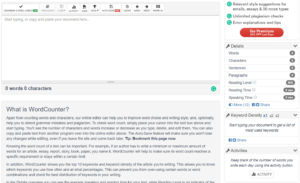
If you’re specifically looking for a character counter online, WordCounter.net is a great option. It’s a simple and clean interface and has a free word counter. It’s a perfect tool for writers who need to adhere to strict character limits, like on social media platforms.
Provides precise counts for characters, with and without spaces
Counts words, characters, sentences, and paragraphs
Provides reading and speaking time of the text
Depicts the keyword density
Keeps track of the number of words worked on every day, with the “Activity” button
5. ZeroGPT character and word counter
ZeroGPT is a powerful AI-powered writing tool, and its word counter tool is a valuable addition. Also, users can use a wide range of free tools like AI detectors, AI translators, citation generators, etc.
Utilizes advanced AI to provide precise word and character counts
Estimates the reading time of the text
Provides insights into your writing with a readability score
Provides a speaking time estimate
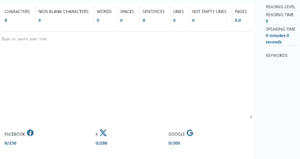
Counts spaces, sentences, lines, and pages
6. WordCount character and word counter
WordCount.com is a popular word counter tool. This free text counter can be used for various types of documents like academic assignments, presentations, writing novels, etc. It uses a language model that learns patterns, grammar, and vocabulary from extensive text data.
Counts words, syllables, sentences, and paragraphs
Shows the number of characters, with and without spaces
StudyCrumb’s word counter is a great option for students who need to keep track of their essay word count. Users can simply copy and paste or type their text into this character counter online. It’s free and easy to use.
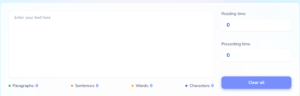
Counts characters, words, and sentences instantly
Depicts a paragraph count
Estimates the reading time of the text
Shows the approximate presentation time of the text
Gives the number of characters, with and without spaces
8. Content Harmony character and word counter
Content Harmony offers a variety of online tools, including a word counter and a paragraph counter. This text character counter doesn’t store any content that you paste into the counter.
Counts words, characters, sentences, and paragraphs
Gives the number of characters, with and without spaces
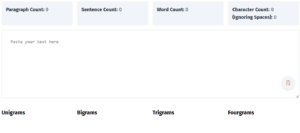
Calculates all n-grams (unigrams, bigrams, trigrams, and fourgrams specifically) that occur more than once in the content
Checks various types of content like blog posts, captions, ad copies, etc
Has other tools like AI text generator and Strikethrough text generator
9. Character Counter Tool word counter
This is a simple and effective online character counter. This character counter software works in any web browser, such as Chrome, Firefox, Internet Explorer, Safari, or Opera.
Counts words, sentences, and paragraphs
Gives a readability score and readability level
Estimates the reading and speaking time of the text
Provides the number of short words, long words, and unique words in the content
Analyzes syllables, monosyllabic words, and polysyllabic words
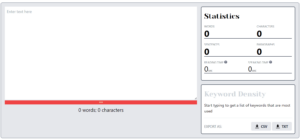
This free character and word counter is perfect for people looking to maintain the character count in their captions and ad copies. It’s a free, simple, and easy-to-use tool. They also provide a Facebook and Twitter character counter tool.
Counts words, characters, sentences, and paragraphs
Estimates the reading time of the text
Depicts the keyword density
Provides a speaking time estimate
Allows exporting of the list of keywords in the text in CSV or TXT. file format
Word and character counters are essential tools for any writer, helping you stay within word limits. These tools help you optimize your content for SEO and ensure your writing is engaging and easy to read.
So, what are you waiting for? Start exploring these word counters and find the perfect one. And remember, if you need an extra boost of confidence in your writing, PaperTrue offers expert editing and proofreading services to ensure your content is polished and error-free.
In tody’s digital age, eror-free communication is crucial.
Reading that line was tough, wasn’t it? It’s quite irritating as well. We know the pain of having your spelling errors pointed out! As experts in proofreading services, we come across spelling mistakes all the time. It’s quite easy to miss these small errors in your writing.
Using a reliable spell checker is essential to ensure that your text doesn’t have such flaws. Not only do they correct spelling mistakes, but many also offer grammar corrections, style suggestions, and even plagiarism checks.
Discover the top 10 spell checkers available. We have enlisted the functions, features, and accuracy of these spell checkers for you!
Get error-free spellings with specialized editing!
Here are the 10 best spell checkers:
1. Grammarly spell checker
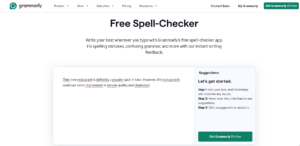
Grammarly’s spell checker is part of a broader suite of writing assistance tools. This online tool is appreciated for its accuracy and ease of use. This spell checker allows users to type directly into a web interface or upload documents for checking. Grammarly offers suggestions for corrections and explanations, making it a learning tool as well as a proofreading aid.
Features
It gives fast, real-time correction suggestions.
Available as a browser extension, desktop app, and mobile keyboard.
This is a free online spell checker.
Grammarly also lets you know when you’re using a correctly spelled word in the wrong context.
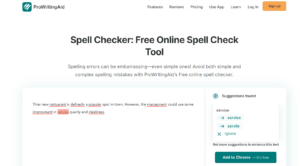
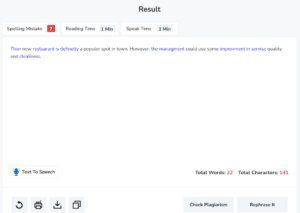
Grammarly pointed out all 8 spelling mistakes in the given text and gave suggestions to correct each.
2. QuillBot spell checker
QuillBot’s spell checker integrates with its paraphrasing tool, providing a comprehensive writing platform. The spell checker is designed to correct spelling errors while also offering stylistic suggestions. QuillBot is popular among students and professionals because it improves both the correctness and flow of their writing.
Features
Provides a spell check in many languages like English, German, Spanish, and French.
Users can click one button to accept all the correction suggestions.
You can also edit your text in the spell checker window itself or use its MS Word extension.
This is a free spell checker.
Accuracy
Quillbot pointed out all 8 spelling mistakes in the given text and gave suggestions to correct each.
3. Ginger spell checker
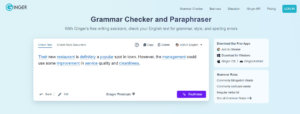
Ginger spell checker offers advanced spell-checking by analyzing the context of sentences to correct all types of mistakes. It corrects severe spelling errors and commonly confused words. Ginger’s technology is designed for high accuracy and is available across various platforms, including web browsers and mobile devices.
Features
It gives an option to rephrase your content with a simple button.
It’s integrated with a grammar checker that simultaneously checks grammar mistakes with spell-checking.
Ginger has free apps for Chrome, Windows, iOS, and Android.
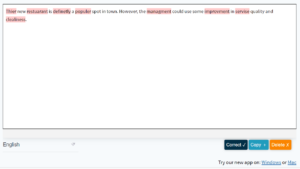
Users can click the “Correct” button to accept all corrections in one go.
With Microsoft Office integration, you can also check your Word documents for spelling errors.
Accuracy
Ginger pointed out all 8 spelling mistakes in the given text and gave suggestions to correct each.
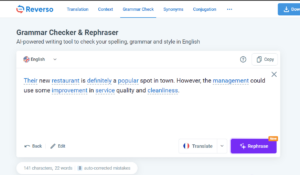
Reverso’s spell checker is part of a larger language tool suite that includes translations and grammar checks. It supports various languages like Chinese, Portuguese, German, etc. It also allows users to rephrase their corrected text. It also gives you a count of words and characters in your text.
Features
This online spell checker has a virtual keyboard.
Users can copy their corrected text by simply clicking the “Copy” button.
This is a free online spell checker.
During the corrections, there are meanings and definitions given for the suggestions.
With this tool, you can check your spelling, punctuation, and grammar at the same time.
Accuracy
Reverso pointed out all 8 spelling mistakes in the given text and gave suggestions to correct each.
5. Corrector.co
Corrector.co is a versatile online tool that serves as a grammar and spell checker. The tool operates online, requiring no downloads unless users opt for the Windows or Mac app. The platform is powered by LanguageTool and promises rapid corrections in just 0.3 seconds. Corrector.co is particularly useful for those working on essays, emails, or any professional documents.
Features
It’s available in 18 different languages, including English, Spanish, French, German, and Chinese.
This spell checker highlights errors in red and potential writing style improvements in yellow.
It also includes features for checking texts in various English dialects such as Canadian, American, and Australian English.
This spell checker also corrects punctuation mistakes in your text.
This spell checker is free.
Accuracy
Corrector.co pointed out all 8 spelling mistakes in the given text and gave suggestions to correct each.
6. JSpell checker
JSpell Checker offers both free and premium services for spell-checking. It supports multiple languages and specializes in medical, legal, and scientific terminology. JSpell can be integrated into websites and intranets for real-time spelling checks.
Features
This spell checker is easy to use with no installation required.
You can use it in 5 languages: English, Spanish, French, German, and Italian.
It provides the number of words, characters, lines, and sentences in your text.
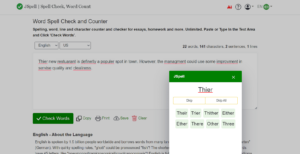
Gives multiple suggestions while correcting errors.
This is a free online spell checker.
Accuracy
JSpell pointed out all 8 spelling mistakes in the given text and gave suggestions to correct each.
7. SpellCheckPlus
SpellCheckPlus is designed with non-native English speakers in mind. It focuses on identifying common grammatical errors and providing explanations and examples for corrections. It is an excellent educational tool for ESL students.
Features
It provides educational feedback to ESL students.
Gives multiple suggestions while correcting errors.
It provides an option to determine if feedback should be tailored to native speakers.
Users get a grammar score for their text, which they can use to improve their content.
It is a free spell checker.
Accuracy
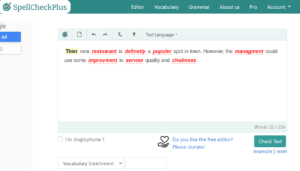
SpellCheckPlus pointed out all 8 spelling mistakes in the given text and gave suggestions to correct each.
Online-Spellcheck.com provides a comprehensive tool that checks spelling in over 20 languages. It can handle various file formats including PDF and Word documents. The site is easy to use. It allows for quick text checks or detailed document uploads without the need for registration.
Features
This spell checker provides various options for exporting your content, like downloading as a PDF, copying text, or sending as an email.
Users can view the statistics of their text, including characters, words, lines, errors, etc.
It has a function where you can detect the language of your text.
You can upload your documents for spell checking in various formats like (DOC/DOCX), Adobe PDF, Text files, and RTF files.
This is a free spell checker.
Accuracy
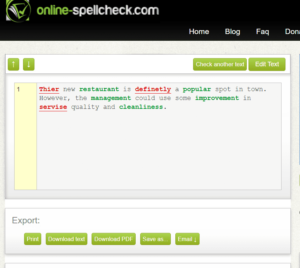
Online-Spellcheck auto-corrected 5/8 spelling mistakes and gave suggestions for the remaining 3/8 errors.
9. ProWritingAid spell checker
ProWritingAid’s spell checker is targeted at a broad audience, including creative writers, educational professionals, and business users. The tool provides detailed feedback on spelling errors with suggestions for improvement, and it is part of a larger suite that includes style and grammar checking. ProWritingAid is particularly noted for its in-depth reports and customization options.
Features
Provides contextually relevant suggestions for the wrongly spelled word, out of which you can choose the right one.
Chrome, Firefox, Edge, and Safari extensions are available.
The spell checker’s readability report will highlight parts where your language is too complex.
The spell checker is free to use for up to 500 words.
It supports documents in British, American, Australian, and Canadian English.
Accuracy
ProWritingAid pointed out only 7/8 spelling mistakes in the given text and gave suggestions to correct them.
10. Small SEO Tools spell checker
SmallSEOTools.com offers a free online spell checker designed to help users identify and correct spelling errors efficiently. This tool supports multiple languages, making it versatile for a global user base. It also prioritizes user privacy, ensuring that all uploaded content is neither stored nor shared, and is deleted after the checking process.
A rephrasing tool is also available with this spell checker.
This online spell checker gives an estimated reading and speaking time of your content.
It is particularly useful for different variants of English, including US, UK, Canadian, and Australian English.
This is a free online spell checker.
Accuracy
Small SEO Tools spell checker pointed out only 7/8 spelling mistakes in the given text and gave suggestions to correct them.
The right spell checker can transform your writing from good to flawless. Having a tool that ensures clarity, correctness, and conciseness in your writing is indispensable.
If you’re seeking even more personalized assistance, consider PaperTrue’s expert editing and proofreading services. Our team of professional editors can provide that extra layer of polish to ensure your writing is not only error-free but also impactful!
Are you a college student looking for inspiring essay topics? Look no further! Discover 50 amazing essay prompts for college applications and scholarships!
These essay prompts will help you highlight your personal growth, unique perspective, experiences, and future goals. So without further ado, let’s explore these prompts!
Get professional essay editing services to enhance your essay!
Practical essay prompts for college applications
1. Write about your favorite subject that became your academic passion and changed your life.
2. Elaborate about a book that changed your perspective and created an impact.
3. Craft an essay about a difficult decision you made that transformed your life.
4. Describe an incident of injustice you witnessed which made you make an important choice.
5. Explain how your unique personal experiences, family, and upbringing had an impact on your career.
6. Describe how you solved a problem using your skills, making your passion a successful business later.
7. Write about how you participated in a massive event/competition that made you learn a life-changing lesson. Explain how you applied this lesson for personal/professional growth.
8. Craft an essay explaining how another person gave you valuable advice that had an amazing effect on your life.
9. Describe how a failure made you more determined to succeed in a project.
10. Explain about an inner conflict you faced, the outcome, and how you decided to never give up.
11. Write about how joining a group and volunteering helped you overcome your fears and insecurities.
12. Write about how a movie/web series inspired you to make an important change in your life.
13. Describe how your dream came true, its positive impact, challenges, and what you learned.
14. Explain how growing up in an underprivileged community with fewer resources had an impact on your life.
15. Talk about an important photo that you have always treasured and why and how it’s memorable and inspiring.
16. Reflect on how a funny incident changed your perspective forever.
17. Compare and contrast your and another family member’s experiences and how it made a deep impact on you.
18. Write about a story that gave you courage in tough times to succeed.
19. Describe how being a group leader made you learn and realize something important, shaping your career.
20. Talk about your struggle to develop a good daily routine, your success, and its impact on your personal growth.
41. Why do you feel you should get this scholarship? Talk about what makes you stand out from others, your story, family background, hobbies, and unique experiences.
42. Talk about your efforts to improve your mental health and how you decided to support others who are struggling.
43. Write about any financial challenges you experienced, how you faced them, and the importance of this scholarship.
44. Describe how you accepted your unique identity and how you opened up about your identity to your family, and discuss the outcome.
45. Explain in detail about your plans to study abroad and how this scholarship will help you achieve your dreams.
46. Talk about a moment when you had to think out of the box and quickly find a solution to a problem. Reflect on what you learned.
47. Describe a time when you had to be a good public speaker. How did you prepare for the experience and what did you learn?
48. Write about a time you helped someone and how the experience made an impact on your life.
49. Reflect on how your values, passions, and aspirations align with the mission and values of the organization offering this scholarship.
50. Describe a significant event or experience that has shaped your perspective on the role of art and creativity in society.
With the growing popularity of ChatGPT, students can use it to enhance their essays. The next section explores how to use ChatGPT for essay writing. We’ve also included useful, sample ChatGPT prompts for college essays!
How to use ChatGPT for essay writing
1. Give ChatGPT a prompt and ask for related ideas. (Example: “Give me 20 ideas related to the topic “Cultural diversity” for writing a descriptive essay.”)
2. Ask ChatGPT to give examples to support your point for the chosen essay topic. (Example: “Provide me 10 examples of recent times to support the opinion that AI”.)
3. Request ChatGPT to explain the typical structure of the type of essay you’re writing (e.g., argumentative, narrative, or compare and contrast). (Example: “Tell me how to write an argumentative essay on the topic “Should online gambling be restricted or banned?”)
4. Provide ChatGPT with a specific point or argument from your outline and ask it to expand on that idea. (Example: Expand on the argument “Countries must implement stricter gun control laws to reduce mass shootings and gun-related homicides”.)
5. Paste your essay in ChatGPT and ask it to evaluate its strengths and weaknesses. (Example: Tell me the strengths and weaknesses of the following essay titled “Ecotourism in the 21st Century”- [Insert text]).
6. Give ChatGPT your essay outline and request suggestions for improvement or additional points to include.
7. Paste your text in ChatGPT and ask ChatGPT to identify punctuation, spelling, or grammar errors in your draft.
8. Request alternatives for overused or repetitive words and phrases. (Example: Give me an alternative for the word “symbiotic”.).
Note: While AI tools are helpful, it is essential to verify the accuracy of AI-generated content.
This concludes our article about good essay prompts for college students. Now you can select the most relevant essay prompts for college essays.
After writing your essay, the next step will be to edit it. At PaperTrue, our trained editors provide expert essay editing servicesto ensure high-quality essays. We also leverage advanced AI technology to edit and deliver polished documents faster. Don’t hesitate to contact us to ensure you have a polished essay ready for submission in time!
Creating high-quality documents requires both writing skills and careful editing and proofreading. In this article, we’ve explained the top 10 editing and proofreading services of 2024 in detail. With this, we’ve included the advantages and turnaround time of every service.
We’ve also mentioned the pricing to help you choose the best services. for your document. These services are useful for students, researchers, job seekers, businessmen, etc. So, without any delay, let’s begin!
Here are the top 10 proofreading and editing services of 2024:
PaperTrue is an online proofreading and editing service that works with clients worldwide. Their expert native English-speaking proofreaders and editors ensure efficient and timely results. If you’re looking for more substantial levels of editing, their editors are also dependable.
PaperTrue also provides peripheral services depending on the client’s needs. They edit all types of documents, including resumes, business papers, personal statements, books, journal articles, essays, theses, dissertations, and research papers.
For academic documents, PapeTrue provides formatting, referencing, and plagiarism checks, along with their main services.
They offer 3 packages: Essential, Standard, and Premium. While the Essential Package includes AI editing in an hour, the Standard Package involves AI editing and a light review by our editors. In contrast, the Premium Package includes editing and review by professional editors.
To see PaperTrue’s editors in action, visit the company website for a free sample.
Pricing: A document of 1000 words will cost you $22 (Standard package) for a turnaround period of 24 hours.
Average turnaround time: 1 hour to 1 week
2. Scribbr
Scribbr is one of the most well-known companies in the industry — and for good reason. They provide academic editing services to students and researchers from all around the world, not only helping them enhance language, syntax, and formatting, but also improving larger aspects of academic writing like tone, style, and argumentation.
They edit and proofread theses, dissertations, and essays along with checking the references in the document. Every document goes through a rigorous process of refining language (grammar, punctuation, structure, spelling, etc.), and checking academic writing style, followed by extensive feedback.
Scribbr may not cover many bases, but they’re certainly excellent at what they do!
Pricing: Their prices start from $59 for a 1000-word document.
Average turnaround time: 24 hours to 1 week
3. Scribendi
In the 24 years since Scribendi’s inception, they have expanded their proofreading and editing services to academics, students, authors, and corporations. Their services are fast and affordable, and you can get your work reviewed in as little as 4 hours.
Based in Canada and working worldwide, they provide website editing, resume editing, and dissertation editing services. Their paper editors are native English speakers and (collectively) have expertise in several fields across academia and industry.
They also provide comments and a summary of the work done, along with addressing any major concerns.
Pricing: Their price is 48.89 Euros ($50) for a 1000-word academic document with a turnaround time of 24 hours.
ServiceScape has been connecting people with skilled editors and proofreaders for over 25 years. From academics refining dissertations to authors polishing their novels, ServiceScape offers a range of experienced editors for your needs.
While most companies assign an editor to a job, ServiceScape lets you handpick professionals from among highly qualified freelancers with advanced degrees (Ph.D. or Master’s) and decades of experience.
They can help you with various kinds of documents, including academic papers, business documents, and application essays, among others. This way, you can work with a professional familiar with your area of focus.
Pricing: It costs around $40 to edit a 1000-word document (depending on the editor hired)
Average turnaround time: 1 hour to 1 week
5. Editage
Editage is one of the best editing and academic proofreading services. Their specialization is reviewing dissertations, scientific manuscripts, articles, and papers.
Editage has a two-step process, where two native editors edit your paper after which a native reviewer ensures all quality guidelines are met. They also offer additional services such as checking for plagiarism, creating a cover letter, and preparing a scientific review report.
Editage is an excellent choice, particularly for academics who aspire to publish in journals, since the company frequently works with researchers from around the world. Along with formatting the manuscript, they also help in registering on the journal website and uploading your manuscript.
Pricing: Editage’s prices start at $170 for advanced editing of a document of 1000 words with a turnaround time of 24 hours.
Average turnaround time: Variable (Minimum: 4 hours)
6. Enago
Enago is well-known for its expert research paper editing services. Over the last 15 years, they have worked with researchers from over 125 countries and have consistently collaborated with leading academic publishers and universities.
Their editors are subject matter experts and native English speakers from the US, UK, Australia, and Canada. They enhance the style, consistency, content flow, and grammar to improve the overall quality of your research paper. Plus, they also provide additional services like journal selection, literature search, formatting, and pre-submission peer review.
Pricing: Their price is $173 for substantive editing of a 1000-word document with a turnaround time of 24 hours.
Average turnaround time: 24 hours to 6 days
7. EditorWorld
EditorWorld offers high-quality book editing, business editing, essay editing, and proofreading services. They also edit scientific manuscripts, theses, dissertations, journal articles, and research papers.
Their native English editors from Canada, the USA, and the UK ensure error-free documents. For customers requiring quick delivery, they can provide the edited document in 2 hours, 4 hours, and 8 hours if required.
One of the best online editing services, they also refine documents such as statements of purpose, poetry, emails, letters, website content, articles, newsletters, and blog posts. Additionally, EditorWorld can also rewrite and paraphrase your text.
Pricing: It costs $34 to edit a 1000-word document.
Average turnaround time: 2 hours to 1 week
8. Oxford Editing
Oxford Editing specializes in academic editing and proofreading services. They edit documents of various disciplines like health, law, music, and sciences like agriculture, astrophysics, biological, biomedical, chemistry, etc.
Their services also include editing academic books, journal articles, CVs, cover letters, grant proposals, research proposals, etc. Additionally, they can also format your text as per the required style guide at $60 per hour.
They offer a sample edit of 10 % of the text’s word count or 500 words of texts with more than 1000 words. For the sample edit, customers need to submit their entire document.
Pricing: Oxford Editing charges $65 to edit a 1000-word document.
Average turnaround time: 1 day to 1 week
9. Wordvice
Since 2013, Wordvice has collaborated with academic and research institutions to edit and proofread academic papersacross various fields. Their vision is to enhance their clients’ academic, research, and business endeavors with three priorities: high quality, affordable prices, and punctual delivery.
Their services include journal article editing, dissertation editing, thesis editing, personal statement editing, and research paper editing. They also offer citation tools such as a plagiarism checker, APA Citation Generator, MLA Citation Generator, Chicago Citation Generator, etc.
They operate in six countries: The United States, Japan, Turkey, South Korea, Taiwan, and China.
Pricing: A document of 1000 words will cost you around $88 for a turnaround period of 24 hours.
ProofreadingPal is one of the best proofreading services for theses, dissertations, resumes, essays, business brochures, personal statements, bibliographies, etc. They also provide book proofreading services.
Two editors check the document for grammatical, spelling, and word choice errors. After this, editors enhance the document to ensure clarity, and coherence and improve readability.
They offer services 24/7 and have fast turnaround times. They also give customers the option to try their online editing and proofreading service for free.
You can submit a 400-word document as a free sample and get the edited document in 3-6 hours.
Pricing: Their price to proofread a 1000-word document with a turnaround time of 24 hours is $44 (two proofreaders) and $34 (1 proofreader).
Average turnaround time: 30 minutes to 7 days
Now that you know the top 10 editing and proofreading services, you can select the best one for your document. As a trusted brand offering these services, PaperTrue can help you perfect your document.
We can also assist you in self-publishing your work. Our self-publishing services include formatting, creating a book cover design, author bio, and copyright page, book printing, and uploading the book on self-publishing platforms.
What do you think of these editing and proofreading services? Share your thoughts in the comments section.
Here are some articles that you might find interesting:
Writing a dissertation requires careful planning and thorough research. In this article, we’ve explained how to write a dissertation in 10 simple steps. This includes practical tips to write all dissertation chapters and structure your dissertation.
We’ve also provided many additional resources, like a dissertation writing checklist, dissertation examples, and how to prepare a dissertation defense. Furthermore, we’ve answered questions like: “How long does it take to write a dissertation?” and “What is the suggested dissertation length?”
Eliminate errors and enhance clarity with professional editing!
To help you understand this concept better, let’s quickly see the steps for writing dissertations!
1. Select a topic
To choose a topic, reflect on your interests and review literature in your field. You can also discuss any topic ideas with your supervisor. Aim for a topic that is original and feasible to complete within your timeframe and resources.
Once you decide on your topic, frame your thesis statement or research question. While a research question is an open-ended inquiry, a thesis statement specifically answers the research question. Here are examples of both:
Research question: What impact does social media usage have on the mental health of adolescents?
Thesis statement: Excessive social media usage negatively affects the mental health of adolescents by increasing feelings of anxiety, depression, and low self-esteem.
2. Perform research and create a research proposal
In this step, you need to identify key theories and concepts related to your research topic. You can use advanced tools for research such as Semantic Scholar, Research Rabbit, Dimensions.AI, Connected Papers, Elicit, etc.
You also need to research the methodologies used to determine the best research methodology approach (qualitative, quantitative, or mixed methods).
Once you choose the topic, create a research proposal. This proposal must include:
Introduction: The introduction provides background, presents the research question, and outlines the objectives.
Literature review: A literature review includes relevant studies and establishes the theoretical framework.
Methodology: The methodology section describes the research design, data collection, and analysis methods.
Significance and contributions: This section highlights the potential impact and novelty of the research.
Timeline and resources: The timeline and resources section addresses feasibility, outlines milestones, and lists required resources.
3. Develop a dissertation outline
To develop a dissertation outline, refer to the dissertation proposal you’ve created. This will give you a good idea of how to divide the content into different sections.
Dissertations typically begin with a title page, followed by the abstract and acknowledgments page. The front matter also includes a table of contents, and, if applicable, lists of figures, tables, and abbreviations. This is followed by core chapters like the introduction, literature review, methodology, results, discussion, and conclusion.
The dissertation outline varies, depending on whether you’re writing a dissertation for an empirical (science-based) or humanities (arts-based) subject.
Empirical dissertations have a detailed methodology section about data collection and analysis, followed by a results section. In contrast, humanities dissertations support, oppose, or propose a literary theory, with the methodology section discussing literature selection and analysis.
You can refer to the following dissertation example to create a dissertation outline:
Towards a Normal Unified Framework for Developing Formal, Network and Validated Agent-Based Simulation Models of Complex Adaptive Systems
Once you create a dissertation outline, get it reviewed by your supervisor.
4. Establish a timeline for completing your dissertation
To establish a timeline, break down your dissertation into major milestones, such as completing the literature review, data collection, data analysis, drafting each chapter, and revisions. Assign realistic deadlines for each milestone.
Some suggestions while establishing a timeline are:
Use Microsoft Excel or Google Sheets: Create a spreadsheet and add a detailed timeline with tasks, deadlines, and progress tracking.
Set a daily target: Break down large tasks into smaller, more manageable goals.
5. Write your dissertation chapters
In this step, we’ve covered core dissertation chapters such as the introduction, literature review, methodology, results, discussion, and conclusion.
With this, we’ve also added essential sections, including the title page, table of contents, list of abbreviations, tables, and figures, abstract, glossary, bibliography, and appendices. Let’s dive deeper to understand all these components!
a. Title page
The title page is the very first page of your dissertation. This page is all about making a great first impression on readers. Add your dissertation title, full name, and the degree you’re pursuing to the title page.
Also, include your university’s name and the dissertation’s submission date (month and year). With this, mention a submission statement. For example, “A dissertation submitted to the Department of Sociology in partial fulfillment of the requirements for the degree of Masters in Sociology.”
Once you add the necessary details, don’t forget to proofread and format your title page. To avoid mistakes, follow your university’s guidelines. For more tips and guidance, you can read the article “Creating a Dissertation Title Page”.
Tip: Write the introduction after completing other important chapters like the literature review, methodology, research, and conclusion.
An abstract is a summary of your entire dissertation. It usually ranges from 150 to 300 words. The abstractshould clearly state your research purpose, briefly describe your methodology, highlight your main findings, and summarize your conclusions.
Remember to mention the importance of your research and future implications. Write in clear, concise language, avoid jargon and technical terms, and use the past tense to describe your completed work.
The acknowledgments page is where you can thank any friends, family, and colleagues who’ve helped you in your dissertation journey. Here, you can express your gratitude to your supervisor who guided you. You can also thank any organizations or institutions that provided funding or resources for your research.
The following are some important pointers for writing an acknowledgments page:
Avoid going overboard with too much praise or overly personal incidents. Keep it professional and focused on your research journey.
Don’t write in an overly formal tone. Your acknowledgments page can have a slightly more personal and warm tone compared to the rest of your dissertation.
Here are some common phrases you can use to acknowledge contributions:
“I would like to express my deepest gratitude to…”
“I am incredibly thankful for the support and guidance of…”
“I would like to extend my sincere thanks to…”
“I am grateful for the unwavering support of…”
“I would like to recognize the support and encouragement of…”
“I would like to thank Mr X. for their insightful feedback and suggestions.”
d. Table of Contents
A table of contents lists all the chapters, sections, and subsections of your dissertation, along with their page numbers. You can use Microsoft Word or Google Docs to generate a table of contents for your dissertation.
Some important points to consider are:
Use the same font, font size, and spacing throughout your table of contents to create a professional look.
Add indents and numbering to show a hierarchy.
Ensure proper formatting of margins, headers, and footers.
Browse through the sample table of contents for reference!
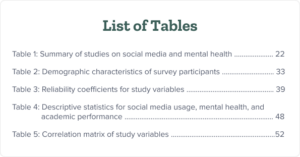
Make sure to include all the tables that appear in your dissertation, including those in the appendices. Here are some important recommendations:
Each table should have a clear and descriptive title.
Use a consistent numbering system for your tables (e.g., Table 1, Table 2).
Include the page number on which each table appears.
f. List of figures (if applicable)
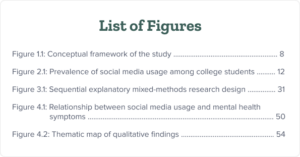
Make sure to include all the figures, graphs, charts, and illustrations that appear in your dissertation, including those in the appendices. The following are some practical suggestions you can follow:
Avoid very long titles and keep clear, concise titles.
Ensure that the page numbers are aligned consistently (right-aligned or as per the requirements).
The list of figures should appear after the list of tables and before the list of abbreviations.
g. List of abbreviations (if applicable)
For every abbreviation, you need to first write the acronym and then provide the definition. An acronym is made up of the first letter of every word. For example, WTO is the acronym of the World Trade Organization.
Here are some important pointers you can follow:
If some of your abbreviations are used more frequently, consider adding a note at your list’s beginning (e.g., “Frequently used abbreviations are marked with an asterisk (*)”).
Provide the full term or phrase along with its corresponding abbreviation (e.g., “WHO: World Health Organization”).
List the abbreviations in alphabetical order based on the abbreviation, not the full term.
Here is a sample:
AI: Artificial Intelligence
ANOVA: Analysis of Variance
CI:Confidence Interval
M:Mean
SD:Standard Deviation
h. Introduction
The introduction should be concise and engaging and provide a brief overview of your topic. Follow the checklist given below to create an engaging introduction:
Start by mentioning background information, highlighting the research topic’s importance.
Briefly mention the important contributions of researchers
Clearly state the research purpose.
Briefly state the methodology used.
Summarize what the chapters ahead will cover
Ensure that the introduction is concise. (10% of your paper’s word count)
i. Literature review
This is one of the most time-consuming steps of writing the dissertation. You can refer to academic research resourceslike Google Scholar, Research Gate, Google Scholar, etc., to find relevant resources.
To refine your literature review topic, analyze the existing literature to determine if a chronological approach (highlighting research development over time), a thematic approach (focusing on recurring themes), or a methodological approach (discussing various research methods used) would be most appropriate.
The following are suggestions for writing a literature review:
Summarize the contributions of important researchers in your field. Focus on key themes. You can use AI text summarizers to do so.
Use transitional words and sentences to ensure a smooth flow between paragraphs and sections of your literature review. For example, “moreover”, “furthermore, “however”, to illustrate”, etc. Highlight any gaps or inconsistencies in the existing research and explain how your study will address them.
Ensure that the sources used are cited in-text as per the required style guide (APA, Chicago, MLA, or other. ) You can use citation generators to do so.
Discuss any contradictions in research as this will make your literature review more objective.
If your literature review is lengthy, consider using subheadings to organize the main themes or concepts. This helps break up the text and makes it easier for the reader to follow your argument.
j. Methodology
The methodology section must contain any qualitative and quantitative methods used for data collection. It should also contain information on where the study was conducted and which sampling methods were used.
Make sure to mention all tools and materials used in the research. Also, don’t forget to include a justification of the use of the methods (why you used them) along with limitations and sampling bias.
The following are some important pointers to follow while writing the methodology section:
Use subheadings to break down the section into smaller, more manageable parts. For example, “Research Design,” “Data Collection,” “Sampling Strategy,” “Data Analysis,” and “Ethical Considerations.”
Define any technical terms or jargon that may be unfamiliar to your readers.
The results section is where you present your key findings without interpreting them. It includes relevant data, statistical analysis, and findings from your research.
To structure your results section, you can use subheadings, figures, and tables wherever relevant. In this section, it’s important to present the results objectively without interpreting them. Here are some dos and don’ts for crafting the results section.
Dos
Use the past tense to describe your results (e.g., “The analysis revealed…”)
Use transition words to connect ideas and create a smooth flow (e.g., “moreover,” “furthermore,” “however”)
Don’ts
Interpret or discuss your results in this section (save that for the discussion chapter)
Include raw data or intermediate calculations (present only relevant summary data)
Use vague or ambiguous language (e.g., “the results were significant” without providing specific data)
Overuse technical jargon or abbreviations (define terms if necessary)
Include citations or references to other studies (unless essential for context)
Introduce new methods or materials not mentioned in the methodology chapter
Use emotional or subjective language (e.g., “we were thrilled to find…”)
In the discussion section, you need to explain the results of your study briefly. Here are some important pointers for writing this section:
Briefly restate the main research questions or hypotheses.
Use concrete examples, data, or quotes to strengthen your points.
Discuss whether your findings support or contradict your initial expectations
Provide possible explanations for the outcomes.
Compare and contrast your results with previous research in your field.
Identify and discuss any limitations or weaknesses of your study design, methodology, or data analysis.
Now let’s understand how do you write a dissertation’s conclusion!
m. Conclusion
It’s essential to create a concise conclusion without introducing any new information not previously discussed. Here are some important points to keep in mind while creating a conclusion for a dissertation:
Restate your research question or problem.
Summarize key findings and results.
Explain the significance and contribution to your field.
Acknowledge limitations and challenges.
Suggest areas for future research.
End with a strong, memorable statement.
Bonus tip! You can also use conclusion generatorsprovided by PapersOwl, Ahrefs, and other tools to create an engaging conclusion.
6. Create your references page
This is a crucial step where you need to list all the references you’ve used in alphabetical order. It’s crucial to cite all sources as per the chosen style guide (APA, MLA, Chicago, or other).
The following are some important steps while creating a references page:
Arrange your references in alphabetical order.
Include DOIs for online sources when available.
Use a hanging indent for each reference entry (first line extreme left, subsequent lines indented).
Use single-spacing within each reference entry and double-spacing between entries.
Capitalize titles according to the chosen citation style guidelines.
7. Create your appendixes page, glossary, and bibliography (when applicable)
It’s important to consult your university’s guidelines for creating an appendix page, glossary, and bibliography.
Here are some suggestions for creating an appendix page:
Label each appendix with a letter (Appendix A, Appendix B, etc.) and a descriptive title.
If you have multiple appendices, include a table of contents at the beginning of the appendix section.
Use consistent formatting (fonts, headings, spacing) throughout your appendices.
Now let’s understand more about the glossary of a dissertation. A glossary is usually placed after the table of contents or at the end of the document.
Here’s how to create a glossary for your dissertation:
Mention terms that are specific to your field of study or that have a particular meaning in your dissertation.
Organize your glossary entries in alphabetical order based on the terms.
If your dissertation uses acronyms or abbreviations, include them in your glossary along with their full forms.
Provide the full form first, followed by the acronym or abbreviation in parentheses.
If certain terms are closely related or have overlapping meanings, consider including cross-references to other relevant terms in your glossary. Here is an example:
Artificial Intelligence (AI): A branch of computer science that focuses on creating intelligent machines that can perform tasks that typically require human intelligence.
Now let’s learn more about the bibliography of a dissertation. A bibliography is a comprehensive list of all the sources you consulted during your research. It includes those resources you directly cited in your dissertation and those that informed your understanding of the topic.
A bibliography is usually mentioned at the end of a dissertation. Here are some important pointers while creating a bibliography:
Consistently follow the guidelines and formatting rules specified by the chosen style (APA, MLA, Chicago, or other).
Use a reference management tool like EndNote, Zotero, or Mendeley to generate citations and bibliographies.
Arrange your bibliographic entries in alphabetical order based on the author’s last name or the first significant word in the title.
If you have multiple works by the same author, arrange them chronologically by publication year.
8. Perform a plagiarism check
This is an important step to prevent any unintentional plagiarism. Here’s what you need to know to perform a plagiarism check:
Familiarize yourself with the different types of plagiarism, including mosaic plagiarism and self-plagiarism.
Use plagiarism checkersprovided by Grammarly, QuillBot, PlagiarismDetector.net, etc.
This is where you check your text’s spelling, grammar, punctuation, and formatting. If your sentences are lengthy and complex, you need to simplify them. Here are some useful suggestions:
Use grammar checkersprovided by QuillBot, Scribbr, Grammarly, and Duplickecker to check grammar.
Use spell checkersprovided by Reverso, Ginger, etc., to check the spelling. Alternatively, you can use online dictionaries like Merriam-Webster for US English.
You can also use writing softwarelike Hemingway Editor to identify complex, wordy sentences, and weak words.
For formatting, check for consistency in the margins, line spacing, fonts, font size, all indents, alignment, headers, and footers.
10. Get feedback from your advisor
Getting feedback from your advisor is a crucial step after writing a dissertation. Your advisor will review your work and provide expert guidance. They will identify strengths and weaknesses, ensure alignment with academic standards, enhance clarity and coherence, address methodological issues, suggest additional resources, and help you prepare for the defense.
How long does it take to write a dissertation?
It can take 1-2 years to write the dissertation. However, the actual time can vary, depending on the topic’s complexity and the research required.
It’s essential to work closely with your supervisor and committee to ensure that you’re making steady progress.
What is the suggested dissertation length?
While there’s no universal standard, here’s a general guideline for dissertation length, keeping in mind that specific requirements vary significantly by institution, department, and research area:
Once you write the dissertation, you’ll need to prepare for your dissertation defense. Let’s understand what is a dissertation defense and explore practical tips to showcase your research.
Dissertation defense simplified
A dissertation defense is an opportunity for the student to present their research findings, defend their methodology, and demonstrate their expertise.
It typically involves an oral presentation before a committee of faculty members. They ask questions, provide feedback, and assess the quality and significance of the student’s work.
Following are some practical tips for preparing a dissertation defense:
Practice delivering your presentation multiple times to improve your confidence and timing.
Create visual aids, such as slides or handouts, to support your presentation.
Use graphs, charts, or tables to present complex data or concepts.
Be prepared to summarize each chapter and answer detailed questions about your research.
Take deep breaths and try to remain calm and composed during your defense.
Now, you can start working on your dissertation. However, writing a dissertation is not enough. You’ll also need to edit and proofread your dissertation. As trusted providers of editing and proofreading services, we’d love to help you!
What did you think about this article on how to write a dissertation? Share your thoughts in the comments section!
If you’re a student or researcher looking to get published in reputed academic journals, expect your paper to go through an extensive peer review process. What is peer review, and why is it important? You might have heard your professors/advisors mention the phrase when they are talking about scholarly work.
With over 30,000 journals across the world and over 2 million articles being published each year, there is a lot of academic research that is generated each year! But how does the academic community know which ones of those are legitimate?
Peer review is a quality control process in academic publishing to check the research’s validity and quality. This article will explore the meaning of peer review and the eight different types of peer review. So let’s dive straight into it!
Ready to Polish Your Research Paper? Try Expert Editing Today!Learn More
What is peer review?
Peer review is a process in which a researcher’s work is critically evaluated by experts from the researcher’s field before it is published in a journal or a conference proceeding. This means that articles published in peer-reviewed journals are vetted and verified as relevant research for the advancement of the subject.
Peer reviewers help journal editors decide whether an article is fit for publication, needs minor or major revision, or should be rejected altogether.
Importance of peer review
The peer-review process has been considered a hallmark of producinggood scientific research for over 300 years. It rules out false claims, lack of evidence, inconsistency in arguments, and other kinds of biases. The general consensus is that experts of a field are the most qualified to determine how the field advances, and to help improve the quality of research in a subject.
While the final decision of publication is on the editor, peers play an important role in assessing the scientific validity of academic research.
The peer-review process
While the variables of the peer review process are different from journal to journal, it usually follows these steps:
1. A researcher submits their paper to a prospective journal.
2. The journal’s editorial team evaluates it to see if the research is relevant to the publication.
3. Depending on how the editor’s review goes, the journal may
a. Accept the paper, which then goes for expert review.
b. Reject the paper, with an option to resubmit after the researcher has made revisions.
c. Reject the paper entirely.
4. If your paper has been accepted, it will go through a round of peer review, usually comprising one to three experts in your field.
5. Depending on how the research has been critiqued, you may have to revise your paper.
6. Once revisions have been accepted, your paper is ready for publication.
There are many variations of this process, and what applies to your paper depends on the subject and journal guidelines.
These peers, also known as referees, then review your work.
What do they look for?
Valid, reliable, and replicable research methods
A well-argued, comprehensive paper
Impact and contribution to the field of study
Now that we’ve answered some of the most important questions about the peer review process, let’s explore the different types of peer review processes.
Eight types of peer review processes
Broadly speaking, there are two kinds of peer review processes: closed and open. In a closed peer review process, the identities of some or all parties involved are anonymous. On the other hand, open peer review processes encourage that the identities of reviewers and authors be known, in an effort to encourage transparency and accountability.
Within these two broader types, there are many systems of peer review used across journals and disciplines. Let’s take a look!
1. Single blind review
In a single blind review (or single-anonymized review), the author’s identity is known to the reviewers, while the reviewers’ identity is anonymous to the author. This is the most commonly practiced form of peer review.
This kind of anonymity ensures that the reviewers can critique the work without the pressure of authors being able to respond to them personally. Ideally, this and having details about the authors will give them more context to work with.
The flip side of this format is that knowing the author’s identity, affiliation, and research history may also result in a biased critique. Peers may be prone to bias based on an author’s gender identity, academic background, nationality, and so on.
2. Double blind review
In a double blind review (or double-anonymized review), the identities of both the reviewers and authors are unknown to each other. This form of peer review is common in social science and humanities journals.
Double blind reviews ensure impartial review. It allows reviewers to judge papers based on the merit of the research and the ideas it poses, rather than the author and their affiliations.
But despite the anonymity, researchers and reviewers often may be able to identify each other, since they are likely to be from the same research work. Reviewers may also be able to identify authors based on writing style, the sources they cite, self-citations, and even the topic of research.
In the triple-anonymized review system, the author’s identity is anonymous to both the reviewer and the journal editors (until the first round of reviews). Likewise, their identity is unknown to the author as well. This form of review is quite rare currently and is a fairly recent conversation within academia.
While the triple blind review system is poised to reduce bias among all involved parties, it’s still possible for reviewers and editors to identify the author (just like in a double blind review. The bigger constraint is that the logistics of ensuring this level of anonymity are complex, often adding administrative hurdles and increasing publishing costs.
4. Open peer review
Open peer review is an umbrella term that encompasses review systems where the identities of the authors and their reviewers are known to each other. This can either be during the review process or after the paper has been published.
In some cases, peer-reviewed journals may choose to publish the review alongside your article. Making the review publicly available encourages accountability and transparency among peers. Having open conversations about current research improves discourse and the overall quality of research produced in the subject.
Despite its many advantages, open reviews are still fairly unpopular since many researchers are apprehensive about being identified for their review style.
5. Transparent peer review
This is a form of peer review in which the researcher’s identity is known to the reviewers, while the latter’s identity is anonymous. So far, it sounds like the single blind review, but what makes this transparent is that authors have a chance to know who their reviewers are, provided they agree to disclose their identity. They also have to sign a report stating so.
If the article has been accepted for publication, the review is published anonymously with the article.
6. Transferable peer review
There are instances, in scientific circles, where a journal might reject a paper if it thinks the research is not relevant to their publication. For researchers, this is a step backward because they have to start all over again to find journals appropriate for their work, as well as format and revise their papers accordingly.
The research community is increasingly exploring a form of peer review to make this process easier: the transferable peer review system. Under this system, a journal that deems your work unsuitable for publication may recommend you to a journal that’s more relevant to your field and much more likely to align with your research area.
While this is a wonderful way to support researchers, this system presents a lot of logistical hurdles for the journal. Plus, there’s no guarantee that the second journal will publish your paper. That’s still on the merit of your research!
7. Collaborative peer review
The collaborative peer review model is also a fairly new system. As the name suggests, under this model, the author gets to discuss their research with their reviewer(s). The reviewers’ identities are usually anonymous, with both parties communicating via email or through a communication platform set up by the journal.
This model ensures real-time feedback and exchange of notes between parties. There’s more scope for the researcher to receive in-depth feedback and make necessary revisions swiftly. The flip side of this model, however, is that it’s often logistically difficult for journals to invest the time, effort, and resources to hone the work of every researcher that comes their way.
8. Post-publication peer review
On one level, all published research is liable to be under the scrutiny of the research community. It’s fair game, after all, and (more importantly) is expected to continuously live up to the quality of research produced in that field.
But since academia is competitive and there’s constant pressure to publish work, the research community is also exploring a form of peer review that keeps up with the rapid publication of papers. This is known as post-publication peer review (PPPR), where <strong>peers can respond to a paper after it has been published. Reviews can be sent in by email, letters to the journal, blogs, social media, and discussion forums.
AI-assisted peer review and hybrid peer review models are two emerging trends in peer review. Let’s explore them in detail!
1. AI-assisted peer review
Artificial intelligence (AI) tools can help automate and streamline certain aspects of the process, such as identifying potential reviewers, checking for plagiarism, and analyzing the quality and relevance of research. AI can also help reduce human biases and inconsistencies in peer review, leading to a more objective and reliable evaluation of scientific work.
2. Hybrid peer review models
A rise in hybrid models combining aspects of different peer review approaches is expected. For example, a journal might use open peer review for some manuscripts and traditional blind review for others, deciding the process according to the specific needs of the research.
This concludes our guide about the peer review process! The eight types of peer review in this article highlight the importance of this process.
An important step you need to perform before the peer review is to edit and proofread your article. At PaperTrue, we provide professional editing and proofreading services to enhance your journal article. Our trained team can remove all language errors, enhance formatting, and check if the references are correctly cited.
Explore our website to learn more about our services!
Explore all essential features of the top AI tools for research! From data analysis to literature reviews, these tools are empowering researchers worldwide. They not only save time but also help to identify interconnections between different research papers.
Whether you need past or recent research or help with citations, we’ve got you covered. Along with paid, we’ve also included the best free AI tools. To select the best tool, you can compare the features of all the listed tools.
Let’s explore these tools in detail!
Polish your research paper with professional editing!
1. Semantic Scholar
This free tool can be used to find papers from various science fields like biology, physics, earth sciences, zoology, etc. The following are its essential features:
Various filters such as date range, author, top journals and conferences, and fields of study for organized research
A “Sort by Relevance” option using which you can select from the most influential papers, recent papers, or as per citation count
Easy access to related papers and any tables in the research paper
Options to choose between highly influential citations, background citations, methods citations, results citations
Enables users to view the number of times the paper has been cited
A feature to save the chosen research reference
Price: This tool is free to use!
2. Research Rabbit
One of the free AI tools for research, this tool easily finds connections between authors who have conducted research. This helps researchers find new authors who have conducted research in a field.
Some of Research Rabbit’s features are:
Identifying emerging research trends
Features for collaborating and sharing research with colleagues
An option for Integrating with Zotero for organizing and managing citations
Giving personalized recommendations for research/news articles
An option for adding and saving key research articles
Helps in creating and exporting .bib, and .ris files along with providing easy access to research abstracts and full texts
Price: This tool is free to use.
3. Dimensions.AI
One of the free AI tools for research, Dimensions.AI provides access to millions of research papers. Following are some of its features:
Various filters like publication year, researcher, source title, publisher, publication type, and journals list for organized research
Heatmaps to visualize research data
An option to save and export research
Access impact metrics depending on Citations data/ Altmetric Attention Score
Features like ORCiD record management, ReadCube Papers integration, and BibTeX/Ris exports
Scite.ai tells users whether any research supports or disproves any evidence about a particular research claim. This makes it easier for researchers to find related academic research.
Some of Scite.ai’s other essential features are:
Allows users to create a custom dashboard of articles based on their interests
Analyzes if the references used were cited correctly
Discover already-built dashboards and find top authors related to your field
Helps to compare yearly index rankings in various subject areas
An option to determine the search strategy and input specific keywords to conduct a relevant, narrow research
A feature to cite the research in APA, MLA, Chicago, Harvard, Vancouver, IEEE, and BibTex formats
Price: The cost of this tool starts from $12 per month.
5. Connected Papers
This tool enables researchers to explore related papers using a visual graph. By clicking on any of the dots on the visual graph, you can see the related paper.
Some other exciting features of this tool are:
An option to search the paper by inputting keywords or DOI
A feature to open the research paper using Semantic Scholar, Publisher page, or Google Scholar
Allows you to view the entire list of related papers and download that list
A “Prior works” option that shows the most commonly cited papers
Additional filters for an enhanced search like “PDF available”, “Open access”, “Code available”, and “year”
An option to download and share the visual graph
Price: This tool also has both free and paid versions. The cost of the premium version starts from $6 per month.
6. Elicit
Elicit has a database of more than 1 million research papers. You can use Elicit to summarize research paper findings.
The best features of this AI tool for research are:
Get information from tables in research papers (findings)
Export any results to RIS, CSV, and Bib formats
View the DOI for citing the research paper
Get lists of themes and concepts related to your topic
Easily access the abstract summary for reference
Add columns like “Main Findings”, “Intervention”, “Outcome measured”, and “Intervention Effect” to organize the search better
Price: This tool has both free and paid versions. The paid version costs $10 per month.
7. Consensus
Consensus is an academic search engine with more than 1 million research papers useful for in-depth research.
The tool provides the following benefits:
A brief snapshot of the research paper’s main components (population, sample size, methods, and outcome)
An option to easily cite the research in various formats (APA, MLA, Chicago, Harvard, and BibTex)
Allows you to copy, save, and share any research
A filter to select the year for research conducted
Explains complex research terms for a better understanding
Gives options of the following research methods: 1) Journals 2) Domains (e.g. Art, biology, business, chemistry, etc)
Price: Consensus has both free and paid versions. The paid version costs $8.99 per month.
An abstract and citation database, Scopus consists of more than 80 million research papers and academic books. Some of its features are:
Advanced filters for searching like “Author name”, “Year, “Open Access”, “Subject Area”, “Document Type”, “Publication Stage”, “Source Title”, and Keyword
Options to save searches, export preferences
A feature to view ratings and metrics of journals, articles, and authors for subscribers
Concept maps to view the relationship between different variables in a research
Detailed information about citation trends (when and where an article/paper was cited)
An option to create and update your author profile
Price: The pricing isn’t mentioned on the website. However, you can create an account for free to view its services.
9. Litmaps
Using Litmaps, you can get the top shared citations and references related to the chosen topic. After you select any research article, this tool generates a litmap providing details about interconnected papers and authors who have written about the same topic. A litmap is a visual representation of papers that are interconnected with each other.
Some of this tool’s other important benefits are:
Allows you to filter results by date and auto-detected keywords
An option “More like this” to get similar academic articles
Get email alerts whenever any new research article related to your topic is added to Litmaps
Option to tag any paper to add it to the litmap
After tagging, selecting the option “Update my results” gives more relevant research related to the topic
Easily share research with others
Price: Litmaps has both, a free and a paid version. The paid version cost starts from $10 per month.
10. OpenRead
OpenRead consists of a vast repository of research articles related to psychology, medicine, and other fields.
The following are its features:
An option to chat with OpenRead and get the latest information about the topic
A feature to save chats for future reference
Can explain difficult concepts in a simple manner (Using the tool Oat)
Enables users to organize any relevant notes to track research easily
Provides a brief overview of the research’s publication date, authors, and the journal where it was published
An option to share the paper on social media and access a global directory of web pages (allowing users to select any location for research purposes)
Price: This tool has both a free and a paid version. The paid version cost starts from $5 per month.
This concludes our guide about the top 10 AI tools for research! You can compare these best AI tools for research papers and select one!
Once you complete your research paper, the next step will be to edit it. As experts in editing and proofreading services, we’d love to help you perfect your paper.
You can bookmark this article about AI tools for academic research for future reference.
What are your thoughts about these best AI tools for academic research? Which tool do you prefer the most? Share your thoughts in the comments section!
In today’s world, users who face difficulties in understanding a language don’t need dictionaries for translation. AI translators help here! These translators can easily translate the text within seconds. In this article, we’ve explained all the essential features of the 10 best AI translators.
Some of these translation tools also provide tone options like casual, friendly, and formal for enhancing text. Now let’s take a closer look at these tools’ features in detail!
Elevate your translated text with editing today!
1. DeepL
DeepL translates text in 32 languages including English, German, Italian, French, Japanese, Portuguese, etc. Users can also download DeepL’s apps for Windows, iOS devices, Android devices, and Chrome.
Features
Works well on Windows, iOS, and Android devices
Accepts various file formats for translation like .pdf, .docx, .pptx
Provides similar and alternative words for translated text
Can also translate spoken language in real-time
Cons: The free version can only translate up to 1,500 characters, 3 locked documents per month, and 10 glossary entries.
Price: The cost of using this tool starts from $8.74 per month.
2. Google Translate
Google has both an app and an online platform to provide high-quality translations. The app also has additional features like translating words captured by your device’s camera, translating speech in real-time by selecting the “Transcribe” option, and downloading languages to translate without an Internet connection.
Features
Translates text in 100+ languages including English, Hindi, Chinese, Dutch, Irish, Korean, Nepali, etc
Can translate content written in images
Allows users to translate webpages by entering the website’s URL link
Provides speech-to-text and an option to write characters that are unavailable on standard keyboards
Cons: There are fewer features to translate in various languages online compared to the features of the Google Translate app.
Price: This AI language translator is free!
3. Microsoft Azure AI Translator
This is one of the best translation tools for businesses and organizations that require translated documents on a large scale.
Features
Can translate text in 100+ languages
Helps to translate domain-specific terminology (e.g. complex scientific terms)
Translates spoken audio easily
Bilingual dictionaries to enhance word choice
Cons: There can be occasional inconsistencies or inaccuracies, especially when dealing with idiomatic expressions, or rare language pairs.
Price: You can opt for a 1-year free trial for this tool and then pay as you use ($10 per million words for text translation).
This AI translator online translates text into 45 languages, including Arabic, Assamese, Czech, Italian, Hindi, English, French, etc.
Features
Can translate 5.000 characters at a time, quickly and accurately
Options to copy, download, or listen to the translated text
A user-friendly interface where one can easily type/paste text for translation
Ad-free tool for a good reader experience
Cons: It doesn’t translate images and audio files like other tools.
Price: This AI text translator has a free and premium version. The premium version costs $8.33 per month.
5. Reverso
Reverso’s advanced AI translator tool has integrated dictionaries to provide a more accurate translation. This helps users find synonyms for translated text easily.
Features
Translates text in 26 languages, including Chinese, French, Greek, Russian, Japanese, Portuguese, etc
You can type/paste 2000 characters at a time for translation
Accepts 14+ file formats for translation, including PDF, Excel, Powerpoint, HTML, PHP, .NET, Java, etc
A Chrome extension to translate and learn while using Netflix, YouTube, and other apps
Cons: The translated text sometimes includes wrongly spelled words.
Price: This tool has a paid and a free version. The price for the premium package is 5.19 Euros per month.
Now let’s understand the next AI language translation tool!
6. OpenL.io
Using OpenL.io, users can get 30 translations per day for free. The free version also allows users to upload documents of 10 MB or less.
Features
This tool translates text into 20+ languages, including English, Spanish, French, Portuguese, Italian, etc
Option to upload documents in various formats like .pdf, .docx, .txt, .md, .srt for translation
A “Speech” option to translate spoken words
Can translate spoken language, text within images and website content
Cons: The free version includes only 10 image translations and 10 speech translations and can translate up to 1,500 characters.
Price: The paid version for the Starter pack costs $7.9 per month.
7. Wordvice
This tool translates various documents like research papers, journal manuscripts, and dissertations. It can also translate application essays, personal statements, CVs, cover letters, emails, resumes, blog posts, reports, etc.
Features
No distracting ads or pop-ups
Translates in 20+ languages, including Italian, French, Assamese, Bengali, Japanese, Spanish, Hindi, etc
Easy to use on both, computers and mobile devices
Allows you to translate text online without downloading any app or extension
Cons: You can only translate 500 characters at a time
This tool allows users to translate 5,000 characters at a time. Users can also access features such as AI writing, and chat by opting for the paid version.
Features
Various tone options for translation like amicable, casual, friendly, professional, witty, funny, and formal
Translates in 40+ languages, including Indonesian, Danish, Bulgarian, English, Hindi, German, etc.
Can be used 40 times for free per day
Uses tools like ChatGPT 3.5, ChatGPT 4, Claude, and Gemini to ensure accuracy
Cons: This tool doesn’t translate from audio and images like other tools.
Price: This tool has both a free and a paid version. The paid version of this tool costs $16.6 per month.
9. Hix.AI Translator
Powered by ChatGPT, this tool translates text within seconds. Users can also download its extension to use Hix.AI on Chrome or Edge easily.
Features
Translates text in 100+ languages, including Indonesian, Hindi, German, French, etc
Various tone options for translation like Standard, Professional, Creative, Academic, Fluency, Shorten, Expand, etc
An option to rephrase the content using AI if required
A browser extension for seamless integration with Chrome, Facebook, LinkedIn, YouTube, etc
Cons: The online translator tool doesn’t have an option to upload a document for translation.
Price: The Hix Writer Basic Package costs $7.99 per month.
Now let’s explore the last AI translation tool!
10. Felo
Powered by ChatGPT, this AI translator can translate content within seconds. Users can use this tool online without installing any app or extension.
Features
Translates content in 15+ languages, including Japanese, Spanish, French, Hindi, English, etc.
Constantly updates and uses the latest AI technology to enhance translation
Provides users 1000 free tokens daily (approximately 750 words can be translated per day)
An ad-free tool that is easily available on both desktop and mobile devices
Cons: Translates in lesser languages and has fewer additional features as compared to other tools.
Price: This is a free AI translation tool.
This concludes our guide to the best AI translation tools! By comparing the features and pricing of all tools, you can select the most appropriate ones for your text. An important task after translating is to thoroughly edit the text. As experts in editing and proofreading services, we’d love to help you perfect your text.
Having a brilliant story is not enough; you need to use the right words. It starts with selecting the correct narrative tense. Is your story more suited to thepresent tense or the past? In this article, we’ll tell you everything you need to know while writing a novel in the past tense.
First and foremost, you should pay attention to the narrative tense for the sake of consistency. If your grammar is off, chances are that your reader will have a poor impression of your novel. However, the narrative tense also serves a larger purpose in a novel: it establishes the time period of your narrative.
There’s a reason that writing novels in the past tense was the norm for the last two centuries. The logic is, we usually tell stories after they have occurred. So when we write them down, we use the tense that best conveys these past actions: the past tense. Using the past tense is prevalent in fiction writing because it enhances narrative immediacy and reader engagement.
You can find this reflected in the history of novel writing. Writing a novel in the past tense is the earliest (and most common) way of writing novels!
Let’s take a look at how the earliest novel writers told a story in the past tense.
Keep your tenses consistent. Get expert help!
Writing a novel in the past tense: an example
Here’s a paragraph from the first page of Charlotte Brontë’s Jane Eyre:
A breakfast-room adjoined the drawing-room, I slipped in there. It contained a bookcase: I soon possessed myself of a volume, taking care that it should be one stored with pictures. I mounted into the window-seat: gathering up my feet, I sat cross-legged, like a Turk; and, having drawn the red moreen curtain nearly close, I was shrined in double retirement.
As you can observe, the verbs underlined above are all in the simple past tense. This tells you that Jane is narrating these events after they have happened. She doesn’t narrate them as they happen, which would make it a present-tense narrative.
Maintaining consistent past tense narration is crucial for clarity and coherence in storytelling. It helps avoid accidental tense shifts that can disrupt the reading experience.
Fun fact: Did you also know that the past tense is also known as the ‘narrative tense’? In a way, this means we have adopted the past tense as the tense of storytelling!
Similar to the example above, we usually write our past tense narratives in the simple past tense. But can you observe in the paragraph how there are verbs other than the ones underlined?
In case you’ve forgotten or didn’t know (and we won’t judge you for it), there are four types of tenses in the past tense itself.
1. Simple past: Represents something that has already happened, or a general state of being.
Pamela showed great interest in the specimens on display. Pamela was heartbroken at the tragedy.
2. Past perfect: Stands for actions that have been completed before a certain point of time. On a general note, actions in the past perfect tense occur before the ones in the simple past tense.
The teacher noticed that Lang had finished writing.
Lang had finished writing before the teacher noticed. The past perfect action (had finished) occurs before the simple past action (noticed).
3. Past progressive: Represents an action in the past that was incomplete at the time of mention.
Mariah was eating when the doctor called.
4. Past perfect progressive: Depicts an action that started at some point in the past and has continued until another point.
Jordan had been watching a show for an hour before the TV malfunctioned.
Each of the above tenses is unique in its ability to tell us when things happened in the past. Based on how they relate to the simple tense, they tell us whether an action was complete, ongoing, or prolonged when it was mentioned in the past.
With this in mind, let’s see what you need to know.
Chronology in a past tense narrative
In every story, all action takes place in a particular order. While writing a novel in the past tense, you need to make sure that you’re perfectly translating this order into text. Using the four past tenses properly helps you arrange the chronology of your action in the reader’s mind.
For example, take a look at this sentence from the earlier paragraph:
I was gathering up my feet as I mounted the window-seat, like a Turk; and, having drawn the red moreen curtain nearly close, I was shrined in double retirement.
Based on the tense used for each verb, one can figure out the chronology of action. The reader’s mind can do this without conscious thought. Let’s see how this process occurs:
The phrase “was gathering” is in the past progressive tense, which shows actions that were not completed before those mentioned in the simple past tense.
“Having drawn” is in the perfect past tense, which represents actions that were completed before those in the simple past tense. So, Jane drew the curtains first and then sat down.
In this way, the reader can decipher that Jane gathered up her feet to sit down, then drew the curtain, and then she was enshrined, in this specific order.
Your use of the tenses needs to make this process as smooth for the reader as possible. Avoiding tense shifts is crucial to maintaining clear timelines and ensuring narrative consistency.
Now, we know that you can use the four past tenses to establish the chronology of action in your novel. Let’s take a look at the second most important aspect of writing in the past tense.
When we use the word ‘flashback’ in a literary context, we are referring to two ways of revealing the past in a novel:
1. Insert a new section in the narrative, so the reader feels as if they have jumped into the past directly. An omniscient narrator is the easiest way to do this. Sometimes, writers have a character witness past events or travel back in time. So, the time jump is achieved through the character’s point of view.
2. Have a character recollect or narrate incidents that have happened before the time of the storyline. The technical term for this, used by literature students and literary critics, is ‘analepsis’.
One of the most effective ways to let your reader know that you have jumped through time is a clear change in your narrative tense. For a story in the past tense that features a short flashback, you can simply switch from the simple past to the past perfect tense.
Since the past perfect tense shows actions that happen before the simple past, such a switch is a clear indication that your story has gone back in time.
Now, if your flashback is fairly lengthy, then this gets tricky. Too many consecutive sentences in the past perfect tense are distracting and off-putting to the reader. Changing tenses can enhance a narrative by providing backstory, foreshadowing, or changing perspective, but it should be done thoughtfully to avoid confusing the reader.
You have two options to add a longer flashback to a story in the past tense:
1. Add a new section
Break your narrative to show that there is a departure in time. You can do this with the help of a dotted line, italics, chapter breaks, etc. This way, you can continue your flashback in the simple past tense, so long as you give clear clues of what time you are writing about.
Writing in the past tense offers readers a vantage point of experience, allowing for the exploration of characters and events with a broader perspective. This reflective distance can enhance the narrative by adding depth, particularly in the context of mysteries and flashbacks.
2. Switch the verb tense twice
Start the flashback with the past perfect tense and switch to the simple past after the first few sentences. Write most of it in the simple past, which is easier to read. End the flashback with the last few sentences in the past perfect tense, once again.
This double switch in the beginning and end clarifies that your story is shifting its timeline. The readers will note the change in time while also not finding it cumbersome to read. Maintaining this consistency is crucial to avoid confusing the reader.
A novel is a long read. Now that you’re familiar with how past tenses work on the reader’s perception of action, you can craft better sentences and paragraphs. Ultimately, this leads to a more engaging novel.
Tense usage is crucial in maintaining consistency and enhancing the narrative. Mixing tenses creatively can deepen the story and enrich character voices, especially when different perspectives and timelines are involved.
There is no one right way to write a story in the past tense. With more reading, you’ll find many variations to the tips we’ve mentioned. Keep experimenting, and you’ll soon work out a narrative structure that is perfect for your novel.
To make your novel free from tense errors and other grammatical mistakes, you can choose our novel editing services. Here are some other resources to further enhance your novel:
Get carefully curated resources about writing, editing, and publishing in the comfort of your inbox.
[contact-form-7 id="12723" title="Subscribe Form"]
How to Copyright Your Book?
If you’ve thought about copyrighting your book, you’re on the right path.