Newsletter Sign Up

Top 10 Academic Editing Services of 2024 [with Pricing]

In an ideal world, colleges and publishing houses would look only at the content of your research and not its wording. The world we live in, however, requires you to submit academic documents with clear, coherent, and polished writing. We’ve listed the top ten academic editing services that can help you achieve this!

Some of the editing firms on this list stand out because of their highly qualified editors, while others, for their outstanding customer support. Either way, you’ll certainly find an academic editing service that fits your requirements as well as your budget. So let’s begin!

Improve your paper with top-notch editing!

These are the ten best academic editing services in 2024:

      • PaperTrue
      • Scribbr
      • Enago
      • Editage
      • Proofed
      • Scribendi
      • Wordvice
      • ProofreadingPal
      • Editor World
      • Oxford Editing

Let’s find out more about them.

#1 PaperTrue

PaperTrue’s academic editing services are highly recommended by college students. They’re most well-known for editing essays and papers, offering quick turnaround times for these jobs. They employ subject matter experts who not only correct your writing but also leave comments to further improve your paper’s quality. Keeping up with the latest trends in technology, the company has recently introduced AI-assisted editing and proofreading services.

PaperTrue ensures clarity and cohesiveness in your academic papers. They specialize in editing a range of academic documents from college assignments to PhD dissertations. They can edit your document in 12 hours to 7 days. 

PaperTrue offers:

        • Native editors with subject matter expertise
        • Unlimited free revisions
        • 24/7 customer support

Pricing: Standard package ($15 for 1000 words) 

#2 Scribbr

A favorite among academic scholars, Scribbr is renowned for its thesis and dissertation editing services. Their editing services are designed to help you stand out from your peers. Aside from the usual editing package, you can also get add-on services such as structure check, clarity check, paper formatting, and citation editing.

Scribbr ensures that your academic papers meet the rigorous standards of academic institutions worldwide. Their expert editors leave suggestions to strengthen your arguments and refine the document structure.

Scribbr offers:

        • An array of add-on services to focus on specific aspects of your paper
        • An advanced plagiarism check
        • Extensive feedback

Pricing: $42 (1,000 words)

#3 Enago

Enago offers professional editing services for academic papers, especially for ESL students. Their team of more than 2,000 experts works diligently to improve the quality of your research documents. Whether you’re a student, researcher, or academic professional, Enago can handle your editing needs. 

They offer academic essay editing services in three tiers: Copy Editing, Substantive Editing, and Top Impact Scientific Editing. Enago also provides you with additional services like a certificate of editing and word count reduction.

Enago offers:

        • Two-editor system for greater quality
        • Publication support services
        • Confidentiality and data security

Pricing: $98 for substantive editing (1,000 words)

#4 Editage

Editage is well-known for helping researchers get published in renowned journals. Their academic paper editing services are equally as popular, helping students achieve the best scores they can. 

They have three academic editing packages: Advanced Editing, Premium Editing, and Premium Editing Plus. Premium and premium plus packages are suitable for professional researchers while students should be fine with the advanced check.

Editage offers:

        • QnA with editors
        • Multimedia file support (for presentations and visual data)
        • Post-service support (re-editing)

Pricing: $68 (1,000 words)

#5 Proofed

Proofed provides fast and efficient academic proofreading and editing services. Their promise of a super-quick turnaround lets students meet urgent deadlines without compromising the quality of their work. They can deliver your edited document in 3–24 hours, although there are word limit constraints to this.

Their service covers everything from a basic grammar check to intricate content analysis, making your writing polished and precise. They offer 5 academic editing for 5 types of documents and support 17 file formats.

Proofed offers:

        • Turnaround times as quick as a few hours
        • Transparent revisions
        • A wide range of document formats (PDF, LaTeX, Rich Text, MS Word)

Pricing: $30 (1,000 words)

#6 Scribendi

With over two decades of experience, Scribendi is a trustworthy service in academic editing. They offer a spectrum of academic writing editing services that cater to a wide range of needs. Their services are divided into five types: Academic Editing, Academic Proofreading, Dissertation Editing, Dissertation Proofreading, and Structural Editing.

They employ subject matter experts from 12 disciplines, covering both STEM and humanities. Scribendi’s meticulous approach ensures that your style, tone, and citation formatting conform to the rules of academic writing.

Scribendi offers:

        • More than 20 years of experience
        • ISO-certified confidential services
        • Extensive ESL expertise

Pricing: $39.07 (1,000 words)

#7 Wordvice

Wordvice specializes in enhancing the readability and flow of your academic documents. They have more than 500 native editors with an average of 5 years of experience in academic text editing. 

Their editors are subject matter experts, which ensures that all technical content is accurate and well-presented. They also provide a revision at a 30% discounted price if you request it within 21 days of your first order’s completion.

Wordvice offers:

        • Improved argumentative clarity and logical flow
        • Specialized services for different stages of academic writing
        • Discounts for longer documents

Pricing: $44 (1,000 words)

#8 ProofreadingPal

ProofreadingPal employs a dual-editor approach to academic editing, which involves two experts proofreading your work. This ensures a thorough check of all elements from language precision to specialized academic conventions.

They provide academic proofreading and editing services for documents such as essays, research papers, and dissertations. They offer a diverse range of pricing and turnaround times, so you can adjust your editing costs accordingly.

ProofreadingPal offers:

        • Live customer service via phone and email
        • Graduate and PhD-level editors
        • A one-hour service for short documents

Pricing: $20.90 (1,000 words)

#9 Editor World

At Editor World, you can select your own editor based on their qualifications and areas of expertise. This adds a personalized touch to the academic editing process. Their professional academic editing services enhance your writing’s readability, making it more compact and scholarly.

In addition to editing and proofreading, Editor World also formats your citations according to the specified guidelines. They edit documents such as scientific manuscripts, theses, conference papers, and journal articles. Most editors at Editor World hold PhDs and are native English speakers.

Editor World offers:

        • The ability to choose your editor
        • No surge pricing for weekends or holidays
        • Loyalty discounts for repeat customers

Pricing: $55 for 4-hour editing (1,000 words)

#10 Oxford Editing

Oxford Editing focuses on comprehensive editing that includes detailed feedback on the structure and content of your academic work. They offer specialized editing support for ESL students and researchers. 

They edit documents such as academic journals, books, research proposals, and theses. Oxford Editing’s fields of expertise include the sciences, social science, humanities, and economics.

Oxford Editing offers:

        • Services tailored to faculty and scholars
        • Detailed critique letters with comments on structure and content
        • Clarity and coherence while preserving the author’s voice

Pricing: $65 (1,000 words)

So that was our list of the top ten academic editing services of 2024! We hope it helps you choose the right editing company for you. As experts in academic editing services, we’d love to help you perfect your document! If you’d like to keep reading, here are some resources that could help:
10 Advanced AI Text Editors to Transform Writing in 2024

Want to easily edit your text and get the best editing suggestions? Explore all features of the 10 best AI text editors to select the perfect one! 

Whether you wish to edit essays, blogs, or any other text, these AI tools can help! Using these paid and free text editors, you can also expand or shorten the text. So without delaying any more, let’s begin! 

Get professional editing for your text today!

1. Type.ai

This AI-powered document editor helps you lengthen or reduce text length and simplify any complex or technical language. 

Features 

  • Options to export your document in multiple formats like PDF, Word, HTML, or Markdown files. 
  • A feature to chat with the AI writing assistant to enhance writing. 
  • An option to generate multiple rewrites of the same sentence, compare them, and select the best option. 
  • A feature to reformat and reorganize text to enhance the reading experience. 

Price: This tool offers a package of $29 per month (billed monthly). 

2. Grammarly 

Grammarly gives suggestions to correct any spelling, capitalization, grammar, and punctuation mistakes. This text editor online also identifies any passive voice sentences and recommends how to enhance them. 

Features

  • It shows repetitive words and suggests synonyms for them. 
  • Using the paid version, you can get suggestions to remove any wordiness and awkward phrases. 
  • You have the option to select dialects such as British English, American English, Australian English, and Canadian English. You can then get editing suggestions as per the chosen dialect’s spelling and usage. 
  • Using Grammarly’s free text editor, you can generate text with 100 AI prompts. 

Price: While the basic version is free, the premium version cost starts from $12 per month. 

3. ProWritingAid 

Using ProWritingAid, you can shorten sentences, replace weak adverbs, and rectify typos, punctuation, and grammar errors. One of the best text editors, this tool can easily integrate with Google Docs, Word, Scrivener, Firefox, and WordPress. 

Features 

  • It gives recommendations to improve your story’s plot, characters, and setting
  • It provides show, don’t tell suggestions to enhance your story’s text. 
  • It highlights sentences with similar sentence structures, redundancies, overused words, and passive voice for editing. 
  • It provides reports, analyzing your story’s dialogues, pacing, and readability. 

Price: This AI text editor has a free package and two paid packages of $10 per month and $15 per month. 

4. QuillBot 

Using QuillBot, you can proofread your text for any spelling, capitalization, and word choice mistakes. This online text editor also gives a writing score for the document. 

Features 

  • It has options to proofread the document in multiple languages other than English like Dutch, French, German, Portuguese, and Spanish. 
  • An option to fix all errors at once by selecting “Accept all”. 
  • Using QuillBot’s premium version, you can fix the tone as per requirements. 
  • QuillBot also has additional tools like a grammar checker, paraphraser, and summarizer that you can use to edit your text. 

Price: QuillBot has a free and paid version. The cost for the paid version is $19.95 per month. 

5. HyperWrite

HyperWrite’s Magic Editor uses AI tools like GPT-4 and ChatGPT to enhance the text. Writers can use it to edit blog posts, emails, social media posts, academic writing, and business communication. 

Features 

  • A HyperWrite Chrome Extension that you can easily install to get personalized writing suggestions. 
  • An option to chat with the AI assistant to get good recommendations to improve writing. 
  • The tool gives suggestions to enhance clarity and tone along with an option to create customized suggestions for editing. 
  • A free trial feature to test the tool before paying for it. 

Price: HyperWrite has two packages of $19.99 per month and $44.99 per month. 

6. Ginger 

Ginger is an online text editor that includes a spell checker and a grammar checker. This tool also enables you to rectify any typos and word choice errors. 

Features 

  • Availability on multiple platforms like Windows, Microsoft Word, Android, and iOS devices. 
  • An option to edit the text in US English or UK English. 
  • Rephrase suggestions to shorten/lengthen the text and improve clarity. 
  • Ginger includes options to view synonyms, a dictionary to check definitions, and text translation in 40+ languages. 

Price: The premium version cost starts from $4.99 per month. 

7. Hemingway Editor

Hemingway Editor highlights hard and complex sentences, allowing you to edit them. The free text editor also identifies weak language and wordy phrases where simpler alternatives can be used. 

Features

  • You can fix spelling and grammar mistakes using Hemingway Editor Plus. 
  • This text editor shows stats of the word count, number of sentences, paragraphs, and readability score. 
  • Using AI, Hemingway Editor Plus can rewrite all sentences, and adjust the tone and structure. 
  • It gives suggestions to use strong verbs wherever relevant. 

Price: While the basic version of Hemingway Editor is free, Hemingway Editor Plus has a 14-day free trial after which you need to choose between $10 per month or $15 per month plans. 

8. CKEditor 

CKEditor includes an AI assistant that can change your text’s tone and style, fix grammar errors, and summarize the text. It also allows you to write your own prompts to edit the text. 

Features 

  • Option to collaborate with other colleagues for document editing in real-time. 
  • The ability to integrate with other AI models like GPT 3.5, GPT 4, Azure Open AI service, and Amazon Bedrock Service. 
  • Options to expand text, shorten the text, and use predefined prompts to edit the text. 
  • This text editor allows users to import the document from Word and export the document to Word or PDF. 

Price: Export to PDF ($29), Export to Word ($39), Import from Word ($39). For more detailed information about pricing, you can get a quote from their website. 

9. TxtMuse 

After you highlight the sentences you need to edit, this tool gives suggestions to enhance the sentence. Using TxTMuse, you can shorten, expand, reword, simplify, or energize your text. 

Features 

  • An option to chat with your document and get a second opinion about how to enhance the text. 
  • An option to create and save your own editing prompts for customized editing. 
  • A feature to adjust the tone as per requirements. 
  • Additional features like “Reimagine”, “Clarify”, and “Flow” to enhance the text. 

Price: This AI text editor has a free and paid version. The paid version costs $21 per month. 

10. EditMyEnglish 

This text editor online allows you to paste 1000 words or less for editing. This tool edits your text within seconds. 

Features 

  • It corrects any capitalization errors. 
  • It rectifies punctuation, spelling, word choice, and grammar mistakes. 
  • It adds connecting words to improve the text flow if required. 
  • It has an option to download the edited text as a Word file. 

Price: This is a free AI text editor online. 

Now that you know the best text editors, you can select the best one. However, these paid and free text editors might miss some errors that human editors can easily identify. 

At PaperTrue, our trained team of human editors provides expert editing and proofreading services, ensuring high-quality documents. Whether you want to edit academic documents, business papers, or any other text, we can help! 

Here are some other useful resources for you: 

2024’s 10 Best Punctuation Checkers for Error-Free Text

Want to correct all punctuation errors within seconds? Explore our list of the top 10 punctuation checkers to select the best one! 

We’ve included both, paid, and free punctuation checkers. With this, we’ve also added the pros and cons of every punctuation checker. So without further delay, let’s dive into the details! 

Get all punctuation mistakes easily corrected!

1. Hix.AI

Using Hix.AI’s punctuation checker, you can not only correct punctuation errors but also rephrase your text to humanize it. 

Pros 

  • An option to fill in details of the desired punctuation style (e.g. American English, British English). 
  • A feature to add context and specific instructions to check the text. 
  • This tool identifies punctuation errors and gives a corrected text within seconds. 

Cons 

  • There is no option to accept or reject suggestions like other tools. 
  • The tool doesn’t briefly explain which errors it corrected and writing tips to prevent such errors. 
  • It doesn’t have the option to correct text in 20+ languages like other tools. 

2. ProWritingAid 

ProWriting Aid’s sentence punctuation checker rectifies any errors in the usage of full stops, commas, colons, hyphens, word capitalization, etc. 

Pros 

  • It identifies all punctuation errors within seconds. 
  • This tool provides suggestions to correct any spelling errors in the text. 
  • It gives suggestions to rephrase the text for better clarity. 

Cons 

  • It sometimes gives inaccurate punctuation suggestions that can change the text’s meaning if accepted. 
  • Using the free version, you can edit only 500 words. 
  • It doesn’t give detailed statistics of the text’s writing score. 

3. QuillBot 

QuillBot’s online punctuation checker identifies all punctuation errors and gives suggestions to correct them. After rectifying all errors, you can copy or download the refined text. 

Pros 

  • This tool gives a writing score for the text and statistics for grammar errors
  • Users can fix all errors at once by selecting the option “Accept all”. 
  • There are options to correct punctuation in other languages like French, German, Portuguese, etc. 

Cons 

  • Unlike some other writing tools, QuillBot’s free punctuation checker does not offer real-time collaboration features. This can be a drawback for teams working on shared documents.
  • There are fewer options for checking punctuation in languages other than English as compared to other tools. 
  • Features to improve writing fluency, communicate with clarity, and align the tone and message are not a part of the free tool. 

4. Grammarly 

Grammarly’s free punctuation checker has a simple and user-friendly interface where you can paste the text to check it. It identifies any punctuation and grammar errors in the text within seconds. 

Pros 

  • It highlights various capitalization errors and mistakes in using commas. 
  • This tool can easily integrate with Microsoft Word, Google Docs, Google Chrome, Android, and iOS devices. 
  • There are detailed guides on how to use punctuation correctly. 

Cons 

  • It does not identify all punctuation and grammar errors. 
  • Grammarly’s free punctuation checker requires an internet connection to function, which may not be convenient for users who need to work offline.
  • The free version of Grammarly offers limited options for customizing the punctuation-checking settings. (For example, if you need to use a specific punctuation mark as per a style guide but Grammarly flags it as an error, the free version doesn’t give the option to add a rule for using that specific punctuation mark.) 

5. Scribbr 

One of the best free punctuation checkers, Scribbr’s AI tool can correct your document within 5 minutes. All you need to do is upload your document or paste your text. 

Pros 

  • It rectifies various punctuation errors including mistakes in using commas, question marks, dashes, hyphens, colons, and semi-colons. 
  • Users can correct punctuation errors in various dialects like British English, Canadian English, Australian English, and American English. 
  • You can install its extension for Chrome for free. 

Cons 

  • It doesn’t give a short explanation for its suggestions, making it less useful for learners who want to improve their punctuation. 
  • This tool gives inaccurate suggestions sometimes that can completely change the text’s meaning if accepted. 
  • It sometimes gives suggestions to add extra commas when not required, making the sentence wordy and long. 

6. SpinBot 

SpinBot’s free punctuation checker and corrector identifies any wrong usages of commas, colons, periods, and other punctuation marks and suggests changes. 

Pros 

  • Along with checking punctuation, it gives suggestions to replace incorrect words and enhance the tone. 
  • It identifies sentence structures that can be improved and recommends better phrasing to enhance them. 
  • You can add its extension to Chrome for free. 

Cons 

  • It might be unable to identify some punctuation errors. 
  • This tool doesn’t check punctuation in 30+ languages like LanguageTool. 
  • There are no detailed guides to explain how to use punctuation like Grammarly. 

7. WhiteSmoke 

WhiteSmoke is one of the most trusted AI tools to check punctuation, grammar, spelling, and style. It can accurately identify missing punctuation and correct less obvious punctuation mistakes. 

Pros 

  • It gives writing tips to avoid punctuation errors in the future. 
  • This punctuation corrector also corrects any spelling errors in the text. 
  • Whitesmoke explains errors and works on all Android devices, iOS devices, and all browsers. 

Cons 

  • It is more expensive as compared to other free punctuation checkers. 
  • The website doesn’t mention the option of a free trial before using the paid tool. 
  • There are no additional features to rephrase content like other tools. 

8. LanguageTool 

LanguageTool’s AI punctuation checker detects any errors in using commas, full stops, etc. With this, it also gives suggestions to rectify grammatical mistakes. 

Pros

  • It corrects punctuation and grammar errors in 30+ languages. 
  • The tool has options to paraphrase, save, and copy the text.  
  • You can download its extension to use it on various platforms like Chrome, Edge, Firefox, Safari, Word, Google Docs, etc. 

Cons 

  • It can fail to identify minor punctuation errors sometimes. 
  • The free version doesn’t provide additional features to improve writing fluency and tone. 
  • Features such as a style guide and paraphrasing for unlimited sentences are not part of the tool’s free version. 

9. Sapling 

Sapling is one of the popular free online punctuation checkers. It identifies the majority of punctuation errors in a short span. 

Pros 

  • It can check punctuation in various languages other than English like French, Portuguese, Italian, etc. 
  • Sapling can also identify any capitalization errors. 
  • It highlights many missing punctuation errors. 

Cons

  • Sapling doesn’t give suggestions to rectify punctuation errors while using inverted commas. 
  • This punctuation corrector can give inaccurate suggestions sometimes. 
  • It doesn’t provide additional features to rectify the tone, improve the writing style, and rephrase like other tools. 

10. Grammar Look Up 

This simple and effective tool checks grammar and punctuation. It has two options “Check” for Basic errors” and “Deep Check” for an in-depth review. 

Pros 

  • This tool identifies punctuation errors at a fast pace. 
  • It highlights any capitalization errors in the document. 
  • It provides suggestions to rectify any spelling errors in the document. 

Cons 

  • This sentence punctuation checker sometimes gives inaccurate suggestions that can change the original meaning. 
  • It can fail to identify some punctuation errors. 
  • This tool doesn’t explain which errors were corrected and doesn’t have detailed guides to prevent any errors. 

Now that you know the best paid and free punctuation correctors, you can select the perfect one. However, AI tools can miss out on errors and might not check the document as thoroughly as a human editor. 

At PaperTrue, we offer expert editing and proofreading services for students, researchers, and businesses. Our trained team of editors can correct all spelling, word choice, and grammar errors, improving readability and clarity. Feel free to reach out to ensure a high-quality document!

Here are some useful resources for you: 

10 Best AI Conclusion Generators (Features & Pricing)

You spend hours crafting the perfect essay, meticulously researching and structuring your arguments. But when it comes to writing the conclusion, your brain seems to hit a brick wall. 

Thankfully, we live in a time where technology can lend a helping hand. Conclusion generators are becoming increasingly popular. 

We’ll explore the ins and outs of some of the best conclusion generators on the market. We’ll be highlighting their features and prices, to help you find the perfect fit for your writing needs!

Perfect your generated conclusion!

1. Ahrefs conclusion generator

Ahrefs is a well-known name in the SEO world. It offers a surprisingly robust free conclusion generator. This tool goes beyond simply summarizing your text. It aims to create a conclusion that resonates with readers and leaves a lasting impression.

Features

  • Supports various languages like English, Spanish, Chinese, etc
  • Various writing tone options like Formal, Friendly, Professional, etc
  • Generates conclusions in paragraphs or bullet point formats
  • Can be used for various documents like academic, research papers, business proposals, etc
  • Shortcuts to other AI writing tools like Outline Generator, Acronym Generator, etc

Pricing: This is a free AI conclusion generator.

2. Editpad conclusion generator

Editpad’s conclusion paragraph generator prides itself on simplicity and efficiency. Just paste your text, and the tool will generate a concise summary. This summary can serve as a solid foundation for your concluding paragraph. It’s a great option for those seeking a quick and easy way to wrap up their writing.

Features

  • Supports 4 languages including English, French, German, and Spanish
  • Options to upload files or type text in this free conclusion generator
  • Supports 3 file formats: TXT, DOC, and PDF
  • Unlimited usage
  • Provides a more advanced Super AI Conclusion version (premium) 

Pricing: This is a free AI conclusion generator. It also has a premium version that starts at $7.99/month.

3. PapersOwl conclusion generator

PapersOwl’s free thesis conclusion generator stands out with its user-friendly interface and emphasis on plagiarism-free content. It’s an excellent choice for students and writers. It’s best for users prioritizing originality and wanting their conclusions to be unique. 

Features

Pricing: This is a free AI conclusion generator.

4. EduBirdie conclusion generator

EduBirdie’s conclusion generator focuses on crafting conclusions that are both concise and impactful. The tool analyzes your text to identify key arguments and then summarizes them. It reinforces your main points and leaves a lasting impression on the reader.

Features

  • Produces conclusions for essays and other types of content.
  • Requires the title and small context needed in the conclusion to be inserted
  • Provides free writing tools such as plagiarism checker, topic generator, paraphrasing tool, etc
  • Feature to order custom help from writing experts 
  • Produces unique plagiarism-free content 

Pricing: This is a free AI conclusion generator.

5. Originality.ai conclusion generator

Originality.ai’s conclusion generator is designed for writers who prioritize uniqueness. The tool generates conclusions and checks them for plagiarism. This feature makes it an excellent choice for students and academics who must maintain the highest academic integrity standards.

Features

  • Text can be typed in or copy-pasted into the AI conclusion generator
  • Has other features like a readability checker, fact checker, and AI detector
  • Required keywords can be added to the conclusion
  • Allows users to select a word count only between 1-250 words
  • Provides the option to upload documents for conclusion generation

Pricing: The free version allows only 20 uses per day. The pro version pricing starts at $12.45/month.

6. Paraphrasing Tool AI conclusion generator

True to its name, Paraphrasing Tool offers a conclusion generator that excels at rephrasing your existing text to create a fresh and engaging conclusion. This tool is particularly useful if you’re struggling to find new ways to articulate your main points. It also helps you avoid repetition in your writing.

Features

  • Provides unbiased conclusions by analyzing the content objectively 
  • Powered by cutting-edge AI and ML technology, the AI conclusion generator utilizes advanced algorithms
  • Content can be copied and pasted into the input box
  • Used by a variety of users like students, freelancers, teachers, copywriters, etc 
  • Provides tools like essay checker, summarizer tool, grammar checker, etc

Pricing: This is a free AI conclusion generator.

7. Summarizer.org AI conclusion generator

Summarizer.org’s AI conclusion generator is a powerful tool. It analyzes your text and identifies the most critical points to include in your conclusion. It then summarizes these points clearly and concisely, ensuring your conclusion is both informative and easy to read.

Features

  • Generates conclusions for any type of writing like blogs, articles, research papers, etc
  • Text can be typed in or copy-pasted into the AI conclusion generator
  • Provides multiple conclusions for the same writing by using the “Generate Again” button. 
  • Has the option to upload documents in PDF, Docs, and Txt formats
  • Includes a suite of tools such as AI essay writer, AI story generator, etc

Pricing: The free version lets you use only the basic AI conclusion generator. Premium version, providing AI Conclusion 2.0 costs $6.99/month.

8. StudyCorgi conclusion generator

StudyCorgi is a popular online learning platform. It offers a free conclusion generator designed to help students write strong and effective conclusions for their essays and research papers. The tool is user-friendly and provides clear instructions, making it an excellent option for students of all levels.

Features

  • Lets users select the number of sentences in the conclusion
  • This essay conclusion generator is multipurpose and writes a conclusion for any assignment like an essay or research paper. 
  • Has no usage limits 
  • Guarantees that your inserted text is not saved in the system and you will get 100% privacy
  • Provides other free writing tools like compare and contrast essay maker, argumentative essay generator, essay outline generator, etc.

Pricing: This is a free AI conclusion generator.

9. LogicBalls conclusion generator

LogicBalls’ conclusion paragraph generator is specifically designed for bloggers and essay writers looking to create engaging and thought-provoking conclusions. The tool helps you summarize your main points. It restates your thesis in a new and interesting way and leaves a lasting impression on your reader.

Features

  • Various tone options like edgy, dry, casual, etc 
  • Supports different languages like English, German, Italian, Russian, etc
  • Unlimited word-processing capabilities
  • Offers a history feature to revisit previous versions of your conclusions
  • Has other tools like AI book ides generator, AI application writer, AI book outline generator, etc

Pricing: There is a free version available as well as a paid version. The premium version starts at $59.99/year.

10. Reliablesoft

Reliablesoft’s AI conclusion generator can be used to craft compelling conclusions for essays, reports, and articles in just a click. Reliablesoft’s conclusion generator uses advanced AI to analyze user content. It extracts key information to create a well-structured concluding paragraph that reflects the document’s overall message.

Features

  • Feature to give the generator 1, 3, or 5 ideas to form a conclusion
  • Writing tone options available such as formal, professional, casual, persuasive, etc
  • Used by students and researchers to enhance academic writing 
  • Creates conclusions for varied types of content like blogs, business proposals, reports, etc
  • Provides many other writing tools like paragraph generators, acronym generators, text summarizers, etc

Pricing: This is a free AI conclusion generator.

Conclusion generators are powerful tools that can help writers of all levels craft effective and impactful conclusions. Always review and edit the generated conclusion. This ensures that it accurately reflects your ideas and flows seamlessly with the rest of your paper.

For that final touch of perfection, consider PaperTrue’s expert editing and proofreading services. Our team of experienced editors can help you polish your writing, ensuring it is clear, concise, and error-free!

Here are some lists of useful tools for you:

10 Best AI Text Summarizers in 2024 (Free & Paid)

Want to easily reduce your text’s word count? Explore the top 10 AI text summarizers to select the best one! We’ve included both free and paid summarizer tools. 

With this, we’ve also listed the pros and cons of every text summarizer. Dive deep and explore these tools in detail! 

Refine your summarized text for excellence!

1. QuillBot

Using QuillBot’s summarizer, you can summarize essays, papers, and documents. To use it, you can paste text on their weinstall its extension for Chrome. 

Pros 

  • It can summarize and condense paragraphs in bullet points.
  • It provides a customized option to give instructions for summarizing. 
  • The paragraph mode has a button to choose between short or long summary. 

Cons

  • QuillBot might miss out on some important details to be included.  
  • The summarizer might be unable to capture minor differences and the full context in the generated summary. 

2. Writesonic 

Writesonic’s AI text summarizer can easily summarize lengthy essays, articles, and research papers. It provides a free trial where you can generate 10,000 summarized words, after which, you’ll need to pay for their services. The unlimited plan cost starts at $16 per month. 

Pros 

  • It supports more than 25 languages including English, French, German, Portuguese, etc. 
  • The summary generated is free from plagiarism. 
  • If you’re dissatisfied with the summary generated, you can select the option “Create Summary” to get 3 more variations of the same summary. 

Cons 

  • It doesn’t have an option to customize the summary like QuillBot. 
  • It might be unable to capture the broader meaning while summarizing data. 

3. Hypotenuse AI 

Hypotenuse AI is one of the best AI PDF summarizers. The cost of using Hypotenuse AI is $29 per month for a single individual and $59 per month for teams. 

Pros 

  • This tool generates 3 different variations of summaries to choose from. 
  • It can easily integrate with WordPress, making it beneficial for WordPress users. 
  • The paid version supports 30+ languages. 

Cons 

  • Additional features like checking plagiarism and high-quality AI images aren’t included in the premium package for individuals. 
  • The premium version is more expensive compared to other AI text summarizers. 

4. AI Summarizer 

AI summarizer is a powerful paid tool that can summarize long texts within seconds. It has 3 packages: Weekly ($4 per week), Monthly ($7 per month), and Yearly ($39 per year) 

Pros 

  • It supports 7 languages that include English, French, Italian, Portuguese, Spanish, Indonesian, and Dutch. 
  • It gives the option to determine the summary length (long/short). 
  • It provides a summary in bullet points or a 1-line summary if required. 

Cons 

  • Several features like better speed (2x faster), 24/7 chat support, and no ads are not included in the free package. 
  • The premium version has a 5000-word limit for its weekly, monthly, and yearly plans, and doesn’t provide unlimited usage. 

5. Editpad 

Editpad provides a free text summarizer that uses advanced algorithms to summarize your text. You can easily copy or download the summarized content. 

Pros 

  • It supports 11+ languages including English, Portuguese, Indonesian, Turkish, Romanian, and Polish. 
  • You can use its slider button to decide the percentage of text you wish to summarize. 
  • This tool helps to skim all important text. 

Cons 

  • It doesn’t have options to summarize texts written in other languages like French, Hindi, etc. 
  • It can mention concepts in simple terms, reducing the original content’s depth. 

6. Sharly AI 

Used by teams in Microsoft, The New York Times, and Coinbase, Sharly AI is one of the most trusted text summarization tools. It has both, a free and a paid version. The cost for the paid version starts from $15 per month. 

Pros 

  • Other than PDF, it supports various document formats like .doc, .txt, .csv, .rtf, and .html. 
  • It can accurately extract key citations from various sources. 
  • Its premium version offers high-quality answers powered by GPT-4. 

Cons

  • Dedicated support, customized AI summarizing features, and collaboration tools (to share the summary with team/clients) aren’t included in the free version. 
  • Advanced security protocols are not a part of the free version. 

7. Paraphraser.io 

Paraphraser.io offers a reliable summarizer that generates a summary without changing the meaning. You can use this summary generator for free. 

Pros

  • It supports 8 languages including English, French, Spanish, Italian, Indonesian, Dutch, Portuguese, and Turkish. 
  • It gives detailed statistics of the word count, paragraphs, number of sentences, reading time, reading level, and speaking time. 
  • You can paste/upload unlimited words to generate a summary. 

Cons 

  • It doesn’t give a customized option like QuillBot where you can give instructions for summarizing. 
  • It sometimes gives sentences with grammatical errors while summarizing. 

8. Jasper.ai 

Jasper.ai’s tool for text summarization allows you to enter 5,000 characters (maximum) at a time to generate a summary. Its Creator package costs $39 per month and the Pro package costs $59 per month. 

Pros 

  • It can summarize content in more than 25 languages. 
  • To create a better summary, it gives options to describe the summary’s purpose and target audience. 
  • Provides a short summary at a fast pace. 

Cons 

  • It might miss out on important information while summarizing. 
  • The pro version of Jasper is expensive compared to other AI text summarizes. 

9. Wordtune

Wordtune not only helps to summarize text but also YouTube video scripts and website content. It has a simple user interface where you can paste text, import a link, or upload your PDF to summarize it. 

Wordtune has both, a free and a paid version. The paid version costs $6.99 per month. 

Pros 

  • You can also summarize the main research results of an academic paper by uploading the PDF. 
  • Using WordTune, you can easily get a gist of magazine articles’ content in bullet points. 
  • It allows you to expand on parts of the summary you wish to focus on, save your files, and make notes if required. 

Cons 

  • Using the free plan, you can only get 3 summaries per day. 
  • It doesn’t have additional features as compared to other AI summarization tools like QuillBot and Hypotenuse AI. 

10. Semrush 

Semrush’s free AI-based summary generator gives you options to generate a summary in paragraph form or bullet points. It summarizes the entire text within seconds. 

Pros 

  • It has a simple, user-friendly interface. 
  • You can paste unlimited characters for summarizing. 
  • It has the feature to select from a short, long, or medium summary. 

Cons 

  • Unlike QuillBot’s summarizer, it doesn’t have a customized option where you can give instructions for summarizing. 
  • This AI text summarization tool doesn’t have the option to download the summarized content. 

Now that you know the best AI text summarizers, you can use the perfect one for your text. Along with summarization tools, you’ll also need to edit and proofread your text. As experts in editing and proofreading services, we’d love to help you enhance your text. 

Here are some useful resources for you: 

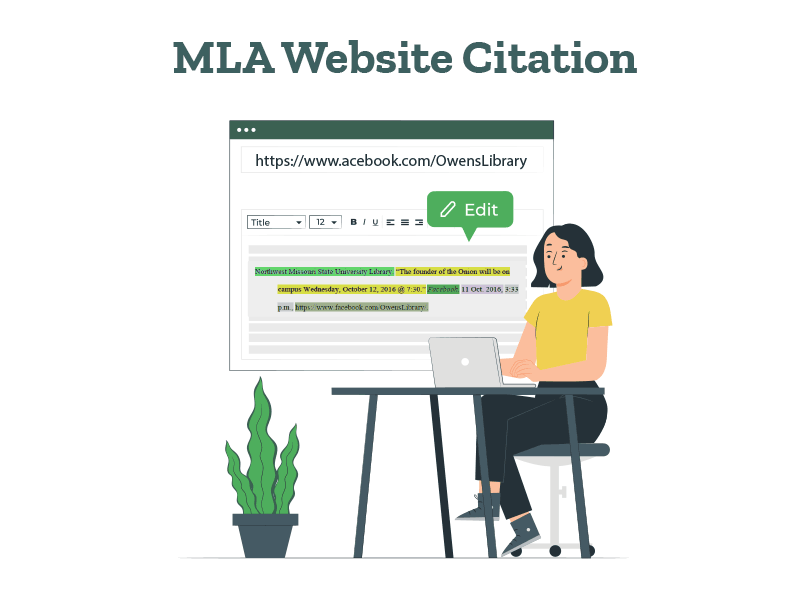
How to Cite a Website in MLA Format | 9th Edition Rules

Whether you’re writing a paper or crediting people on your blog, you should know how to write a website citation in MLA style. While there are several tools to create an MLA citation for a website, they’re not perfect. Even the best of tools make errors, and you should know the right format to be able to spot them.

As your resident academic experts, we’ll break down everything about citing a website in MLA format. We’ll take a look at the basic format and add corresponding MLA website citation examples. With this, we’ve included some quick tips, so you’ll never forget how to cite websites in MLA format!

Improve your paper with top-notch editing!

How to cite a website in MLA format

Web pages don’t always have a clearly defined author or other publishing details. Plus, writers and organizations frequently update web content to keep it fresh and relevant. So, your MLA format citation for a website may become outdated by the time it reaches the instructor’s desk!

The rules of academic writing present a solution: Just mention the date of accessing the source in your MLA website citations! Let’s take a closer look.

Here’s an MLA format citation for a website:

Author’s Last Name, First Name. “Title of the Article.” Title of the Website, Sponsor or Publisher, Date Month Year (of publication), URL. Accessed Date Month Year(optional).

Jones, Dave. “The Many ‘Nothings’ in King Lear.” Shakespeare Quarterly, Globe Theatre, 15 Mar. 2023, www.citationguide.com/article123. Accessed 24 Apr. 2024.

Note that the sponsor or publisher is mentioned only if they’re a separate entity from the website. 

Here are some quick tips to remember the format of an MLA citation for websites:

  • Memorize the core sequence: author, article, website, and date.
  • In case the article or web page title has an italicized part, keep the italicization intact.
  • If there are other contributors, such as editors or translators, include their names after the website title.
  • If the source is part of a numbered sequence, list the issue and/or volume numbers.
  • Always use the Day Month Year format while writing dates, unless told otherwise by your instructor.
  • Include the full URL without adding “http://” or “https://”.
  • Adding the date of access isn’t compulsory, but it’s a good practice to follow.

Let’s take a look at some variations of this format with relevant MLA website citation examples.

Variations of MLA website citation format

1. Website article with an editor

Author’s Last Name, First Name. “Title of the Article.” Title of the Website, edited by Editor’s First Name Last Name, Publisher, Date Month Year, URL. Accessed Date Month Year.

Roseth, Isabel. “‘Percy Jackson and the Olympians’: A Series in Review.” The Justice, edited by Brynne Rao, 02 Apr. 2024, www.thejustice.org/article/2024/04/percy-jackson-and-the-olympians. Accessed 21 May 2024

(Roseth)

2. Website article with no author

“Title of the Article.” Title of the Website, Publisher, Date Month Year, URL.

“Exploring America in the Early Nineteenth Century.” History.org, The Colonial Williamsburg Foundation, 2020, www.history.org/exploring-early-america.

In-text citation: (Exploring America)

The MLA in-text citation for a website with no author is a shortened version of the article title. This should correspond with the first few words of your entry in the MLA Works Cited list.

3. Website article with multiple authors

First Author’s Last Name, First Name, and Second Author’s First Name Last Name. “Title of the Article.” Title of the Website, Publisher, Date of publication, URL.

Zuckerman, Jocelyn C., and Siddharth Kara. “For Your Phone and EV, a Cobalt Supply Chain to a Hell on Earth.” Yale E360, 30 Mar. 2023, e360.yale.edu/features/siddharth-kara-cobalt-mining-labor-congo. 

(Zuckerman and Kara)

In case there are three or more authors, simply add “et. al.” after the first author’s name. Here’s an MLA citation example for a website:

Lee, Shanta, et al. “Metamorphoses: ‘Erysichthon’ by Ovid And…” Poetry Foundation, 23 November 2021, www.poetryfoundation.org/articles/161670/poem-guide-erysichthon-by-ovid-and-shanta-lee. Accessed 17 May 2024. 

(Lee et al.)

4. Website with no date

Author’s Last Name, First Name. “Title of the Article.” Title of the Website, Publisher, n.d., URL.

Lee, Harper. “To Kill a Mockingbird: A Reflection on the Novel.” Classic Literature Insights, n.d., www.classicliteratureinsights.com/to-kill-a-mockingbird-reflection.

(Lee)

Note: Add “n.d.” to indicate that the date of publication is not available.

5. Web page with a corporate author

Corporate Author. “Title of the Web Page.” Title of the Website, Publisher, Date of Publication, URL.

American Heart Association. “Understanding Heart Health.” Heart.org, 03 Mar. 2022, www.heart.org/understanding-heart-health.

(American Heart Association)

Remember, an MLA citation for a website mentions a publisher only if they’re a separate entity from the group author and website!

6. Citing an entire website in MLA format

Title of the Website. Publisher or Sponsor of the Site (if separate from website), Date Month Year. URL. Accessed Date Month Year.

Poetry Foundation, www.poetryfoundation.org/. Accessed 21 May 2024. 

(Poetry Foundation)

Note: The date of publication may not be available while citing an entire website in MLA style.

If you refer to a website directly in your narrative, you don’t have to write a separate MLA in-text citation for the website:

According to the NASA website, space exploration continues to…

7. Multiple pages from the same website

When citing multiple pages from the same website, use shortened titles in your in-text citations to differentiate them:

(Author’s Last Name, “Title of the Web Page”)

Page 1: (Payne and Rowland, “War in Sudan”)

Page 2: (Payne and Rowland, “Plight of Dafur”)

Always remember to double-check all your website citations in MLA style and their corresponding in-text citations. That way, you’ll be able to spot any missing entries and add them promptly. This concludes our guide on how to cite a website in MLA format. We hope you found it useful!

The key to accurate MLA citation for websites is attention to detail. Just remember the sequence and put the punctuation marks where they’re supposed to go. If you’d still like an academic expert to review your citations, PaperTrue’s paper editing services have your back.

Want to keep reading about citations and formatting? Here are some resources that could help:
How to Cite a Book in MLA Format (9th Edition)

Citing a book in MLA format can seem scary, but it’s quite straightforward. You just have to remember four parts of the citation entry and you’re good to go! Now, if you’re citing an eBook or a paragraph from a book, things can get slightly tricky. So let’s simplify things and learn how to cite a book in MLA format, with the help of plenty of examples!

We’ve also listed several variations of MLA in-text citations for books and added relevant examples. So whether you want to cite a translated book, reference book, or short story collection, we have the answer. Let’s start with the basic MLA book citation format.

Improve your paper with expert editing!

How to cite a book in MLA style

MLA citation for a book features four essential elements: author, book title, publisher, and publication date. If your book has an editor or translator, one more element gets added to the citation. Similarly, all you have to do is mention an additional detail while citing book chapters, alternate editions, volumes, and formats.

Here’s how to cite books in MLA style:

Author’s Last Name, First Name. Book Title. Publisher, Year of Publication.

Morrison, Toni. Paradise. Vintage, 1999.

Sometimes, you may need to add the city of publication for your book. This is only required if:

  • The publisher operates in several countries
  • The publisher isn’t well-known in North America
  • The book was published before 1900

Here’s the modified MLA book citation:

Author’s Last Name, First Name. Book Title. City of Publication, Publisher, Year of Publication.

Karunatilaka, Shehan. The Seven Moons of Maali Almeida. London, Sort of Books, 2022.

Remember these details while writing your MLA citation for a book:

  • Start the citation with the author’s last name, followed by the first name.
  • Write the book title in the title case and italicize it.
  • Don’t italicize the period after the book title.
  • Mention the city of publication if it’s relevant.
  • Separate the city of publication, publisher’s name, and year of publication with commas.
  • Add a hanging indent of 0.5 inches.

Variations of the MLA book citation format

The MLA citation format for a book can vary based on elements like the number of authors, editions, and publication details. We’ve compiled some of the most common variations of the format and added corresponding MLA book citation examples. Take a look:

1. Book by two authors

Author 1 Last Name, First Name, and Author 2 First Name Last Name. Book Title. Publisher, Year of Publication.

Abebe, Imani, and Zoish Wadia. Understanding Science. University Press, 2007.

(Abebe and Wadia 45)

2. Book by three or more authors

Author 1 Last Name, First Name, et al. Book Title. Publisher, Year of Publication.

Johnson, Michael, et al. Environmental Studies. Nature Publishers, 2011.

(Johnson et al. 157)

3. Book with an editor

Author’s Last Name, First Name. Book Title, edited by Editor’s First Name Last Name, Publisher, Year of Publication.

Adamu, Sydney. The Knife and the Board, edited by Jeremy Allen White, Harper Publication, 2023.

4. Edited book with no author

Editor’s Last Name, First Name, editor. Book Title. Publisher, Year of Publication.

Barnes, Steve, editor. The Art of Renaissance. Art Press, 2016.

(Barnes 102)

5. Chapter or part of a book

Author’s Last Name, First Name. “Chapter Title.” Book Title, edited by Editor’s First Name Last Name, Publisher Name, Year of Publication, page range.

Tufte, Edward. “Visual Confections: Juxtapositions from the Ocean of the Streams of Story.” Visual Explanations, edited by Robert Harris, Graphics Press, 1997, pp. 121–136.

(Tufte 128)

6. Book published by an organization

Organization Name. Book Title. Edition (if applicable), Publisher (if different from the organization), Year of Publication.

World Health Organization. Global Health and Aging. 2011.

(World Health Organization 45)

7. Translated book

Author’s Last Name, First Name. Book Title. Translated by Translator’s First Name Last Name, Publisher, Year of Publication.

Kafka, Franz. The Metamorphosis. Translated by Stanley Corngold, Bantam Classics, 1972.

(Kafka 102)

8. EBook

Author’s Last Name, First Name. Book Title. Publisher, Year of Publication. Title of the Website or Database, URL (without the http:// or https://).

Austen, Jane. Pride and Prejudice. Penguin Classics, 2008. Google Books, books.google.com/books?id=s1gVAAAAYAAJ.

(Austen 118)

9. Reference books (Dictionaries and Encyclopedias)

Author’s Last Name, First Name (if available). “Title of Entry.” Book Title, edited by Editor’s First Name Last Name, edition (if not the first), volume number, Publisher, Year of Publication, page number(s).

“Hemisphere.” Merriam-Webster’s Collegiate Dictionary, 11th ed., Merriam-Webster, 2003, p. 582.

(Merriam-Webster’s Collegiate Dictionary 582)

10. Collection of short stories, poems, and essays

Author’s Last Name, First Name. “Title of Work.” Title of Collection, edited by Editor’s First Name Last Name, Publisher, Year of Publication, page range.

Poe, Edgar Allan. “The Tell-Tale Heart.” The Complete Tales and Poems of Edgar Allan Poe, edited by James Harrison, Barnes & Noble Books, 2004, pp. 368–372.

(Poe 370)

Now that we’ve covered the citation format, here are some bonus tips:

  • Always double-check the spelling of authors’ names and book titles.
  • Italicize the entire book title, including the subtitle. Separate the subtitle by a colon and a single space.
  • While citing a digital book, include the format type (PDF) or database name after the publication details. If possible, include a stable URL or DOI.
  • Check the formatting of all your citations once you’re done.

How to write an MLA in-text citation for a book

An MLA in-text citation includes the author’s last name and the page number(s) from which the quotation or paraphrase is taken, all enclosed in parentheses.

Here is how to format an in-text citation for a book:

(Author’s Last Name page number)

(Jordan 234)

This format will change depending on your quotation and writing preferences. Take a look: 

  1. Author’s name already mentioned in the text:

Strunk emphasizes the need for writers to indicate who is speaking (72).

In the essay, Robinson explains how “schools kill creativity” (39).

  1. Citing more than one work by the same author:

(Author’s Last Name, Book Title page number)

(Austen, Pride 165)

Note that the book title in the in-text citation is always a shortened version. So, Pride and Prejudice in our MLA book citation example is shortened to just Pride.

  1. The book has two authors:

(Author 1 Last Name and Author 2 Last Name page number)

(Kent and Khan 49)

  1. The book has three or more authors:

(Author Last Name et al. page number)

(Wei et al. 45)

  1. The book has no author:

(Book Title page number)

(The Noble Quran 2:1–6) 

Note that the verse number is mentioned instead of the page number. This is done in the case of unconventional books.

If you’ve already mentioned the book title in your writing, the page number will suffice.

The Epic of Gilgamesh is an ancient Mesopotamian poem that tells the story of the hero Gilgamesh and his quest for immortality (10).

  1. The book has no author, only an editor or an organization:

(Editor’s Last Name page number)

(Wintour 34)

(Organization’s Name page number)

(World Health Organization 469)

  1. Citing more than one page:

(Author’s Last Name page number rage)

(Zamfir 123–25)

(Author’s Last Name page number 1, page number 2, page number 3)

(Zamfir 123, 130, 145)

Remember these details while writing your MLA in-text citation:

  • Pay attention to the punctuation marks used in your citation.
  • Always add the period after the in-text citation.
  • Use an en dash (–) instead of a hyphen (-) to indicate a range of numbers.
  • Ensure a corresponding entry in the Works Cited list for each in-text citation.

So that concludes our guide on MLA citation for books! We hope it helped you understand how to cite a book in MLA style. When you know the principle behind the citation style, you don’t have to rely on an online tool!

If you still need an academic expert to review your MLA book citations, our editing services are at your disposal. If you’d like to keep learning about citation, formatting, and academic writing, here are some more resources that could help:

How to Write a Strong Dissertation & Thesis Introduction

Need help with how to start your thesis or dissertation?  Explore our 7-step guide to create the perfect thesis or dissertation! We’ve also included practical thesis introduction examples to help you. 

From how to explain your research topic to how to summarize important points, we’ve covered everything. Together, let’s understand how to write an introduction that hooks your readers from the start! 

Ensure a high-quality error-free thesis today!

So without wasting time, let’s begin! Firstly, let’s understand more about the thesis introduction’s length. 

How long is a thesis/dissertation introduction? 

A thesis or dissertation introduction is usually 10% of your paper’s length. For example, if your thesis or dissertation is 30,000 words, you can write an introduction of 3,000 words. However, the actual length can vary, depending on the scope of research, institutional requirements, and guidelines given. 

An empirical dissertation or thesis introduction is usually shorter than a humanities paper’s introduction. Now, let’s see how to write a thesis introduction and dissertation introduction

7 simple steps to write a thesis/dissertation introduction 

1. Start with a broad context 

Begin by giving a short background about your topic and highlighting your topic’s importance. Some strategies to create an introduction are: Start with a relevant fact, quotation, question, an existing problem, important news, theories, or a debate related to your topic. 

Here is an example: 

In an age dominated by technology, the rapid spread of smartphones and computers has dramatically changed how people communicate and share information worldwide. 

2. Summarize important contributions by researchers

Mention important contributions by researchers that are relevant to your topic. This is like a mini literature review to provide background about your topic. Highlight any gap in the literature that your research covers. Here is an example: 

Key contributions include those by Rainie and Wellman (2012) who explored the concept of ‘networked individualism’ driven by personal technology; and Turkle (2015), who investigated the psychological effects of perpetual digital connectivity

However, there remains a notable gap in the literature regarding the long-term implications of technology on interpersonal skills and deep communication. 

Also read: 100+ Useful ChatGPT Prompts for Thesis Writing in 2024

3. Restrict the scope

In this step, only mention the specific factors involved in your study. This can include the time, location, the communities studied, and the central themes of your study. If relevant, focus on a specific event or phenomenon that your research covers. Following is an example: 

This study narrows its focus to the past ten years (2014-2024), during which social media and mobile technology have become indispensable. It examines the impact of digital technologies on key interpersonal skills—empathetic listening and verbal expression—within the context of North American urban communities, specifically targeting the millennial and Gen Z populations in New York City and Toronto. 

4. Mention the thesis statement 

A thesis statement should concisely communicate the main argument, claim, or purpose of your research, rather than focusing on the specifics of your research methods.

Here is an example: 

The increasing reliance on renewable energy sources, such as solar and wind power, is not only crucial for mitigating climate change but also has the potential to create job opportunities and stimulate economic growth. This can be seen in the successful implementation of green energy policies in Germany and Denmark.  

Browse through the next step of writing a dissertation conclusion/thesis conclusion! 

5. Explain your research’s importance 

In this step, describe why your research is essential. Also, if your research has any practical implications for future research or policies, add it to your introduction. 

Here is an example: 

This research intends to uncover patterns and potential shifts in communication competencies that could inform educational approaches, mental health strategies, and technological design aimed at supporting healthy social development in an increasingly digital landscape. 

Now let us see the last step of writing a dissertation or thesis introduction. 

6. Mention any questions/objectives of your research 

This is a crucial step to establish the focus and purpose of your research. The research questions should be specific, focused, and aligned with the identified research gap you wish to address. If you’re testing a hypothesis, you can mention it in this section. 

Let’s see an example of this: 

This dissertation seeks to answer the research question: How do changes in minimum wage affect employment rates in the retail sector?

Also read: How to Write a Dissertation & Thesis Conclusion (+ Examples)

7. Briefly outline your thesis 

This is the final step where you summarize all other chapters in your thesis or dissertation. The summary for every chapter shouldn’t be more than 1-2 sentences. Here is an example: 

Reading Guide 

This introduction is followed by the theoretical chapter that provides a brief overview of the research objectives, highlighting the intent to explore how digital technology affects communication skills among young adults and the significance of educational frameworks, mental health, and technology design. After this, the next chapter presents the existing research on the intersection of technology use with empathetic listening and verbal expression, setting the context for understanding current knowledge and gaps. 

The literature review chapter is followed by the methods chapter which provides a detailed description of the mixed-methods research approach used, including survey design, participant selection, and the rationale for qualitative interviews and focus groups. After this chapter, the results chapter objectively states the results gained from interviews and focus groups, providing depth to the understanding of individual and collective experiences with digital communication. This is followed by the discussion chapter that interprets these results and finally the conclusion chapter. Several appendices are added to elaborate on some of the analyses along with technical documentation in terms of flowcharts relevant to explaining data analysis procedures. 

Let us now see another introduction example to clarify any doubts. 

Introduction example 

As cities try to fight climate change, urban green spaces like parks have become important in removing carbon from the air. Studies by Smith et al. (2020) and Johnson and Thompson (2021) show that these green spaces can help capture carbon and regulate the climate in cities. However, it’s not clear how much urban parks in North American cities with mild climates actually help to balance out the carbon emissions from those cities. This leads to the question: How well have urban parks in New York City and Vancouver helped to offset urban carbon emissions between 2010 and 2023?

To address this question, this study employs a mixed-methods research approach, focusing on New York City and Vancouver to provide a comparative look at how green spaces function within different urban infrastructures and community usage patterns. The methodology includes a temporal analysis of satellite imagery and environmental sensor data to quantify carbon sequestration, coupled with surveys and interviews with park management and visitors to assess the perceived and actualized benefits of urban greenery.

Asserting that urban parks are a substantial yet underutilized asset for climate mitigation, the importance of this work extends beyond environmental benefits, potentially influencing policy, urban design, and quality of life. It offers a nuanced perspective for city planners and policymakers to integrate green spaces into climate strategies more effectively.

Reading Guide: 

This introduction is followed by a literature review that compiles the findings on the environmental impact of urban greenery. After this, the methodology chapter provides a detailed account of the mixed-methods approach used for assessing carbon sequestration in urban parklands, including data collection and analysis techniques.

This is followed by the results chapter which presents analytical findings, after which the conclusion chapter discusses broader implications for sustainable urban planning and suggests directions for future research.

Now that you know how to write a dissertation introduction/thesis introduction, you can begin brainstorming. You can research more thesis and dissertation introduction examples related to your field to strongly introduce your topic.  

Once you write your dissertation introduction and complete your paper, the next step will be to edit it. As experts in dissertation editing and proofreading services, we’d love to help you perfect your paper. 

Here are some articles you might find interesting: 

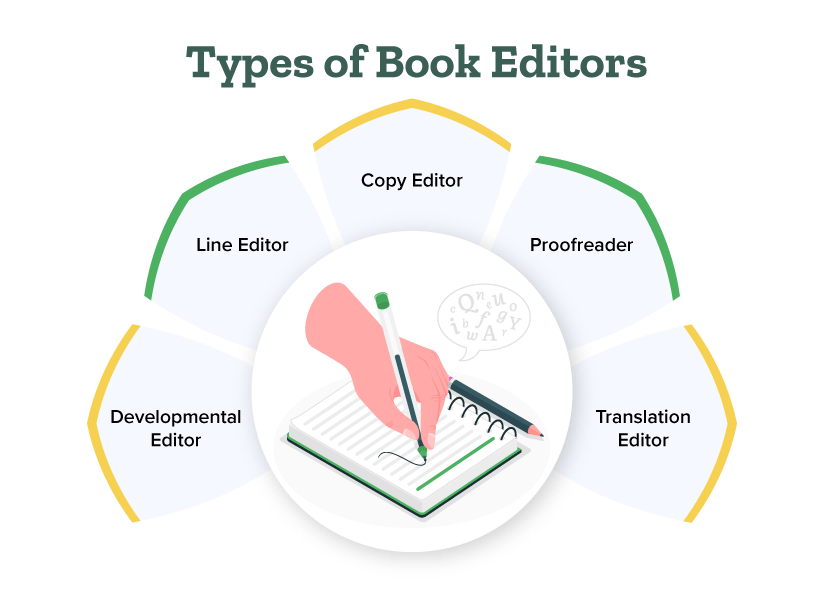
5 Different Types of Book Editors and What They Do

Before your book hits the shelves and captivates readers, it needs a critical ingredient: a skilled editor’s touch. But it can be confusing to not know what book editors actually do. Understanding the different types of book editors is crucial for ensuring your book reaches its full potential.

This guide will explore the roles and expertise of each type of editor, and empower you to build the perfect team for your literary success!

Get high-quality editing for your book today!

Let’s look at the different types of book editors:

1. Developmental editors

Expertise: Big-picture thinking, enhancing story structure, character development, plot analysis, theme exploration

Objective: To help you craft a compelling narrative with a strong foundation

Developmental editors are the masterminds behind a book’s overall structure and impact. They focus on the macro elements of your story, ensuring they resonate with readers on an emotional and intellectual level. They’ll help you:

  • Hook readers from the first page: Is your opening chapter captivating enough to draw readers in?
  • Develop relatable and multi-dimensional characters: Do your characters feel real, with motivations and flaws that drive the story?
  • Craft a page-turning plot: Does your story have a clear conflict, rising tension, satisfying climax, and impactful resolution?
  • Identify and address plot holes and inconsistencies: Are there any gaps in logic or contradictions in your narrative?

2. Copy editors

Expertise: Grammar, punctuation, syntax, clarity, conciseness, style consistency

Objective: To ensure your writing is error-free, grammatically sound, and easy to read

Copy editors are the language experts, meticulously scrutinizing your manuscript for errors in grammar, punctuation, and clarity. Their objective is to ensure your message is communicated effectively and your writing shines. They will:

  • Eliminate grammatical errors: They’ll catch those pesky comma splices, subject-verb disagreements, and misplaced modifiers.
  • Improve sentence flow and clarity: They’ll tighten up your prose, eliminating unnecessary words and phrases, and ensuring your meaning is crystal clear.
  • Ensure consistency in style and tone: They’ll make sure your writing maintains a consistent voice and style throughout the manuscript.

3. Line editors

Expertise: Improving sentence structure, word choice, flow, clarity, rhythm, voice, style

Objective: To fine-tune your writing at the sentence level, ensuring it is engaging, impactful, and polished. 

Line editors work closely with your text, focusing on the micro elements of language and style. They ensure that your sentences are not only grammatically correct but also rhythmically pleasing and impactful. They will:

  • Refine your sentence structure: They’ll suggest alternative sentence constructions, improving flow and rhythm.
  • Sharpen your word choice: They’ll suggest more precise or evocative language, enhancing your writing’s impact.
  • Ensure consistency in voice and tone: They’ll ensure your chosen voice and tone are maintained throughout the manuscript.

4. Fact-checkers

Expertise: Research, verification, accuracy, attention to detail

Objective: To ensure your manuscript is factually accurate and all information is correctly attributed

Fact-checkers are the detectives of the editing world. They meticulously verify every fact, date, statistic, and quotation in your manuscript. They are essential for non-fiction works and any book that relies heavily on factual information. They will:

  • Verify all factual information: They’ll double-check dates, names, events, statistics, and any other factual claims.
  • Ensure accuracy of quotations and attributions: They’ll verify that all quotes are accurate and properly attributed.
  • Identify and flag potential legal issues: They’ll alert you to any potentially defamatory statements.

5. Proofreaders

Expertise: Meticulous attention to detail, spotting even the smallest errors

Objective: To catch any remaining typos, book formatting errors, or inconsistencies after all other book editing stages

Proofreaders are the last line of defense against errors, meticulously proofreading your manuscript for any lingering typos, formatting inconsistencies, or layout issues. They are essential for ensuring a polished and professional final product. They will:

  • Catch typos and misspellings: They’ll spot those sneaky errors that slip past even the most vigilant writers and editors.
  • Ensure consistent formatting: They’ll verify consistent font, spacing, margins, headings, and other formatting elements.
  • Review layout and design: They’ll check the final layout of your book to ensure everything is visually appealing and error-free.

Choosing the right editors

Now that you understand the different types of editors, how do you choose the right ones for your book? Consider these factors:

1. Your manuscript’s stage of development

  • Early stages: If your manuscript is still in the early stages and needs significant structural and content editing, a developmental editor is essential. They can help shape your story, improve pacing, and ensure coherence.
  • Polished manuscript: Once your manuscript is well-developed and mostly complete, a copy editor is ideal for refining language, grammar, and style. A proofreader is best for the final check, catching typos and minor errors before publication.

2. Your genre and target audience

  • Genre-specific editors: Different genres have unique conventions and reader expectations. For example, romance, science fiction, and non-fiction all have distinct styles. Choose editors who have experience and a track record in your specific genre to ensure they understand these nuances.
  • Target audience: Consider who your readers are and what they expect. An editor familiar with your target audience can help tailor your book to meet their preferences.

3. Your budget

  • Prioritize needs: Determine which type of editing is most crucial for your manuscript’s success. Allocate your budget accordingly. If funds are limited, you might focus on a developmental editor to get the foundation right, then do some self-editing before hiring a copy editor or proofreader.
  • Get quotes: Reach out to multiple editors to get quotes and compare their rates. This will help you find the best fit within your budget.

4. Your personal preferences

  • Collaboration style: Consider how much feedback and interaction you prefer. Some authors enjoy a collaborative approach with regular discussions and feedback sessions, while others prefer minimal intervention and clear, straightforward edits.
  • Editor compatibility: Choose an editor whose working style matches your preferences. A good working relationship and clear communication can greatly enhance the editing process and the final outcome of your book.

Writing a book is an individual journey, but publishing it is a team effort. By understanding the different types of book editors and their unique expertise, you can assemble a dream team to polish your manuscript to perfection.

If you’re looking for expert editing and proofreading services to take your book to the next level, consider PaperTrue. Our team of experienced editors can help you refine your manuscript, ensuring it shines brightly in the competitive world of publishing.

Keep reading for more editing tips:

How to Copyright Your Book?

If you’ve thought about copyrighting your book, you’re on the right path.

Explore more