Newsletter Sign Up

Dissertation Defense: What to Expect and How to Prepare

So, you’ve spent countless late nights hunched over your computer, wanting to contribute something meaningful to your field. You’ve poured your heart and soul into your research, meticulously crafting each dissertation chapter. Now, there’s just one final hurdle: the dissertation defense!

This guide is here to help you prepare for a successful dissertation defense. We will also demystify the dissertation defense meaning.

Let our professional editors refine your dissertation!

Let’s start by answering the primary question: What does it mean to defend your dissertation?

What is a dissertation defense?

A dissertation defense is a formal presentation and discussion of your research work with your dissertation committee. It’s your opportunity to showcase your in-depth knowledge and defend your findings. 

What to expect: The dissertation defense process

The format of a dissertation defense can vary depending on your institution and field of study. However, most defenses follow a similar structure:

  1. Presentation: You’ll begin by delivering a concise and engaging presentation summarizing your research question, methodology, findings, and conclusions. This is your chance to shine and captivate your audience.
  2. Q&A Session: This is where the real “defense” comes in. Your committee will ask you questions about your research, ranging from clarifying specific points to exploring broader implications.
  3. Deliberation: After the Q&A, your committee will meet privately to discuss your defense and decide whether to approve your dissertation.
  4. Verdict: You’ll be called back into the room to receive the committee’s decision. They may offer congratulations, suggest minor revisions, or, in rare cases, request major revisions.

How long is a dissertation defense?

A dissertation defense is typically one to three hours long. It can vary sometimes. The presentation usually takes up the first hour, followed by an hour or two of questions and discussion.

How can I condense my dissertation into a presentation? 

Condensing a 100-page thesis into a 20-minute dissertation defense presentation certainly feels like a difficult task. But with just some focus and considerations, you can easily decide what you must focus on. 

1. Start with a title slide

On the title slide, add the details that you’ve added to the title page. This includes your name, credentials, and the title of the dissertation. You could also add the date of the presentation.

2. Don’t dwell too much on the abstract and the literature review

Summarize the abstract and literature review as briefly as you can, because the majority of your defense should be about your research. Ideally, this part of the presentation should be a peek into the research process.

3. Draw attention to why you’re carrying out your research

Delve a little into the topic’s history and background, so that you can eventually connect to it your research, and establish your work’s relevance in the field.

4. Talk about theoretical and conceptual influences 

Talk briefly about the conceptual framework of your dissertation, and the theoretical influences behind it.

5. State your research question clearly

All of this should ultimately lead to your research question. State it clearly, and explain the terms and jargon used in it, the same way you have in the dissertation itself. If there are sub-questions, elaborate on those too.

6. Focus on methods and methodology 

Delve deeply into how you carried out the research. What were the research methods used, and what was your rationale behind using it/them? Explain why your chosen methods are relevant to your project and its aims.

7. Move on to findings and observations

Talk about what came out of your research. What did you learn from it? What can be derived from the findings?

8. Establish how its relevance for future research 

Talk about the implications of your work for future research in your field, and why people should pay attention to them. If you have a list of policy recommendations or an action plan for your own research, talk about that as well.

How to prepare for dissertation defense: 5 Tips for success

Here are some practical tips to help you prepare for your dissertation defense:

1. Know your research inside out

This might seem obvious, but it’s crucial. Be prepared to answer detailed questions about your methodology, data analysis, and conclusions.

  • Create a comprehensive research outline: Break down your research into main sections (introduction, methodology, results, discussion) and create detailed notes for each).
  • Review regularly: Set aside time each day to review different parts of your research. This will help keep all details fresh in your mind.
  • Engage in mock Q&A sessions: Have peers or mentors ask you in-depth questions about your research. This will prepare you for unexpected queries.
  • Summarize key points: Create summary sheets of your methodology, data analysis, and conclusions for quick reference.
  • Stay updated: Ensure you are aware of any recent academic resource developments or publications in your research area that might be relevant during your defense.

2. Anticipate questions

Put yourself in your committee’s shoes and brainstorm potential dissertation defense questions they might ask. Practice your answers until you feel confident and comfortable discussing your research.

  • Consult previous defenses: Look at past defenses in your department to understand the types of questions committee members typically ask.
  • Engage with colleagues: Discuss your research with peers and ask them to pose questions they think a committee might ask.
  • Draft responses: Write down answers to anticipated questions. This will help you organize your thoughts and ensure you cover all critical points.
  • Practice aloud: Verbalize your answers to get comfortable with speaking them out loud. This can also help you identify any areas where you need further clarification.

3. Practice your presentation

A well-rehearsed presentation is key to a successful defense. Practice in front of a mirror, with friends or colleagues, or even record yourself to identify areas for improvement.

  • Create a script: Write a detailed script for your presentation. This will help ensure you cover all necessary points.
  • Use visual aids: Prepare slides that highlight key points, data, and conclusions. Visual aids can help keep your audience engaged and make complex information easier to understand.
  • Rehearse multiple times: Practice your presentation several times. Start with a mirror, then move to friends or colleagues for feedback.
  • Record yourself: Use a camera or smartphone to record your presentation. Watch the playback to identify areas for improvement.
  • Time your presentation: Make sure your presentation fits within the allotted time. Adjust your content as needed to ensure you cover all points without rushing.

4. Master the art of calm

Nerves are normal, but don’t let them get the best of you. Practice relaxation techniques like deep breathing or meditation to stay calm and focused.

  • Deep breathing exercises: Practice deep breathing techniques to help calm your nerves. Inhale slowly through your nose, hold for a few seconds and exhale slowly through your mouth.
  • Visualization: Visualize yourself successfully defending your dissertation. Imagine the room, the committee, and yourself confidently answering questions.
  • Mindfulness meditation: Engage in mindfulness meditation to help stay present and focused. Apps like Headspace or Calm can be useful.
  • Regular exercise: Physical activity can help reduce stress and improve your overall sense of well-being.
  • Adequate rest: Ensure you get enough sleep leading up to your defense. A well-rested mind is more capable of handling stress and thinking clearly.

5. Dress for success

What you wear to your dissertation defense matters. Choose professional attire that makes you feel confident and reflects the importance of the occasion.

  • Choose professional attire: Opt for a suit or business casual outfit that makes you feel confident and comfortable.
  • Check for comfort: Ensure your attire fits well and is comfortable to wear for an extended period.
  • Grooming matters: Pay attention to grooming. Neat hair, clean nails, and polished shoes all contribute to a professional appearance.
  • Test your outfit: Wear your chosen outfit before the day of your defense to ensure it’s comfortable and you feel confident in it.
  • Plan for the unexpected: Have a backup outfit ready in case of any last-minute issues like spills or wrinkles.

Defend your dissertation with confidence

Remember, your dissertation defense is the culmination of years of hard work and dedication. It’s your moment to shine and share your valuable research with the world. By preparing thoroughly, practicing diligently, and approaching the defense with confidence and enthusiasm, you’ll be well on your way to achieving your academic goals.

And if you’re looking for an extra layer of polish and assurance, consider the expert editing and proofreading services of PaperTrue. Our team of experienced editors can help you refine your dissertation to perfection, ensuring that your writing is clear, concise, and error-free.

Keep reading for more information:
Top 10 Must-Try Character Name Generators in 2024

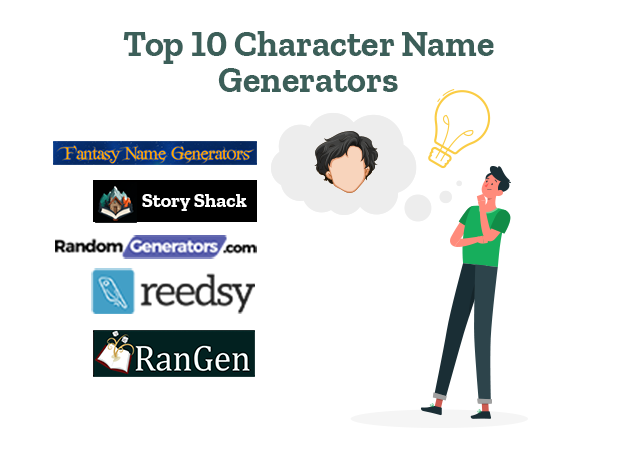
Want to select unique and memorable character names for your book? Explore the top 10 character name generators and choose the best names! We’ve also included free character name generators for you. 

Whether you wish to name your protagonist, antagonist, or secondary characters, this list will help. So without wasting time, let’s begin! 

Make your characters as unforgettable as their names!

1. Fantasy Name Generators

This fantasy character name generator gives thousands of ideas for naming dragons, ogres, aliens, fairies, pirates, puppets, robots, wizards, witches, vampires, centaurs, etc. Using this worldbuilding tool, you can generate 10 random names at a time. 

If you want names related to a realistic story setting (e.g. France), it gives you character names popular in the region. This includes European names, African names, Asian names, Middle-Eastern names, etc.  

2. Story Shack

Story Shack has 1200+ random name generators. It’s a great free tool to generate names for superheroes, wizards, witches, demons, dwarves, etc. If you’re searching for male and female character name generators, StoryShark has those as well! 

With this, Story Shack also has generators that provide unique name ideas for gnomes, warriors, monsters, knights, mad scientists, etc. If your fictional characters are animals, it also has the option to generate animal names. 

3. RandomGenerators

This tool includes baby name generators, fantasy name generators, and pseudonym name generators. With this, it contains AI character name generators that give unique name ideas for superheroes, anime, cowboys, Roman names, Victorian names, etc. 

It also has a Cool Name Generator, a Cute Name Generator, and a Royal Name Generator. If you want engaging names for aliens, dragons, unicorns, and mermaids, you can use this main character name generator.  

4. Reedsy

Using Reedsy’s random name generators, you can select the language and Reedsy will provide names related to the language. Currently, it provides names in 14 languages (Arabic, English, French, Italian, German, Japanese, Korean, Chinese, Russian, Spanish, Swahili, Hindi, Turkish, and Welsh). 

With this, Reedsy also has medieval name generators, God name generators, fantasy character name generators, and archetype name generators. It can give intriguing ideas for various types of characters like heroes, villains, mentors, sidekicks, dragons, elves, etc. 

5. RanGen

RanGen has a Quick Characters Generator. Using this, you can get the character’s anime and a detailed description of the character’s likes, dislikes, conflicts, etc. 

With this, it also has a Family Generator, using which you can generate names of brothers, sisters, parents, and their ages. RanGen also has a Love Interests Generator, a Personality Generator, and a Motive Generator to enhance character development

6. Seventh Sanctum

Writers searching for a quirky, eye-catching name can use Seventh Sanctum’s Weird Name Generators. With this, Seventh Sanctum also provides countless options for evil names, goblin names, pony names, angel names, demon names, etc. 

For those who have set their stories in the West, Seventh Sanctum also has a Western Names generator. It also gives several ideas for the names of tree beings, cats, Greek characters, and dark elves. 

7. Name-Generator.org

To use this fictional character names generator, fill in details like the gender, character’s title (e.g. Ms.), character type (evil, poet, great, leader, or virtuous, nationality, and religious background. With this, select whether you want the character to be a human, vampire, zombie, or witch/wizard. 

You can also add details of the first letter and last letter of the main characters and family names. After entering all details, select the option “Write me some character names” to generate the names. Along with character names, this tool also provides detailed character profiles for every character. 

8. Bookbird

Using Bookbird’s name generators, you can select a language (e.g. English, Hindi) and get common names in that language. This tool also provides exciting name ideas for elves, dwarves, wizards, devils, vampires, pirates, robots, fairies, etc. For those searching for male and female character name generators, Bookbird is a good option. 

Unlike many other random character name generators, it also shows how the character will visually look. With the name, it also provides the meaning of the first name. For example, in the name Ignatius Westover, Ignatius means fiery. 

9. Behind the Name

Behind the Name gives users the option to select the nationality and gender of the character. You can select from various nationalities like African, Greek, Polish, Portuguese, etc. Using this fictional character name generator to generate 1-5 characters at a time. 

This main character name generator also has an option to generate a life story for fictional characters. On selecting this option, the tool provides additional details like the character’s height, weight, blood group, lifespan, etc. 

10. Writerbuddy

This AI character name generator has an option to describe the character for generating the character name. It then provides 5-10 character names. Sometimes, it also gives the name’s meaning. 

If you give more information about the character, it generates 1-3 detailed character descriptions. To use this random character name generator, you can open a free account and get access to 40+ advanced AI writing tools

Now that you know how to find the best character name generators, you can use these tools for developing characters. Once you complete your story, the next step will be to edit your text. As experts in editing and proofreading services, we’d love to help you enhance your story! 

Here are some other useful resources for you: 

10 Best AI Text Generators of 2024: Pros, Cons, and Prices

Creating engaging, original, and well-optimized content can be a daunting task. This is where AI text generators come into play. They offer a transformative solution for content creators, marketers, students, and businesses.

These powerful tools harness the capabilities of artificial intelligence to produce text that is not only compelling but also tailored to meet specific SEO needs. In this article, we’ll explore the top AI text generators that are reshaping the landscape of digital content creation!

Ensure your generated text is flawless!

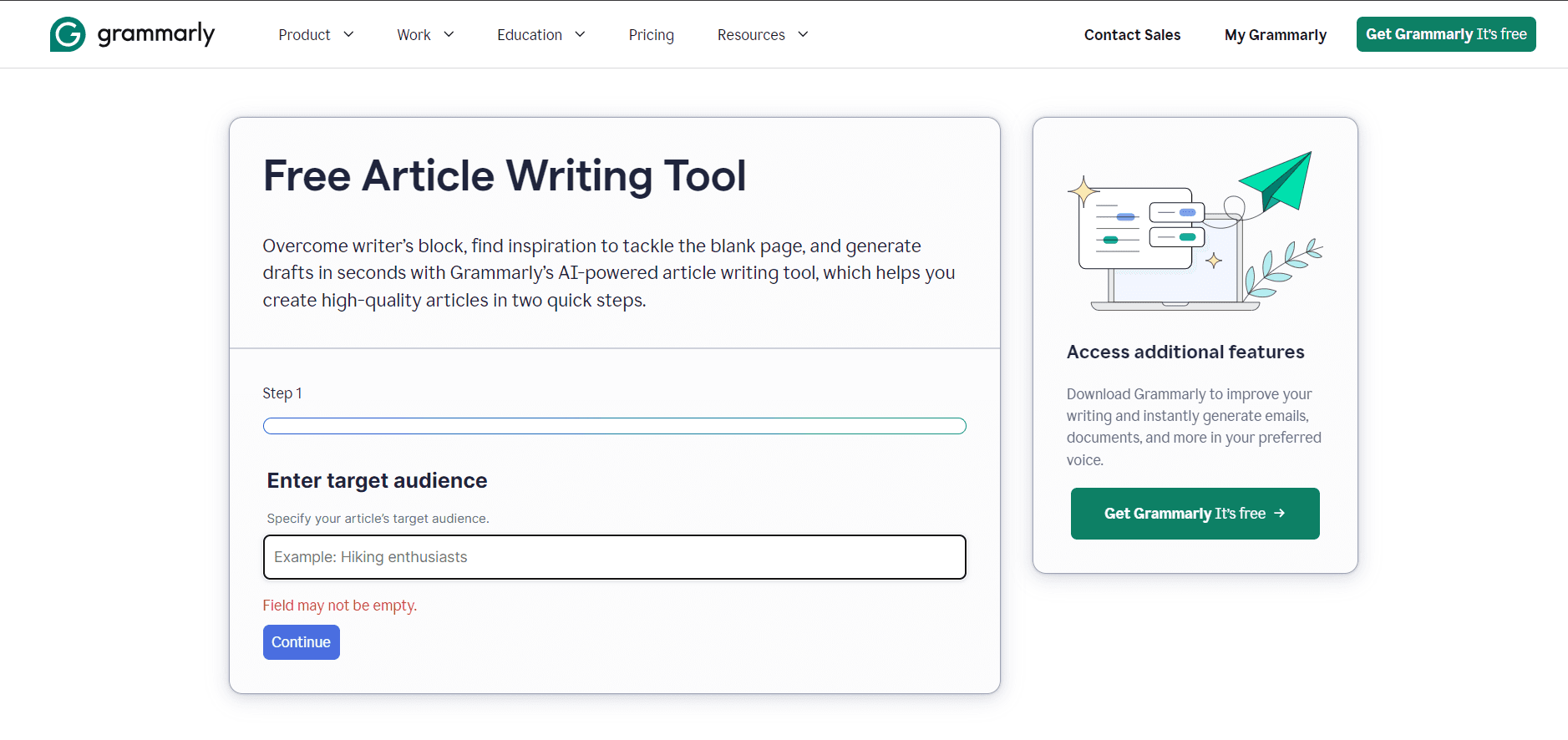
1. Grammarly

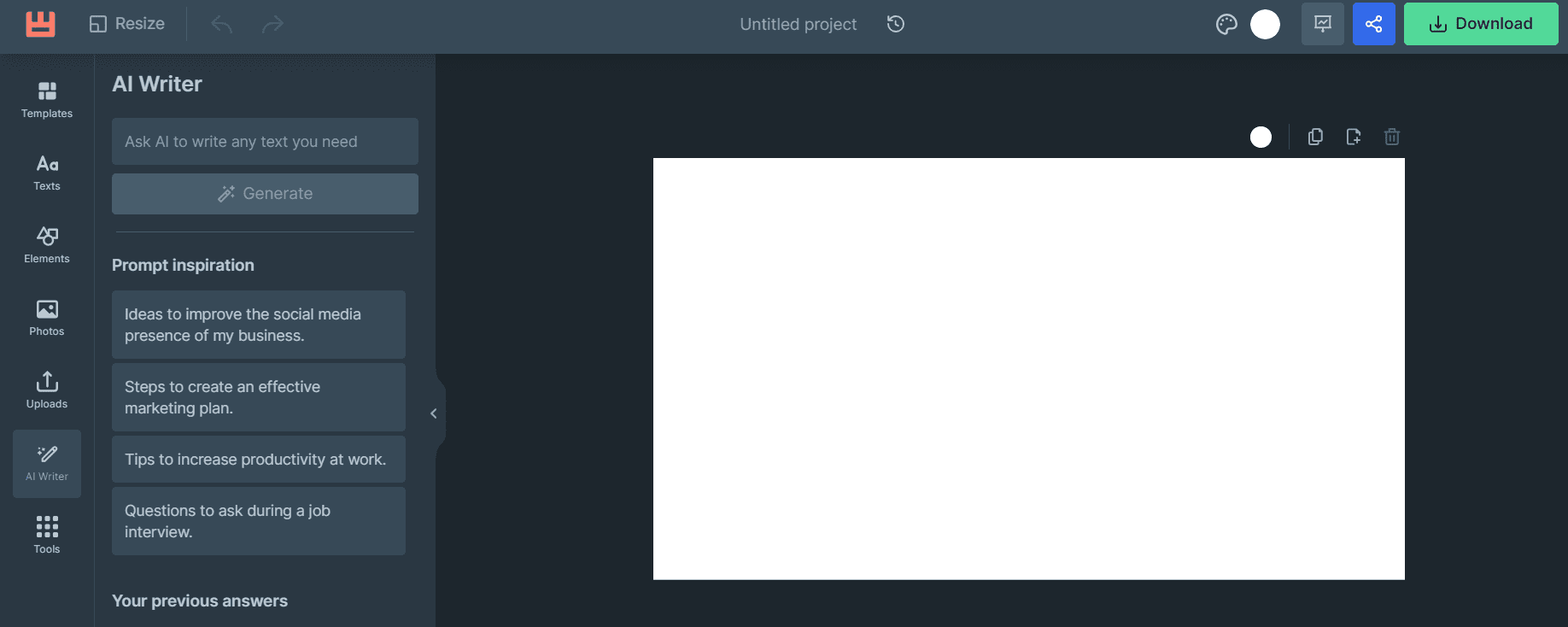
Grammarly AI text generator.Grammarly is widely recognized not just for its proficiency in grammar and spelling checks but also as an efficient AI text generator. It offers an option to select a target audience to make your text more engaging. You can use this AI text generator to generate content for various documents like job descriptions, cover letters, professional emails, blogs, etc.

Pros

  • Grammarly provides advanced grammar correction with its free AI text generator tools.
  • Automatically generates a draft using simple command prompts.
  • It adjusts your text for formality, tone, and length.

Cons

  • Sometimes it provides too many suggestions which can be overwhelming for the user.
  • Suggestions are based on standard grammar rules and may not always align with more creative or unconventional writing styles.

Pricing: With Grammarly’s free AI text generator tools, you can use only 100 prompts/month. To use other features for citations, tone, language, etc. users need to buy premium membership plans that start at US $30/month.

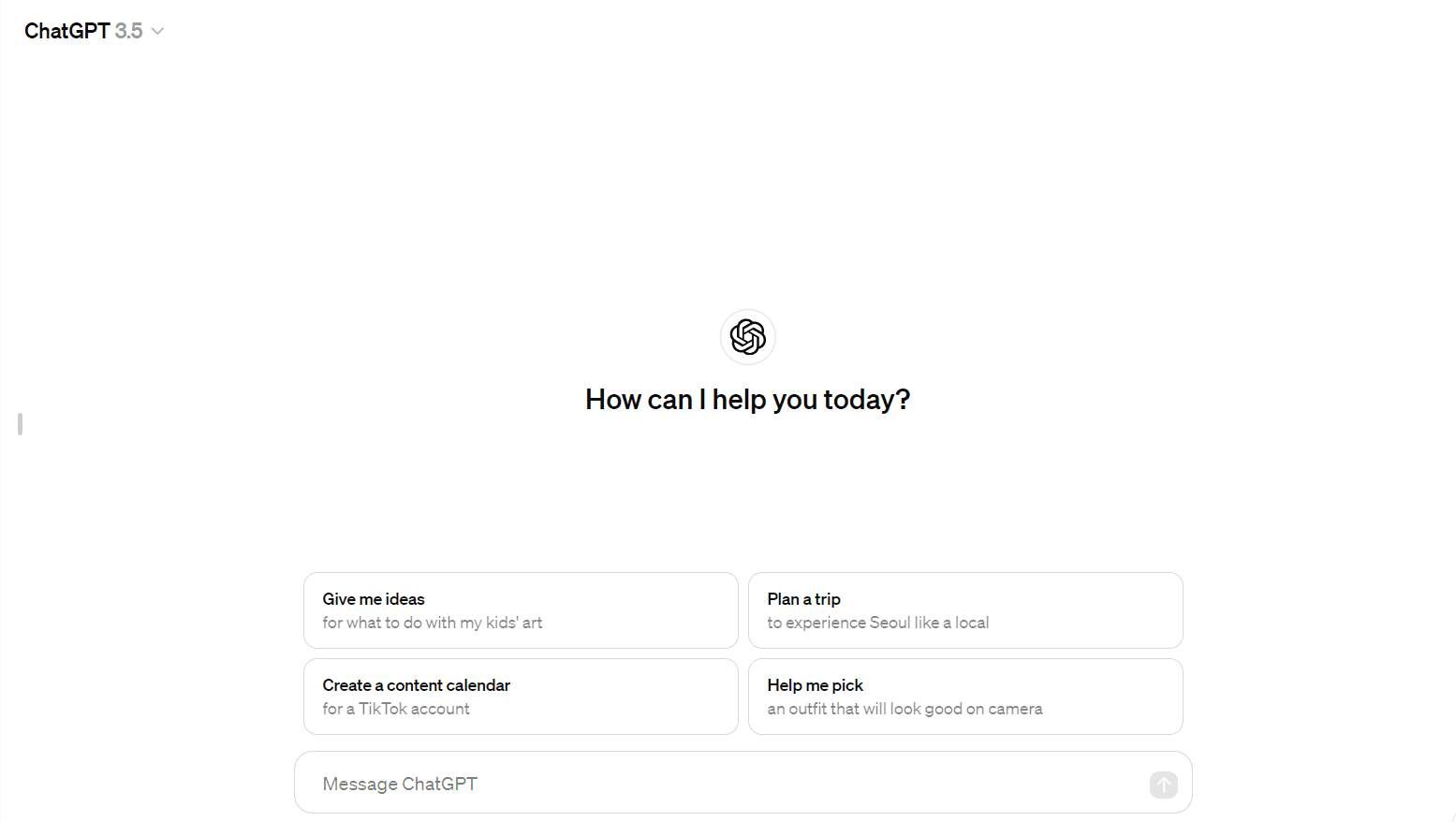
2. ChatGPT by OpenAI

ChatGPT AI text generator.

ChatGPT stands out as an open AI text generator capable of understanding and generating human-like text. It understands the input it receives and generates text based on that. It can write articles, answer queries, and even simulate conversation. ChatGPT is a popular AI text generator that can help you generate short-form as well as long-form content.

Pros

  • New updated models like ChatGPT-4 are being released with better features.
  • ChatGPT can generate coherent content of your required length with simple prompts.
  • It is free to start with a scalable pricing model.

Cons

  • Gives responses that can be generic without fine-tuning.
  • Has limited knowledge of events after its last update.

Pricing: ChatGPT provides a free AI text generator with its 3.5 model. Subscription is required to use the latest updated GPT-4 model with more writing features. Plus subscription plan starts at US $20/month. 

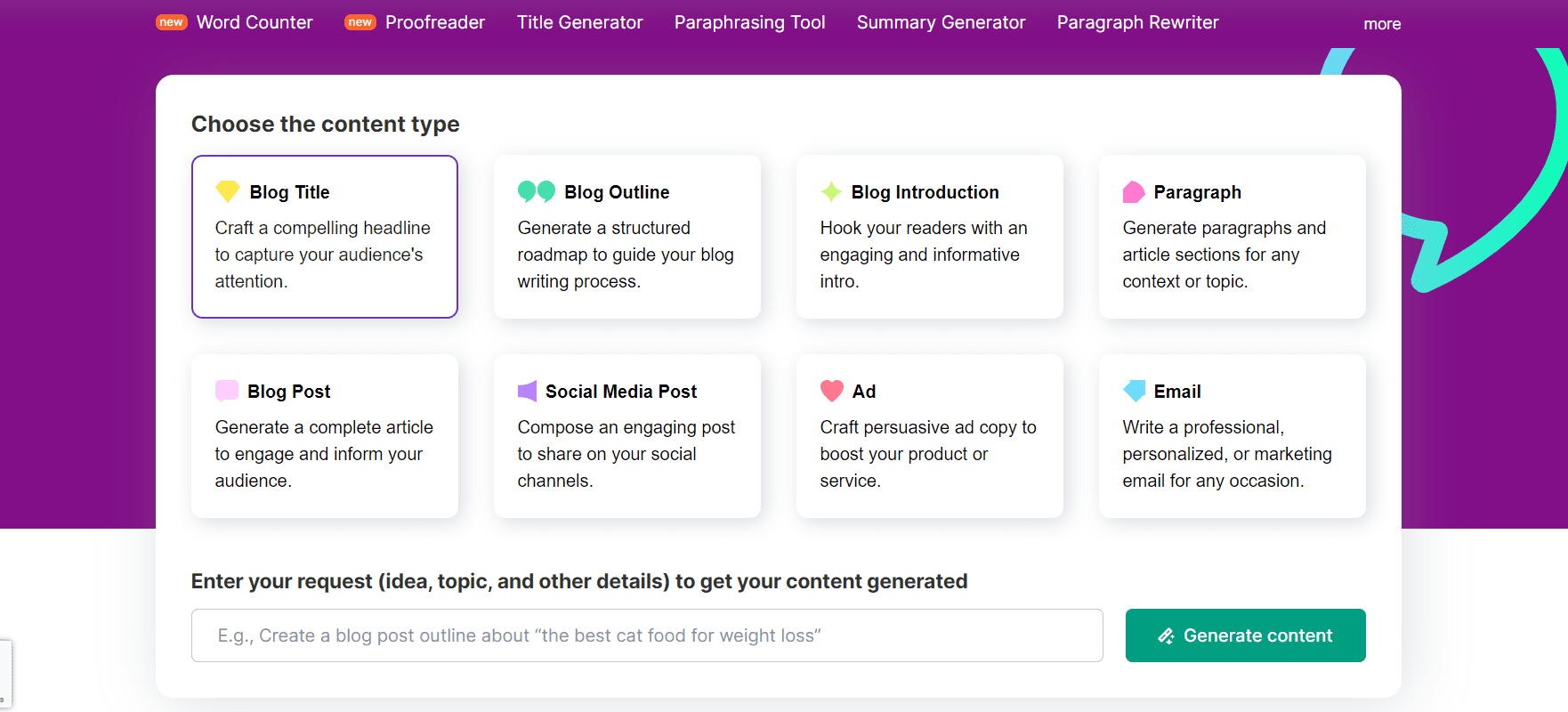
3. Semrush writing assistant

Semrush AI text generator.

Semrush is renowned for its SEO tools, and its online AI text generator to help optimize content for search engines. It provides SEO recommendations, readability scores, and tone consistency checks. Semrush’s Ai text generator helps to create various types of content like blogs, social media posts, ads, emails, etc.

Pros

  • You can enter the keywords you want, around which it generates content.
  • This free AI text generator lets you edit your content directly in the tool.
  • No sign-up is required to use this tool.

Cons

  • Lesser content types compared to other generators such as cover letters, job descriptions, etc.
  • AI-generated text may lack the personal touch, style, and tone that come from a human writer.

Pricing: This is a free AI text generator.

4. DeepAI

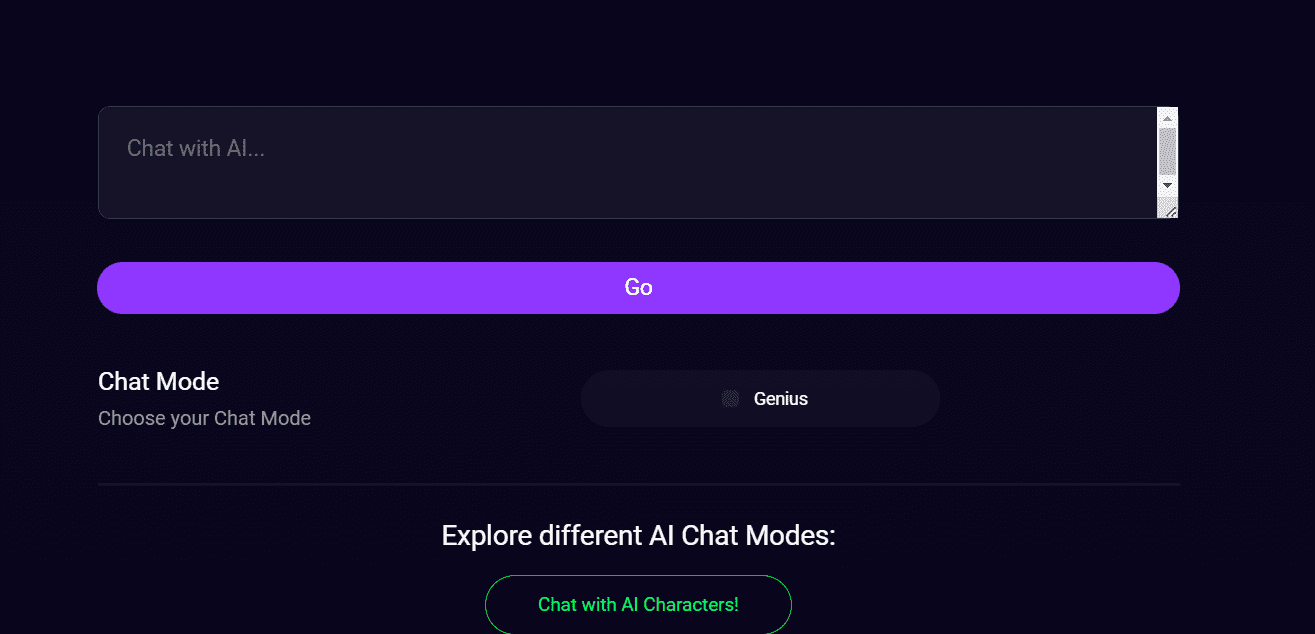
DeepAI AI text generator.

DeepAI provides a range of AI tools, one of which is an advanced text generator AI. This tool is specifically created for technical purposes such as automatically summarizing text and analyzing sentiment. It has an online mode that enables AI Chat to browse the web for real-time information. It is a great way to learn new things and explore new topics.

Pros

  • Can recall information from previous conversations to provide personalized responses.
  • You can generate outlines for your research papers, theses, and dissertations for free.
  • It is programmed to decline unsuitable or detrimental requests.

Cons

  • It is more suited for users requiring technical content.
  • It can occasionally provide incorrect information due to training data or understanding limitations.

Pricing: To use DeepAI’s more accurate Text generator, you need to buy a premium subscription for its “Genius” version. It starts at US $4.99/month.

5. Quicktools by Picsart

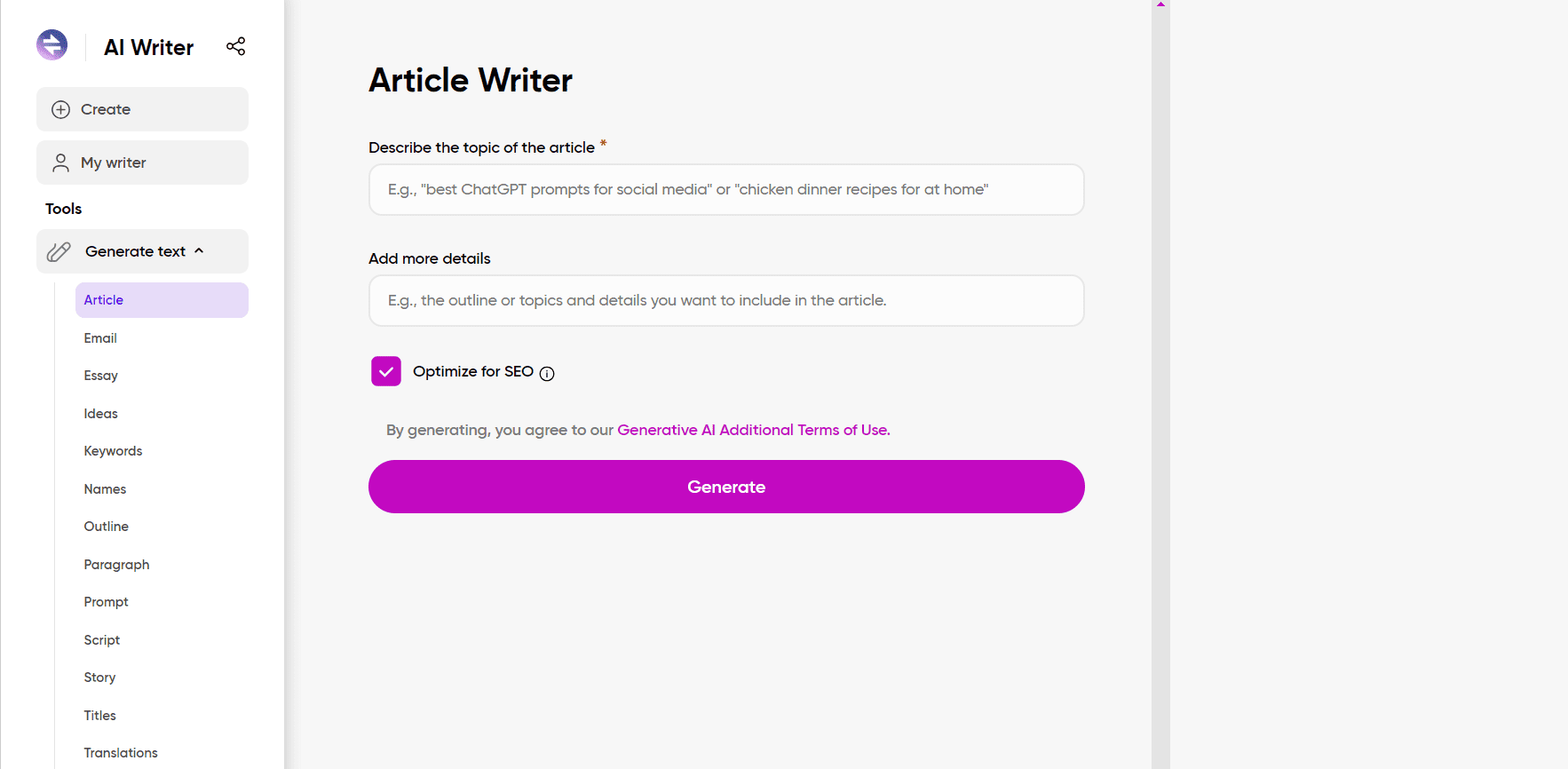
Quicktools by Picsart AI text generator.

Known for its creative tools, Picsart’s Quicktools include an AI text generator that excels in creating catchy captions and social media posts. This text generator includes many writing options like article writer, title generator, story generator, etc. 

Pros

  • An excellent AI text generator for quick, creative text snippets.
  • It’s free and easy to use.
  • This tool also has features to shorten, paraphrase, translate, and write product descriptions.

Cons

  • No guarantee that the generated content is 100% unique.
  • Provides limited customization options for tone and styles.

Pricing: This is a free AI text generator.

6. Perchance

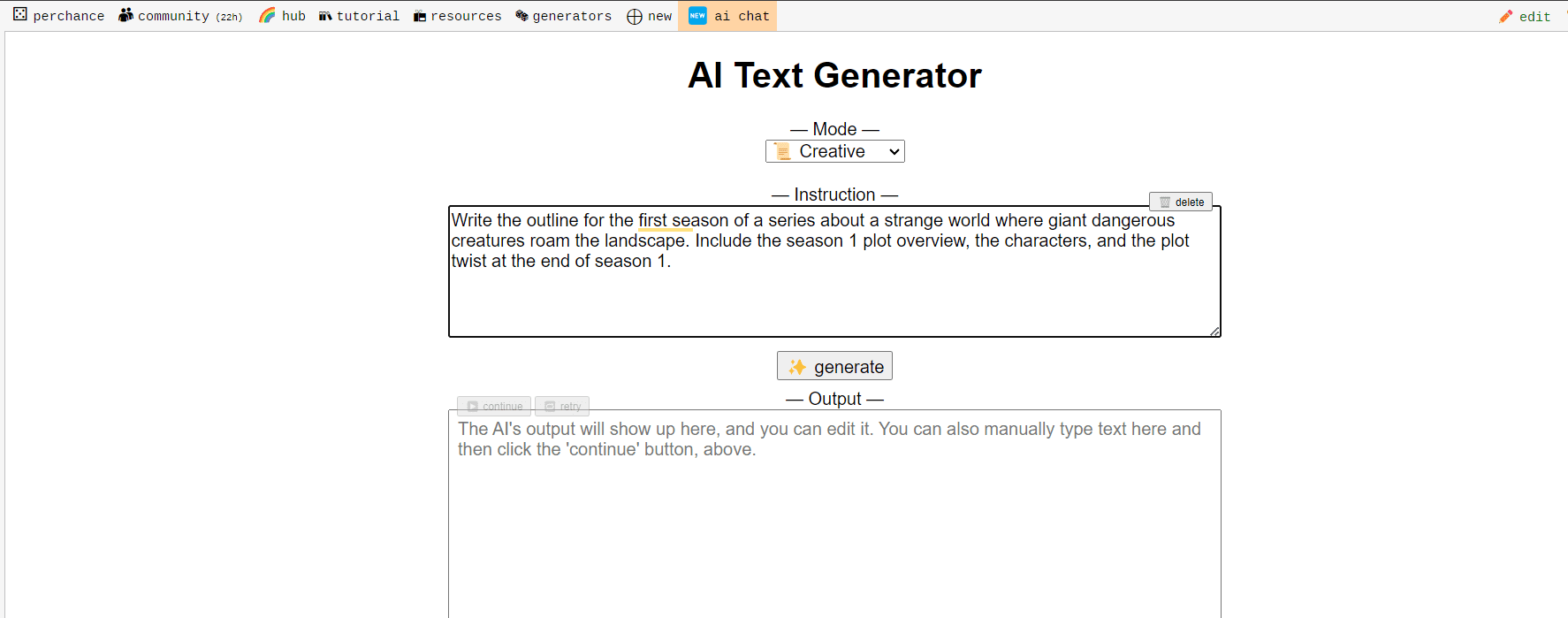
Perchance AI text generator.

Perchance specializes in generating structured text like lists, quizzes, and interactive content using a simple coding-like language. This generator provides writing mode options like creative, academic, reasoning, etc. Perchance is a very basic and easy-to-use AI text generator.

Pros:

  • It’s great for interactive and gamified content.
  • No coding experience is required to use this generator.
  • Free access, no sign-up is required.

Cons

  • It’s not very suitable for standard long-form content writing.
  • Has very few features compared to other text generators like grammar correction, tone adjustment, etc.

Pricing: This is a free AI text generator.

7. Simplified

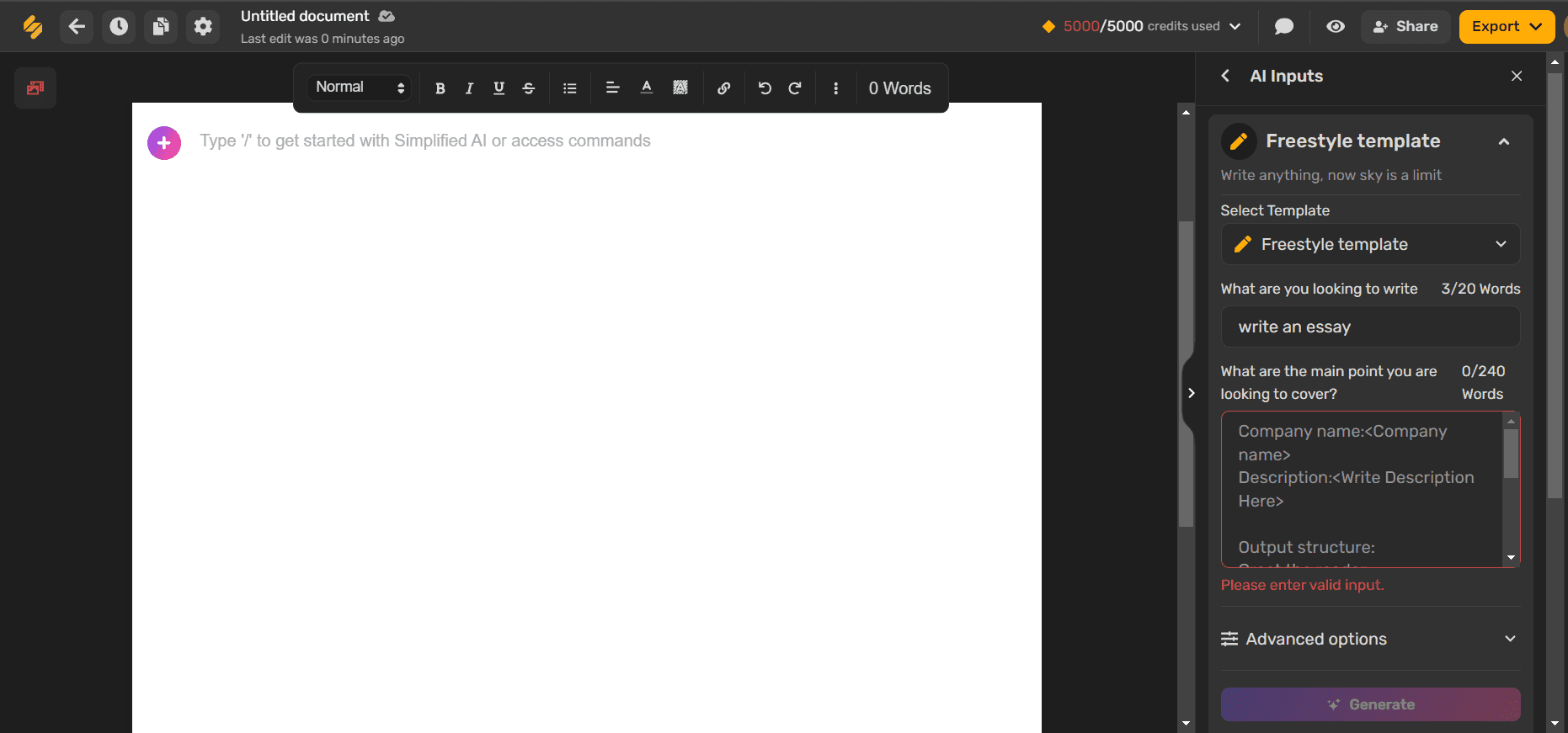
Simplified AI text generator.

Simplified combines design and copywriting tools, allowing for seamless creation of both visuals and text in one platform. You can generate 80+ types of copy in seconds with the Simplified AI text generator. This generator writes unique & plagiarism-free content for blogs, articles, ads, products, websites & social media.

Pros

  • This tool is beneficial for non-native English speakers, offering grammar and writing style suggestions.
  • It can assist in creating SEO-optimized content by integrating targeted keywords and phrases.
  • It is a free AI text generator.

Cons

  • Premium plans need to be purchased to collaborate with teams in real-time.
  • The free version provides a credit of only 5,000 words/month which can be very low for long-form content.

Pricing: The subscription plan to get 100,000 words/month starts at US $18/month.

8. Wepik

Wepik AI text generator.

Wepik offers an AI text generator for marketing and promotional content. Using this tool, you can generate titles, body copies, CTAs, etc. This tool lets you change your voice, clarify, and enhance your text. You can also rewrite your text and make it longer or shorter with the Wepik AI text generator.

Pros

  • Has templates like business cards, invitations, social media, etc.
  • It is focused on generating marketing content.
  • Has easy integration with social media through a social media scheduler and mobile app features.

Cons

  • It is limited to shorter text formats.
  • This AI writer is less versatile compared to other tools.

Pricing: This is a free AI text generator.

9. Askyourpdf

Askyourpdf AI text generator.

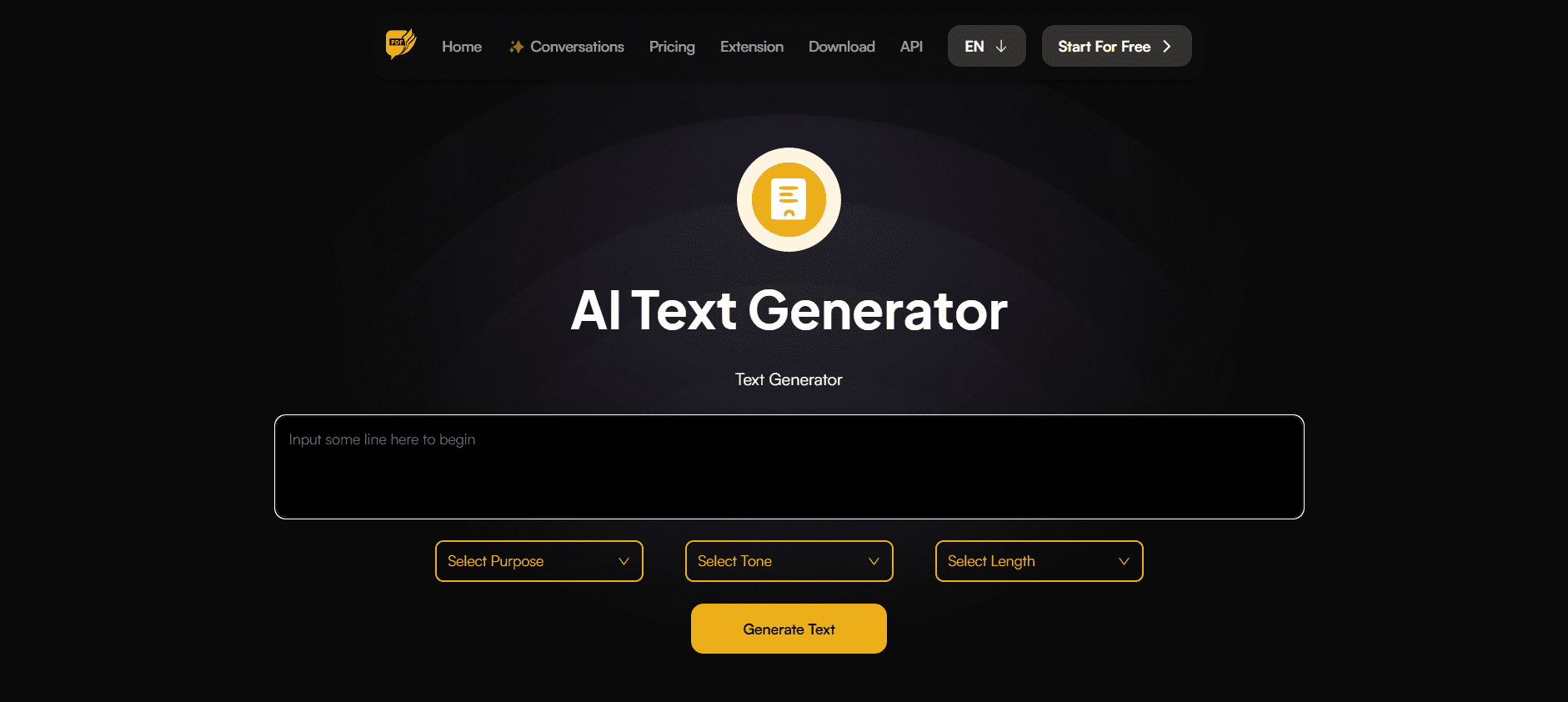
This AI text generator is unique in its ability to generate text based on PDF content. It gives you the option to select your purpose for generating text such as marketing, educational, fictional, etc. You don’t need to create an account to use the free version. The extensive features make it an ideal tool for academic and detailed content creation.

Pros

  • It specializes in extracting, rephrasing, and editing PDF content.
  • You can also select a tone from three options: professional, casual, and technical.
  • Various length options from very short to very long.

Cons

  • No customizable templates for different types of content.
  • You cannot edit your text in this AI text generator.

Pricing: This is a free AI text generator.

10. Typli.ai

Typli.ai AI text generator.

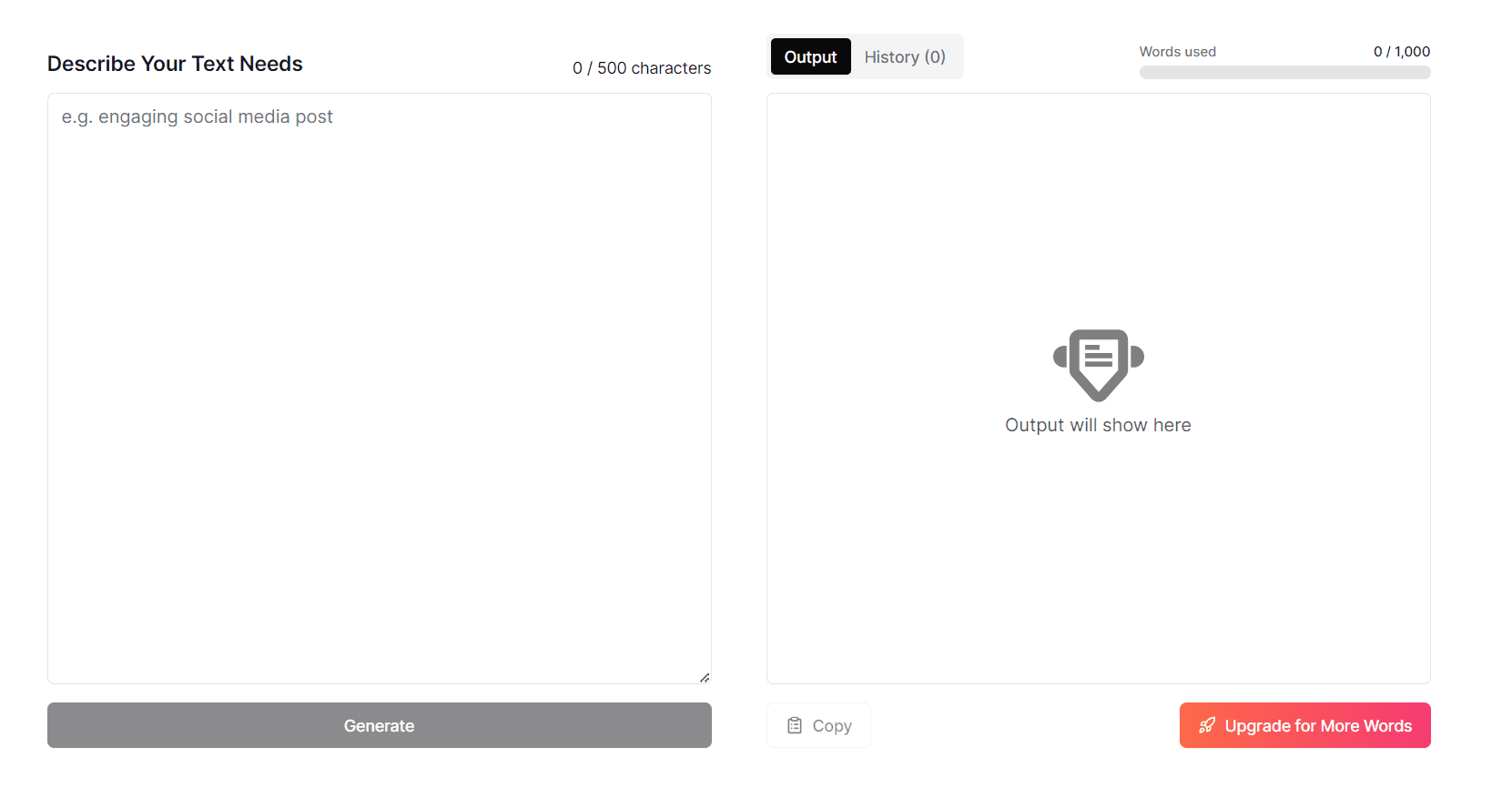
Typli.ai is an all-in-one AI text generator online free tool that excels in creating content quickly and efficiently. You can generate the type of text you need, such as a blog post, social media update, or marketing copy. 

Pros

  • Typli.ai provides 114 AI writing tools.
  • This is a free AI text generator.
  • Has a strong focus on SEO optimization.

Cons

  • Gives a credit of only 1000 words/month with the free version.
  • It may require an initial setup for optimal results.

Pricing: To use 10,000 prompts/month, the subscription of Typli.ai starts at US $7.99/month.

Choosing the best AI text generator depends largely on your specific needs. Each tool offers unique features, but all aim to streamline the content editing and creation process and enhance the quality of output.

While AI can greatly assist in content creation, having a human touch can make a difference. For those looking to perfect their content, PaperTrue offers expert editing and proofreading services to ensure your text is not only effective but also flawlessly polished!

Here are more AI resources for you:

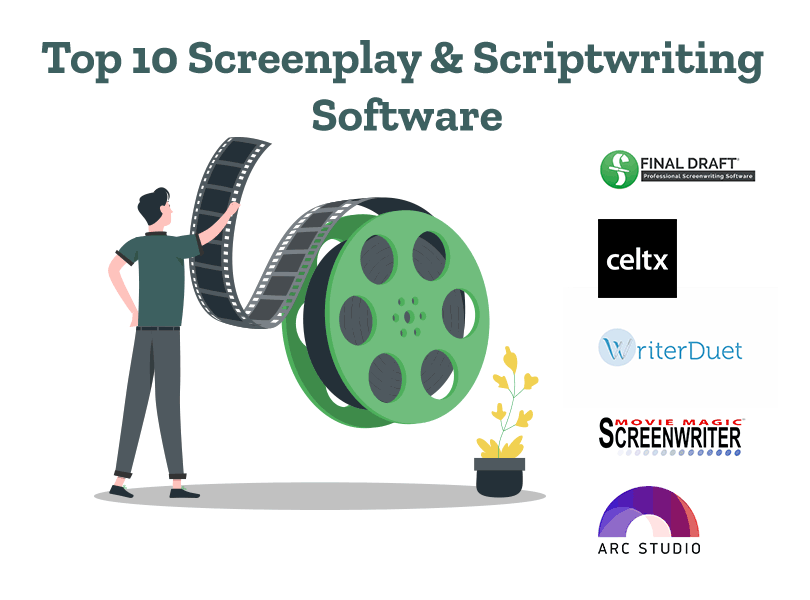
Top 10 Screenplay & Scriptwriting Software (Free & Paid)

Writing a screenplay or script requires not only creativity but also the right tools to bring your story to life. In this comprehensive guide, we’ll introduce you to the top 10 scriptwriting and screenwriting software and their features. 

We’ve included the pros and cons of both, paid screenplay software and the best free scriptwriting software. These screenwriting and scriptwriting software simplify your writing process and help you create scripts that stand out. So without further delay, let’s begin! 

Optimize your script or screenplay with high-quality editing!

1. Final Draft

One of the best screenwriting software, Final Draft helps you organize and format your writing. It provides you a 30-day free trial after which you’ve to buy the paid version. 

Pros 

  • A Beat board that helps you arrange your screenplay acts or scripts into customizable, visual cards. 
  • Final Draft software has 40+ templates to choose from for writing your screenplay or script. 
  • An Outline Editor to create a specific outline and structure for your screenplay acts or scripts. 

Cons 

  • Final Draft’s paid version is more expensive as compared to other free scriptwriting and screenplay writing software. 
  • Those who have used simpler writing apps can face difficulty understanding the Final Draft software’s functionalities. 
  • It doesn’t have the functionality to convert the Final Draft script into an MS Word document. 

Price: The starting price is $99.99. 

2. Celtx

Celtx’s professional screenplay and scriptwriting software helps you in writing and formatting as per industry standards. This tool has a feature to create call sheets, shot lists, sides, and track screenplay revisions. 

Pros 

  • It also has the option to invite others to read, collaborate, and edit the screenplay
  • Detailed script insights about dialogue distribution, setting distribution, action vs. dialogue, and interior vs. exterior in the screenplay. 
  • Options to set script goals, play any line (text-speech playback), and add a watermark to secure your content. 

Cons 

  • It uses a subscription-based model where users need to pay a specific amount per month. This might be unappealing for users who prefer to purchase the software and make a one-time payment. 
  • Additional options like pre-production features can make it overwhelming for writers who just want a simple interface to write. 
  • Screenwriters opting for the basic Writer version for $14.99 per month can only complete 3 projects using Celtx. 

Price: Celtx offers the following 3 packages: Writer ($14.99 per month), Writer Pro ($24.99 per month), and Team ($59.95) per month. 

3. WriterDuet 

WriterDuet is a screenplay writing and scriptwriting software that is used by more than 1 million screenwriters worldwide. There are no page limit restrictions for using this tool. 

Pros

  • WriterDuet provides easy-to-use templates, the option to import and export files, and customized formatting. 
  • It is one of the best scriptwriting software for collaborative writing. It enables two or more writers to write simultaneously or separately and communicate via text or video chat. 
  • This screenplay writing software gives writers an individual line history, making it easy to track changes and revisions. 

Cons 

  • Using the free version, you can only complete 3 projects. 
  • Options to collaborate with other writers, dialogue, and character filters are not included in the free plan. 
  • It has fewer templates as compared to scriptwriting and screenwriting software like Final Draft. 

Price: The paid version costs start from $9.99 per month. 

4. Movie Magic Screenwriter 

Movie Magic Screenwriter is a popular, online screenwriting software that won the Academy Technical Achievement award. With 86+ templates and the options to import, export, and backup files, it’s an effective tool for screenwriters and scriptwriters. 

Pros 

  • An editable Index card to help you create notes and list ideas for your screenplay. 
  • Added dictionaries in American English, British English, French, German, and other languages. 
  • It works well with other writing tools like Dramatica Pro and Outline 4D.

Cons

  • Compatibility issues may arise when sharing files with users of different scriptwriting and screenwriting software. 
  • It’s more expensive compared to other screenwriting and online free scriptwriting software. 
  • It doesn’t offer mobile support and doesn’t have a mobile app like Celtx and Fade in. 

Price: It costs $149.95 to purchase this software. 

5. Fade In 

Fade In is a professional scriptwriting and screenwriting software. Whether you’re using Windows, Linux, macOS, iPhone, iPad, or Android, Fade In provides a good user experience. 

Pros 

  • Provides extensive screenwriting formatting options to underline, italicize, bold, adjust the line length, align text, and ensure proper placement of scene headings. 
  • Options to organize your scenes using index cards, use colors to highlight scenes, and mark important plot points, themes, and characters
  • A focused writing mode to eliminate distractions and an option to collaborate with other writers if required. 

Cons 

  • Users who have used other screenwriting software and writing apps can experience a learning curve while using Fade In. 
  • Locating backup files can be time-consuming. 
  • Collaboration with other writers is not a part of the free version. 

Price: It costs $79.95 to buy Fade In. 

6. Arc Studio

Launched in 2018, Arc Studio is a reliable, professional screenwriting software. Using Arc Studio’s Beat cards and its drag-and-drop interface, you can easily arrange your screenplay acts. 

Pros 

  • A digital whiteboard that allows you to organize your notes about storylines, characters, and locations. 
  • Automatic backup of drafts to the cloud and your device. 
  • Options to collaborate with other writers, send them notes, set deadlines, and track progress. 

Cons 

  • Using the free version, you can only write 2 scripts. 
  • The feature to invite other writers to collaborate is not included in the free version. 
  • Options to customize screenwriting formatting, and outlining tools are not a part of the free version. 

Price: Arc Studio offers 3 packages: Free ($0), Essentials ($69/year), and Pro ($99/year). 

7. Highland 2 

Highland 2 is a reliable screenwriting software that has a simple, interactive, and user-friendly interface. It can format your screenplay and has the option to export it as a PDF

Pros 

  • Options to preview your writing, drag and drop scenes, and track changes. 
  • Gender analysis to understand the breakdown of male and female characters, and the number of lines they speak. 
  • Highland has a feature to automatically indent dialogue and character cues for formatting. 

Cons 

  • This screenplay software is mainly designed for Mac users, which is disadvantageous for Windows users. 
  • Writers switching from another screenwriting software to Highland 2 can face a potential learning curve. 
  • Unlike other screenwriting software, it offers limited integration with other tools and software. 

Price: The Highland 2 Pro upgraded version costs $49.99. 

8. StudioBinder

One of the best screenplay and scriptwriting software, StudioBinder helps you collaborate with other writers. You can share your script, add and resolve comments, make script notes, and create task lists using StudioBinder. 

Pros 

  • It provides a storyboard and options to create sides, schedules, and call sheets. 
  • StudioBinder automatically formats margins, fonts, and other screenplay elements as per industry standards. 
  • It is one of the best scriptwriting software to organize and track script revisions and also includes an auto-save feature. 

Cons 

  • There is a greater focus on production management and collaboration than writing. While it has screenwriting options, they are limited as compared to other software like Final Draft, Arc Studio, and WriterSolo. 
  • StudioBinder has a subscription-based model which can be a disadvantage for screenwriters looking for free screenplay writing software or having a one-time payment option. 
  • New screenplay writers can face difficulty in understanding StudioBinder’s comprehensive tools and features in the beginning. 

Price: Free 

9. WriterSolo

WriterSolo is considered one of the best free screenwriting software. It has a user-friendly interface that you can use to write a screenplay or any script. It has options to import the screenplay or script from other sources and export the finalized screenplay as a PDF, document, etc. 

Pros 

  • Options to create cards to divide your screenplay into acts and scenes, and track revisions. 
  • A feature to check the document for formatting errors. 
  • Options to check grammar, spelling, and detailed statistics about the characters, word count, and overall writing. 

Cons 

  • This scriptwriting and screenplay software doesn’t have templates like Final Draft for customizing while writing the screenplay. 
  • It doesn’t have a mobile app and provides no mobile support. 
  • This free screenplay writing software has limited options for formatting and outlining as compared to Final Draft and Celtx. 

Price: Free 

10. Trelby

Trelby has a character name database with 200,000+ names from which writers can choose names. Considered one of the best free screenwriting software, Trelby can also generate PDFs with custom watermarks.

Pros 

  • A screenplay editor that can format your screenplay and perform a spell check. 
  • Options to export the file as PDF, TXT, RTF, HTML, and Final Draft. 
  • Detailed statistics of the breakdown of lines per character, per scene breakdown of the dialogues and action, and an option to compare different script revisions. 

Cons 

  • This free screenplay writing software doesn’t have advanced formatting options as compared to other software. 
  • The user interface is simple and not as intuitive and visually appealing as compared to other screenwriting programs. 
  • While there are options to download Trelby for Windows and Linux, there is no option to download Trelby for macOS. 

Price: Free 

Now that you know the best screenwriting software, you can select the perfect one. If you want to try something different, you can also explore AI screenwriting software like ScriptBook and Vault. Once you finish writing, the next step is screenplay editing. As experts in editing and proofreading services, we’d love to help you perfect your screenplay. 

Here are some articles you might find interesting: 

Independent vs. Dependent Variables | Meaning & Examples

To carry out experimental research, it is crucial to understand the difference between independent vs. dependent variables. In this article, we’ll define dependent variables and independent variables and describe their types. With this, we’ve explained how to remember the difference between independent and dependent variables. 

Want to know the best method to depict independent and dependent variables? We’ve mentioned how to represent these variables. With this, we’ve also added examples of independent and dependent variables. So let’s begin! 

Improve your paper’s quality with top-notch editing!

A variable is a factor, feature, trait, or property that is studied and investigated for a specific purpose. Now, let’s quickly understand an independent variable definition. 

What is an independent variable? 

An independent variable is a variable that is not affected by any other variables within the research. It is the factor that researchers think is the cause of a specific condition or situation. It’s essential to define the independent variable for testing the research paper hypothesis. Here is an example of an independent variable to understand better! 

In a study to analyze the impact of sleep on academic performance, sleep is the independent variable that will be controlled. 

To understand what is the difference between independent and dependent variables, let’s understand the above example in detail! 

To clarify the independent variable meaning further, let’s quickly see its types. We’ve also included a practical independent variable example for every type. 

Types of independent variables 

1. Manipulated variables 

Manipulated variables are those variables that can be directly controlled by researchers during an experiment. To minimize biases, they are randomly assigned to participants. They usually have two or more levels of groups. 

In a study on plant growth, a botanist can manipulate the intensity of light that plants receive. The intensity of light is the independent variable in this study. Some plants might be grown under low light conditions, others under medium light, and another group under high light. 

2. Subject variables 

Subject variables are those variables that aren’t directly controlled but are used for categorizing participants into groups based on common characteristics. They can include demographic factors, psychological traits, or physiological characteristics. Gender, race, and ethnicity are some types of subject variables. 

In a study that analyzes customer loyalty to a popular brand, the participants can be grouped according to different age groups 17-30, 31-50, 51- 70). 

Here ‘age’ is the subject variable. 

3. Predictor variables

Predictor variables are those that help to predict or explain any impact on the dependent variable. It’s not manipulated by the researcher, only controlled and observed. 

In a study that observes the impact of income level on consumer habits and spending, “income” is the predictor variable. By analyzing the income level (low, medium, and high), it is possible to predict the consumer’s spending behavior. 

4. Extraneous variables 

Extraneous variables are those variables that are not the subject of the current research but are controlled so that they don’t affect the outcome. Browse through an example of an independent variable that is extraneous! 

In a study that analyzes the effects of aromatic substances on memory recall, while an aromatic substance like lavender oil is the independent variable, the room temperature is an extraneous variable that could affect the participants’ comfort level and concentration. Hence, the researcher should monitor the room temperature and keep it the same across all rooms where this study is conducted. 

Independent variables can also be differentiated into broad categories such as qualitative and quantitative variables. While qualitative variables can be measured without numeric values (e.g. happiness), quantitative variables can be calculated in numeric units (e.g. age, income). 

Now let’s see a simple dependent variable definition. 

What are dependent variables? 

A dependent variable is a factor that changes due to the manipulation of the independent variable. It’s the response and effect due to the influence of the independent variable. It’s observed and measured by researchers. Let’s see an example to understand better! 

In a research study that analyzes the impact of teaching methods on learning, teaching methods like flipped classrooms and project-based learning are independent variables. The impact on students is the dependent variable. This impact can be measured through test scores and grades. 

To understand this definition of dependent variables better, let’s explore its types. We’ve also added a practical dependent variable example for every type! 

Types of dependent variables 

1. Outcome variables 

The variable being analyzed by the researchers to understand the impact of the independent variable is known as the outcome variable. They represent the result which you wish to determine through your study. Browse through the 

In a study of the effect of air pollutants on respiratory health, the level of pollutants released are independent variables. The number of incidents of respiratory issues in healthcare centers and their severity is the outcome variable.  

  2. Response variable

The variable that shows the behavior or response due to the modification of another variable is known as the response variable. The effect is measured immediately after the manipulation of the dependent variable. 

In a study that analyzes the impact of different marketing techniques on sales, the independent variable is the intensity of the campaigns performed (no of hours, days, and weeks). The response from customers and the sales figures after the implementation of marketing techniques are the response variables. 

3. Continuous variables 

Continuous variables are those variables that take any value within a specific, defined range. They can be measured in fractional and decimal values. Height, weight, time, temperature, speed, distance, and volume are some kinds of continuous variables. Let’s see an example of a continuous dependent variable in a research study: 

In a research study analyzing the effects of a low-carbohydrate diet on weight loss, weight is the continuous dependent variable that will be measured. Here, the weight will be measured in kilograms. 

4. Categorical variables 

Variables that represent groups and categories are known as categorical variables. These variables do not have a specific numerical value. They describe characteristics or attributes of categories or groups. 

In a research study observing the effect of a new treatment on patients, the types of treatment are the independent variables. The impact on the patients is the dependent variable. This outcome can also be measured using categoric variables like health improved, with no change or worsened. 

The above examples clearly show the difference between dependent vs. independent variables. Before seeing how to visually represent variables,  let’s quickly understand the steps for identifying dependent and dependent variables! 

  • Analyze the variable which is thought to be the cause of a condition. 
  • Determine if the variable will be manipulated. (If yes, it’s your independent variable!) 
  • Predict the possible effects of manipulating the independent variable. 
  • Define the outcome that will be measured. (This helps to understand your dependent variable)

Now let’s see how they can be visually represented. 

Visually depicting independent and dependent variables 

Depending on your research topic, you can portray dependent and independent variables using the following methods: 

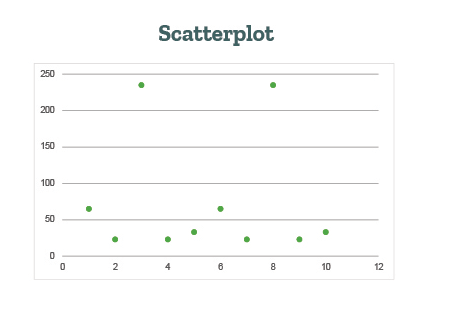
1. Scatterplot 

This format is used where both, the independent and dependent variables are continuous. They show the relation between variables such as positive, negative, or zero correlation. 

This image displays a scatter plot which can be used to represent independent and dependent variables.

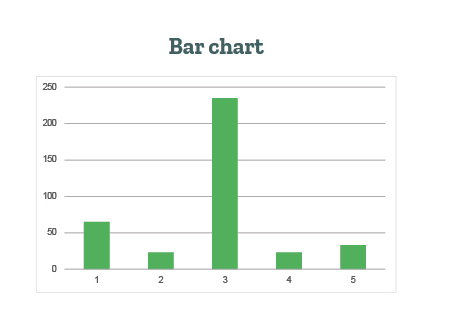
2. Bar chart 

This format is used when the independent variable is categorical and the dependent variable is continuous or categorical. Bar charts are effective for comparing values across different categories. 

This image displays a bar chart that can be used to represent dependent and independent variables.

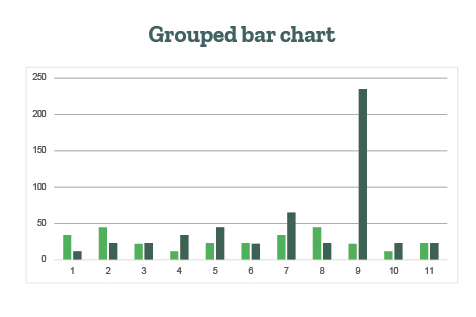
3. Grouped bar chart 

Grouped bar charts are used when there are two categorical independent variables and one continuous or categorical dependent variable. The primary independent variable categories are represented by groups of bars, while the secondary independent variable categories are represented by different colors or patterns within each group. This helps to illustrate the difference between dependent and independent variables. 

This image shows a grouped bar chart that can be used to represent dependent and independent variables.

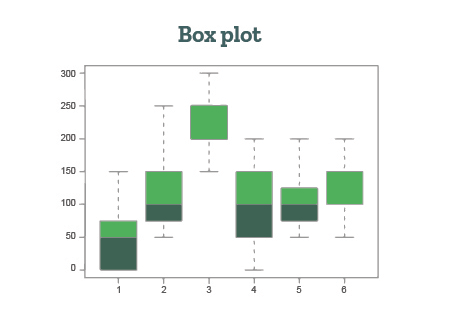
4. Box plot 

It is used when the independent variable is categorical and the dependent variable is continuous. The independent variable categories are represented by separate box plots. Box plots are useful for comparing the distribution and variability of the dependent variable across different categories.

This image shows a box plot that can be used to represent dependent and independent variables.

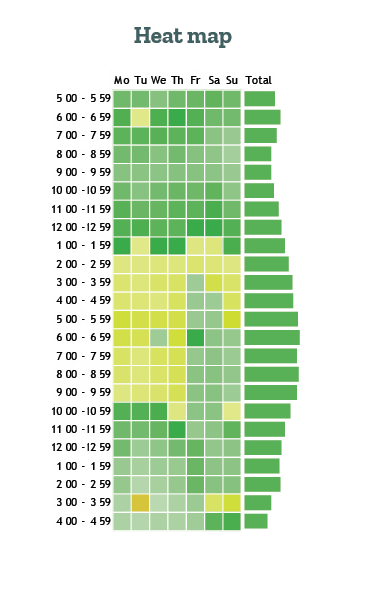
5. Heat map 

It is used when both the independent and dependent variables are categorical. The independent variable categories are represented by rows, and the dependent variable categories are represented by columns. Heatmaps are effective for visualizing the relationship between two categorical variables and identifying patterns.

This image shows a heat map that can be used to represent dependent and independent variables.

You can bookmark this article to browse through independent and dependent variable examples if required. Now that you know what’s an independent variable vs. a dependent variable, you can determine the research methodology. Once you complete your academic paper, the next step will be to edit it. As experts in editing and proofreading services, we’d love to help you perfect your paper! 

Here are some articles you might find interesting: 

Interjections Made Easy: Meaning, Examples & Types

Boom! Bang! Pow! No, these aren’t just sound effects from a comic book. They’re interjections. In this article, learn everything about how interjections can be used to express joy, anger, sadness, and more. 

We’ve also added the rules for using interjections in sentences and given a list of interjections that are commonly used. For beginners, we’ll also quickly define interjections. So without wasting time, let’s jump into the details! 

Eliminate all errors after using interjections!

What is an interjection in grammar? 

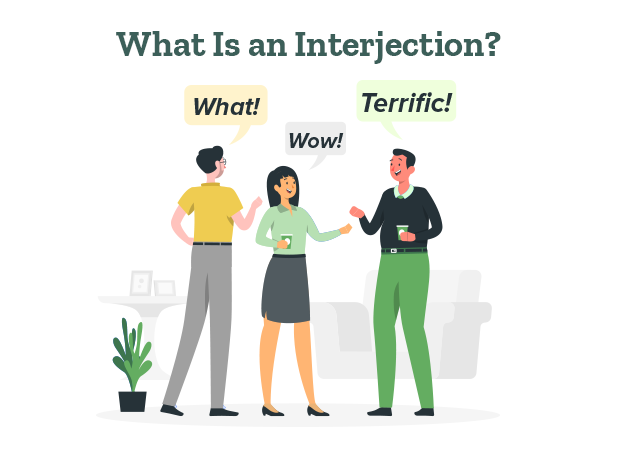
An interjection is a single word or phrase that conveys strong emotions or feelings. They are one of the parts of speech that can be used to express urgency, draw attention, or emphasize a point. 

They can stand alone as a separate sentence. Interjections are usually accompanied by an exclamation mark (!). They can also be used to show politeness, formality, greetings, apologies, and gratitude. 

To understand this interjection definition, here are some examples:  

Wow! Your dress is amazing. (Here, “wow” shows the emotion of admiration) 

Listen! I’m going home now. (Here, “listen” is used to draw attention) 

Hello! I’m your new English teacher. (Here, “hello”, shows politeness and is a greeting) 

Pardon me! I by mistake stepped on your bag. (Here, “pardon me” conveys an 

apology.) 

Thanks! I really needed my headphones. (Here “thanks” shows gratitude) 

Quick! The train is approaching (Here, “quick” shows urgency)

After understanding the interjection meaning, let’s understand its types! 

Types of interjections 

1. Primary interjections 

The words or sounds that only have a single meaning are known as primary interjections. They cannot play the role of nouns, verbs, or adjectives in a sentence.

 Let’s see some interjection examples to understand better: 

Bravo! You jumped perfectly above the hoop. 

Ouch! That hurt. 

Yay! Our team won the match. 

Aha! I found the key. 

Eww! That heap is dirty. 

In the above sentences, the interjections are more focused on describing the user’s feelings. They don’t play the role of an adjective, noun, or verb in a sentence. 

2. Secondary interjections 

A secondary interjection is a word that primarily functions as a different part of speech, such as a noun, verb, or adjective. However, it can be employed as an interjection in certain contexts.

Here are some examples to explain secondary interjections: 

Heavens! I had no idea you were planning a surprise. (Here, “heavens” is a noun)

Crazy! I saw a shark in the Pacific Ocean. (Here “crazy” is an adjective)

Damn! These questions are hard to answer. (Here “damn” is a verb) 

Help, I’m stuck in quicksand! (Here “help” is a verb)

Awesome! We can now party all night. (Here “awesome” is an adjective) 

3. Cognitive interjections

A word or phrase that expresses what a person is thinking is known as a cognitive interjection. Such interjections require a reaction from the listener/receiver in the conversation. 

Following are some interjection examples to explain cognitive interjections: 

Oh, I see! So the packaging is complete then? 

Eureka! I’ve figured out the solution. 

Huh! This means the experiment is possible. Should we do it then? 

Yup, that’s exactly what I meant! Now what should we do? 

I see! So Sherlock Holmes is the protagonist. Who is the antagonist then? 

4. Volitive interjections 

The words that are used to express orders, make demands, and requests are known as volitive interjections. They are often emphatic and are said with the expectation of fast action from the listener/receiver. 

Browse through the following examples of interjections to understand better: : 

Psst! Come here! I need to tell you something important. (Order) 

Shh! Someone is coming, I can hear the sound of footsteps. (Order) 

March forward! We must keep moving till we reach our destination. (Order) 

Hush! Can you please talk softly? (Request) 

Be quiet, he’s coming! (Order) 

5. Emotive interjections

The words or phrases that convey the speaker’s immediate emotional reaction to a situation, event, or statement are known as emotive interjections. They can be used to express various feelings like surprise,  excitement, disgust, approval, sadness, disappointment, etc. 

Some examples of interjections used to express emotions are: 

Aww! That’s so sweet of you.  (Emotion- affection) 

Oh, I wish I had seen him before he left!  (Emotion- regret) 

My goodness! This package is huge. (Emotion- surprise) 

Alas! I missed a golden opportunity. (Emotion- sadness) 

Gosh! It’s 5 pm now, I must leave. 

How to use interjections in sentences 

While interjections are commonly used in the sentence’s beginning, they can also be at the middle or end. It’s important to use punctuation correctly while using interjections. The following are some important rules while using interjections: 

1. When using an interjection at the beginning of a sentence, follow it with a comma if the sentence continues. For example: 

Wow, that was an incredible performance!

2. When using an interjection in the middle of a sentence, use commas on both sides of the interjection. For example: 

The movie was, oh my gosh, absolutely incredible!

3. When using an interjection at the end of a sentence, place a comma before the interjection if it is a mild or moderate expression. This is one of the few instances in which an exclamation mark is not used. For example, 

I can’t believe I left my wallet at home, ugh

4. If the interjection expresses a strong emotion or excitement, use an exclamation point instead of a comma. For example, 

We won the championship, woohoo! 

Now let us see important points to remember while using interjections. 

3 key pointers while using interjections 

1. Avoid using interjections in formal writing such as academic papers and business documents. 

2. Some interjections are considered more polite or mild, while others are stronger or more vulgar. Choose interjections appropriate for the given context and audience. 

For example, In a business setting, the sentence “Oh! I apologize for the confusion”, the word “Oh!” is a mild interjection used that is appropriate for formal contexts. In business contexts, interjections like “Hey!”, “Listen!”, “Look!” can’t be used. 

3. The meaning and connotation of an interjection can vary depending on the context, tone, and cultural background. It’s essential to be mindful of the audience and the situation when using interjections. 

For example, In British or Australian English, “Oi!” can used to get someone’s attention which can be seen in the sentence: Oi, mate! Can you pass me that wrench?” However, it can also be used to express a confrontational stance. For example: “Oi! What do you think you’re doing?”

Browse through the following list of interjections to understand the most commonly used interjections!  

20 most-used interjection words 

  1. Oh! (expressing surprise, realization, or acknowledgment) 
  2. Wow! (conveying amazement, admiration, or astonishment) 
  3. Hey! (getting someone’s attention or greeting them) 
  4. Oops! (acknowledging a mistake or minor accident) 
  5. Ouch! (expressing pain or discomfort) 
  6. Yay! (celebrating success, joy, or excitement) 
  7. Aww! (showing sympathy, affection, or endearment) 
  8. Huh! (indicating confusion, disbelief, or a request for clarification) 
  9. Hmm! (expressing thoughtfulness, consideration, or doubt) 
  10. Uh-oh! (anticipating trouble, a problem, or a mistake) 
  11. Gosh! ( expressing surprise, amazement, or mild frustration) 
  12. Aha! (indicating a sudden realization, discovery, or understanding) 
  13. Phew! (expressing relief, exhaustion, or completion of a task) 
  14. Ugh! (conveying disgust, frustration, or annoyance) 
  15. Bravo! (expressing approval, praise, or admiration for an achievement) 
  16. Eek! (indicating fear, shock, or surprise, often in a playful way) 
  17. Eww! (expressing disgust or strong dislike) 
  18. Ahem! (politely getting someone’s attention or clearing one’s throat) 
  19. Boo! (showing disapproval, disappointment, or dissatisfaction) 
  20. Yippee! (expressing great joy, excitement, or enthusiasm) 

This concludes our guide about “What is an interjection?” You can bookmark this article to revisit the interjection list in the future. After understanding the interjection definition and examples, you can use them while writing. 

Once you complete writing, the next step is to edit your text. As experts in editing and proofreading services, we’d love to help you perfect your text! 

Here are some other useful resources for you: 

What Is Predatory Publishing and How to Avoid It!

In the world of academic publishing, there’s a growing problem called predatory publishing. It’s when dishonest publishers take advantage of researchers who want to get their work published quickly. These publishers care more about making money than about sharing good research. 

In this article, we’ll explain what predatory publishing is, why it’s bad, and give you tips on how to spot and avoid these tricky publishers!

Get your academic paper edited by industry experts!

What is predatory publishing?

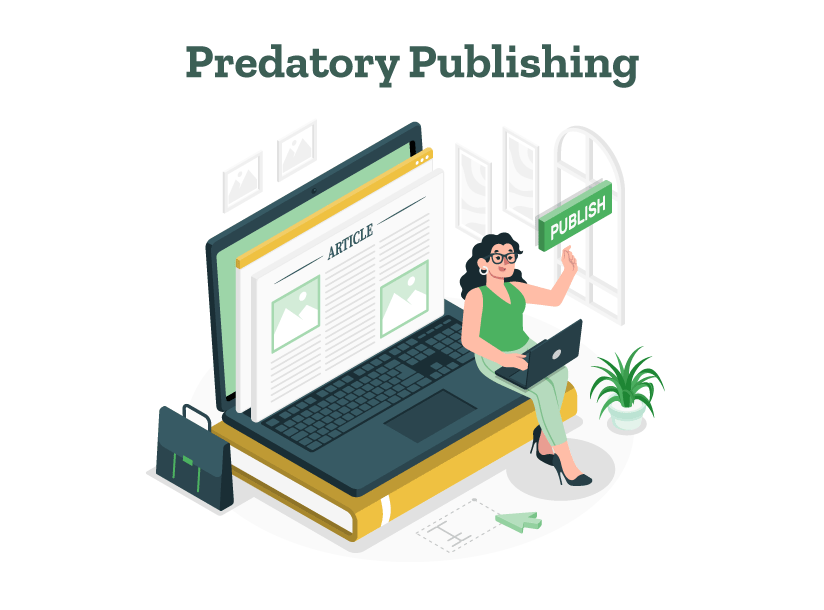
Predatory publishing is the exploitative practice of some publishers who prioritize financial gain over the integrity and quality of the research they publish. These publishers take advantage of the open-access publishing model. Open access means that research articles are freely available online for anyone to read. 

These predatory publishers often send emails to researchers, inviting them to publish their work. They promise quick publication and lots of readers, but they don’t actually do the proper research paper editing and reviewing that good journals do.

How predatory publishers can trap you!

Predatory publishing is a big problem because it fills the internet with research that might not be good or even true. This tricks other researchers and makes it hard for people to trust science.

Predatory publishers often target researchers who are just starting their careers or who are from countries where the publishing process is not understood as much. This takes advantage of these researchers and wastes their time and money.

Speaking of money, predatory publishers often charge researchers a lot to publish their work. This can cost hundreds or even thousands of dollars. This is unfair because it means that researchers with more money can get published, even if their research isn’t as good.

How to identify and avoid predatory journals

To protect yourself and your research from predatory publishers, it’s important to be careful and to know what to look for. Here are some tips:

1. Check the journal’s reputation

Before you submit your work, do some research on the journal. See what other researchers in your field think about it. Check if the journal is listed in academic research resources that collect good journals, like the Web of Science, Scopus, or the Directory of Open Access Journals (DOAJ).

2. Look at the journal’s website

Predatory publishers often have websites that look unprofessional, with spelling and grammar mistakes. Look for clear information about who the editors are, how they review articles, and how much they charge. Be careful if the journal seems to publish articles on lots of different topics or if they promise to publish your work very quickly.

You should also be able to find contact information and an address for a physical office. (This means they actually, legitimately, exist!)

3. Check out the editorial board

Look into the people who are listed as editors for the journal. Are they experts in their fields? Do they work at well-known universities or institutions? Be cautious if there’s no information about the editors or if they don’t seem to have the right background.

In an attempt to look credible, many predatory journals even create fake scholars and experts. So a good idea is for you to establish direct contact with them for more details about the journal. If you get no response (or an unconvincing one), it’s best to avoid them.

4. Read their past issues

It’s a good idea to take a look at other papers that the journal has published. This is a good practice while looking for journals in general because it gives you an insight into the quality of work that they regularly publish. Read multiple articles across multiple issues, and if you find a recurring trend of unscientific work, you know it’s not the place for you.

5. Look for transparency 

Good journals are clear about their rules, how much they charge, and how they review and proofread articles. If a journal isn’t clear about these things, that’s a warning sign.

6. Be careful about unexpected invitations 

If you get an email inviting you to publish in a journal you’ve never heard of, be cautious. Good journals don’t usually send out lots of emails asking for articles.

7. Ask other researchers

If you’re not sure, ask other researchers in your field for advice. They can help you figure out if a journal is trustworthy. 

The most important things are to be careful, to do your research, and to use your best judgment. Always take the time to look into a journal before you submit your work. This will help protect your reputation and make sure that good research gets published.

If you’re ever not sure about a journal or need help making sure your article is ready to publish, think about getting help from professional editing and proofreading services like PaperTrue. Our experts can help guide you through the complicated world of academic publishing!

Here are some research-related articles for you:

Writing for the Web: 7 Expert Tips for Web Content Writing

The art of writing has evolved distinctly to adapt to the fast-paced and scroll-friendly environment of the web. Writing for the web is about creating engaging, clear, and user-focused content that not only informs but also captivates the reader.

Whether you are crafting a blog post, managing a writing website, or developing website content writing, understanding the nuances of digital content is crucial. This article will take you through the meaning, process, and 7 tips of web writing!

Improve your writing with professional editing!

What is web content writing?

Web writing, or writing for the web, is the craft of producing text that is specifically designed for online platforms. Unlike traditional print writing, web writing must cater to the unique behaviors and preferences of internet users.

Here’s what sets web writing apart and why it’s crucial for any effective digital communication strategy:

1. Adaptability to different formats

Web writing spans across various types including blog posts, articles, product descriptions, and social media content. Each format demands a different style and approach. For instance, writing website content for a homepage involves concise and impactful text that differs from the more detailed and explorative writing style of blog posts.

2. User-centric approach

At its core, web writing is user-centric. This means the content is primarily designed to solve problems, answer questions, or provide value to the reader. Content writing for website success hinges on understanding and addressing the needs and interests of the site’s visitors.

3. Integration of SEO

Search Engine Optimization (SEO) is integral to web writing. By incorporating targeted keywords, such as “writing website,” “website content writing,” and “content writing for a website,” writers can enhance their content’s visibility on search engines. This practice helps attract more organic traffic to websites, making the content accessible to a broader audience.

4. Engagement and interaction

Web writing is unique in its ability to engage directly with readers. Through interactive elements like hyperlinks, comment sections, and share buttons, web content invites readers to interact, share their views, and even contribute content. This level of engagement transforms passive readers into active participants, creating a dynamic and interactive online community.

5. Consistency and brand voice

Effective web writing maintains a consistent tone and style that aligns with the brand’s voice. This consistency helps in building a recognizable brand identity across various types of content and platforms. Whether it’s writing content for website pages or social media posts, maintaining a uniform voice is crucial in fostering brand loyalty and trust.

7 Expert tips: Writing for the web

Web content writing is a dynamic field that blends the traditional elements of good writing with the technical demands of digital platforms. Here’s how you can excel in writing website content:

1. Know your audience

Before you start writing content for a website, it’s imperative to know who your readers are. What are their needs, preferences, and web browsing behaviors? Tailoring your content to meet the specific needs of your audience can make your writing more effective and engaging.

  • Conduct surveys and polls: Regularly engage with your audience through surveys or polls to understand their preferences, pain points, and expectations. This direct feedback can guide your content creation.
  • Use analytics tools: Utilize tools like Google Analytics to track visitor behavior on your website. Look at metrics such as bounce rate, pages per session, and average session duration to infer what content works and what doesn’t.
  • Create personas: Develop detailed customer personas that represent different segments of your audience. This will help you tailor your content more specifically to each group’s interests and needs.

2. Clarity and conciseness

Web users typically scan content, looking for information that is relevant to their needs. Therefore, clarity and brevity are paramount. Every sentence should add value. This approach to writing web content ensures that your message is not lost in a sea of words.

  • Use simple language: Avoid jargon and complex vocabulary. Opt for simple, clear language that is easy to understand.
  • Edit ruthlessly: After writing, take time to proofread and edit your content. Cut out unnecessary words and phrases to make your sentences lean and to the point. You can use content editors and grammar checkers to ensure your content is flawless.
  • One idea per paragraph: Stick to one idea per paragraph to maintain clarity and aid in the scanning process.

3. Use of headings and subheadings

Effective website writing involves breaking text into manageable sections. Headings and subheadings not only organize content but also support scanning behavior. This makes it easier for readers to find what they need quickly.

  • Descriptive titles: Make headings and subheadings informative and reflective of the content that follows. This helps in attracting the reader’s attention and guiding them through the article.
  • Hierarchy of information: Use a logical flow using H1, H2, H3 (and so forth) tags to structure your content, which aids in both readability and SEO.

4. SEO Optimization

To reach a wider audience, content writing for a website must be optimized for search engines. Using relevant keywords, such as “content writing for a website” and “what is website content writing,” helps in improving the visibility of your content on search engine results pages (SERPs).

  • Keyword research: Use tools like Google Keyword Planner or Ahrefs to find relevant keywords with good search volume. Incorporate these naturally into your content.
  • Meta descriptions and title tags: Write compelling meta descriptions and title tags that include primary keywords. These elements are crucial for SEO and user click-through rates from search engine results pages. The title tag should be compelling and informative within 50-60 characters, while the meta description should be within 155-160 characters.
  • Alt text for images: Use descriptive alt text for images, incorporating keywords where appropriate. This not only helps SEO but also accessibility.

5. Engaging and active voice

An active voice is more direct and lively, which makes the content more engaging. Use strong, action-oriented words to make your sentences pop and keep your readers interested.

  • Use active sentences: Structure sentences in the active voice to make your writing more direct and lively. For example, “The team achieved great results” instead of “Great results were achieved by the team.”
  • Vivid verbs: Choose stronger, more vivid verbs. Instead of saying “The manager gave assistance to the employee,” say “The manager assisted the employee.”

6. Incorporate multimedia

Today’s web users expect a rich media experience. Including relevant images, videos, and infographics can help break the monotony of text, providing a fuller understanding of the content, and increasing the time users spend on your site.

  • Relevant media: Include images, videos, and infographics that directly relate to the content. Ensure they enhance or explain the content further. For images, you can use platforms like Freepik, Canva, Pixabay, etc.
  • Optimize media: Compress images and videos to ensure they don’t slow down your page’s loading time. Also, ensure they are responsive for mobile devices. To compress images, you can use platforms such as TinyPNG, IloveIMG, etc.

7. Call to action

Every piece of writing website content should have a purpose. What do you want your readers to do after they’ve read your content? Whether it’s subscribing to a newsletter, sharing your post, or purchasing a product, a clear call to action should be an integral part of your content strategy.

  • Visibility: Place calls to action (CTAs) prominently on your page. They should stand out visually, so consider using buttons or contrasting colors.
  • Urgency and value: Use urgent language and communicate value. For instance, instead of a generic “Click here,” use “Get your free eBook now!” which gives a reason for the user to take action.

Writing with authenticity and precision

While the technical side of website content writing is crucial, bringing an authentic voice and precise writing to your content can set it apart. Here’s why:

  • Authenticity builds trust with your audience. It makes your website not just a source of information, but a brand with which people can connect. To create authenticity in your writing, integrate personal experiences, anecdotes, or reflections that resonate with your audience.
  • Precision in writing avoids confusion and misinformation, ensuring that your audience receives the message as intended. To ensure precision in web writing, meticulously fact-check all your information and cite credible sources wherever possible.

Implementing these tips can significantly enhance the effectiveness of your website content. It will make it more engaging, accessible, and successful in fulfilling your digital marketing goals. As we embrace the future of digital content, the demand for skilled web content writing will only grow. 

For those looking to ensure that their web content is well-written and optimized for maximum impact, consider the expert editing and proofreading services of PaperTrue. We can help refine your content, ensuring clarity, engagement, and professionalism that sets your writing apart!

Here are some more useful articles for you:

Developmental Editing: Definition, Rates, and Services

Developmental editing is the backbone of turning a manuscript from a messy draft into a literary masterpiece. It’s the first deep dive into the substance and structure of a manuscript. 

So, what is developmental editing anyway? How does it stand out from other types of editing? Let’s dig into this crucial developmental editing service and discover why it could be the secret to unlocking your writing’s full potential!

Elevate your content with expert editing services!

To start, let’s see an easy-to-understand developmental editing definition:

What is developmental editing?

Developmental editing is a process that focuses on refining the structure, content, and organization of a manuscript. Editors help authors clarify their ideas, improve narrative flow, and ensure the text effectively communicates its message to the intended audience.

This type of editing is not merely about fixing errors but about reimagining and rearranging the content when necessary. It questions whether each chapter serves its purpose, whether characters resonate and evolve, and whether the narrative’s pace maintains engagement.

The components that development editing deals with are:

Developmental editing example

Before developmental editing:

“John walked on the street. It was dark. He felt scared because there were sounds coming from behind him. He thought he saw something or someone. He wasn’t sure what was happening.”

After developmental editing:

“John hurried down the deserted street, his footsteps echoing in the unsettling darkness. Every rustle and whisper behind him sent a shiver down his spine, heightening his fear of the unknown lurking in the shadows.”

Steps of developmental editing: A practical approach

Context: You’ve written a fantasy novel set in a unique world where magic is linked to visible tattoos. The main character, Kael, is on a quest to overthrow a corrupt magician who rules the kingdom.

1. Initial assessment

The developmental editor reads the manuscript thoroughly to understand the story, characters, and thematic elements. Issues such as unclear word-building rules, inconsistent character behaviors, and pacing problems are noted.

2. Feedback and suggestions

  • World-building: The editor suggests ways to clarify how magic works in the world, perhaps by introducing the rules earlier and through more interactive scenarios.
  • Character development: Kael’s motivations are somewhat unclear. The editor recommends developing a more detailed backstory showing why Kael is compelled to fight against the magician.
  • Pacing: Some chapters, particularly towards the middle, are slow and detract from the main quest. The editor suggests condensing these sections and adding more confrontational scenes to maintain tension.

3. Editorial letter

The editor compiles an editorial letter detailing the major findings and recommendations, providing specific examples from the manuscript and suggesting possible rewrites.

4. Discussion

The author and editor discuss the feedback, focusing on the most critical aspects and brainstorming solutions. They agree on which suggestions to implement and outline a revision plan.

5. Revision

The author revises the manuscript based on the agreed-upon changes, possibly in stages, focusing first on the structural changes before moving to character and scene-specific revisions.

6. Review and fine-tuning

After revisions, the editor reviews the manuscript again, ensuring that the changes maintain the story’s integrity and enhance its readability. Further adjustments may be made to perfect the manuscript before it moves to copyediting.

While hiring a developmental editor, you should know the general cost of developmental editing. This will help you decide your budget and which service to select. Let’s take a look at average developmental editing rates as per general industry standards.

Developmental editing rates: What to expect

For developmental editing, rates might be charged per word, per page, or as a flat fee, and can range anywhere from $0.02 to $0.09 per word. The cost of developmental editing can vary significantly based on the manuscript’s length, complexity, and the editor’s expertise. Since developmental editing dives deep into your content and involves a lot of creative brainstorming, it usually costs more than basic copyediting

Top 3 developmental editing services

Listed below are the top developmental editing services:

1. PaperTrue

PaperTrue offers comprehensive developmental editing services tailored for authors across various genres including fiction, academic, and business writing.

Features: Their service includes detailed feedback on plot, character development, and structure, along with suggestions for improvement. PaperTrue prides itself on a seamless client experience with a focus on enhancing clarity and reader engagement.

Pricing: The pricing for editing a 1000-word text in 24 hours is US $42.

2. Scribendi

Scribendi provides a broad range of editing services, including developmental editing for both fiction and non-fiction.

Features: Known for their fast turnaround times and high-quality service. They offer detailed feedback on the structure and organization of manuscripts, helping authors refine their narratives.

Pricing: The pricing for editing a 1000-word text in 24 hours is US $42.

3. NY Book Editors

They specialize in a hands-on approach to developmental editing, catering to both fiction and non-fiction manuscripts.

Features: NY Book Editors pairs authors with seasoned industry professionals who provide detailed critiques. Their services are tailored to help manuscripts reach a publishable standard, focusing on elements like pacing, character arcs, and thematic depth.

Pricing: The average cost of NY Book Editors for developmental editing is around US $6,000.

When to use developmental editing

  1. After finishing your first draft: Once you complete your first full draft, a developmental editor can help refine the big elements like your story’s flow, character development, and overall structure.
  2. Before major revisions: If you’re planning to make big changes because something feels off, a developmental editor can guide you on what needs fixing and how to do it effectively.
  3. Switching to traditional publishing: If you’re looking to move from self-publishing to traditional publishing, developmental editing can polish your manuscript to meet higher industry standards.
  4. Receiving consistent critiques: If multiple readers are pointing out similar issues, a developmental editor can help you understand and fix these problems.
  5. Trying a new genre: Moving into a new genre can be challenging. A developmental editor can help you meet genre-specific expectations and appeal to new readers.
  6. For contests or grants: When entering writing contests or applying for grants, developmental editing can enhance your manuscript’s appeal and effectiveness.

Things to consider before hiring a developmental editor

1. Experience and specialization

Look for an editor who has experience in your genre or subject area. For example, An editor specializing in fiction might not be the best fit for non-fiction book editing. Take a peek at their past projects or portfolios to gauge their expertise.

2. Reputation and reviews

Take a peek at reviews or testimonials from their previous clients. You can usually find these on their website, LinkedIn, or with a quick Google search. Positive feedback from authors with similar projects to yours is a good sign.

3. Editing style and approach

Every editor has their own way of doing things. Chat with them about their process to make sure it lines up with what you’re looking for. Some editors focus more on big-picture issues while others delve into more detailed creative advice.

4. Sample edit

Many editors offer a sample edit of your manuscript’s few pages. This developmental editing service can give you insight into how they would handle your entire manuscript and whether their feedback resonates with your vision.

5. Communication and compatibility

Ensure that the editor communicates clearly and effectively. You can ask questions like, “How frequently will the feedback be given?”, “Feedback will be given in person or through some online tools?”, etc. 

How to hire a developmental editor

1. Define your needs

Figure out what you need from an editor before you start your search. Are you struggling with plot holes or character development? Or maybe you need help shaping the structure of your non-fiction book? Having a clear idea will help you find the right match.

2. Research and shortlist candidates

Look for editors through writer’s associations, online directories, and recommendations from other writers. Websites like the Editorial Freelancers Association or Reedsy can be valuable resources.

3. Interview potential editors

Once you’ve got a shortlist, reach out and set up interviews. Ask about their experience, talk about your book, and see how they respond. This is also the time to discuss timelines, fees, and other expectations.

4. Review contracts and fees

Make sure you’re crystal clear on what the editor will provide, when they’ll deliver, how much it’ll cost, and what their revision process looks like. Ensure the fees are within your budget and that the terms are agreeable.

5. Make your decision

After weighing all your options, go with the editor who best suits your project and feels like a good match for you. Select an editor with whom you feel you can develop a productive working relationship.

Developmental editing vs. copyediting

Developmental editing and copyediting are two distinct stages in the editing process. Each serves a specific purpose in preparing a manuscript for publication.

The difference between copyediting vs. developmental editing is:

In developmental editing vs. copyediting, while developmental editing focuses on the ‘what’ and ‘why’ of the story, copyediting addresses the ‘how’ of the expression. Developmental editing might ask if a character’s development aligns with the plot, while copy editing ensures that the character’s thoughts are expressed clearly and without grammatical errors.

Investing in developmental editing could be a game-changer for your writing journey. It’s like bridging your creative dreams with what readers and publishers are looking for.

Developmental editing can elevate your work to its highest potential. If you’re looking to make that leap, consider the expert developmental editing and proofreading services of PaperTrue, where your vision gets the polish it deserves to shine in the literary world!

To know more about editing, keep reading:

How to Copyright Your Book?

If you’ve thought about copyrighting your book, you’re on the right path.

Explore more