- A List of Writing Contests in 2022 | Exciting Prizes!
- Em Dash vs. En Dash vs. Hyphen: When to Use Which
- Book Proofreading 101: The Beginner’s Guide
- Screenplay Editing: Importance, Cost, & Self-Editing Tips
- Screenplay Proofreading: Importance, Process, & Cost
- Script Proofreading: Rates, Process, & Proofreading Tips
- Manuscript Proofreading | Definition, Process & Standard Rates
- Tips to Write Better if English Is Your Second Language
- Novel Proofreading | Definition, Significance & Standard Rates
- Top 10 Must-Try Writing Prompt Generators in 2024
- What Is Flash Fiction? Definition, Examples & Types
- 80 Enchanting Christmas Writing Prompts for Your Next Story
- Top 10 Book Review Clubs of 2025 to Share Literary Insights
- 2024’s Top 10 Self-Help Books for Better Living
- Writing Contests 2023: Cash Prizes, Free Entries, & More!
- What Is a Book Teaser and How to Write It: Tips and Examples
- Audiobook vs. EBook vs. Paperback in 2024: (Pros & Cons)
- How to Get a Literary Agent in 2024: The Complete Guide
- Alpha Readers: Where to Find Them and Alpha vs. Beta Readers
- Author Branding 101: How to Build a Powerful Author Brand
- A Guide on How to Write a Book Synopsis: Steps and Examples
- How to Write a Book Review (Meaning, Tips & Examples)
- Building an Author Website: The Ultimate Guide with Examples
- Top 10 Paraphrasing Tools for All (Free & Paid)
- Top 10 Book Editing Software in 2024 (Free & Paid)
- What Are Large Language Models and How They Work: Explained!
- Top 10 Hardcover Book Printing Services [Best of 2024]
- 2024’s Top 10 Setting Generators to Create Unique Settings
- Top 10 Screenplay & Scriptwriting Software (Free & Paid)
- 10 Best AI Text Generators of 2024: Pros, Cons, and Prices
- Top 10 Must-Try Character Name Generators in 2024
- 10 Best AI Text Summarizers in 2024 (Free & Paid)
- 11 Best Story Structures for Writers (+ Examples!)
- How to Write a Book with AI in 2024 (Free & Paid Tools)
- Writing Contests 2024: Cash Prizes & Free Entries!
- Patchwork Plagiarism: Definition, Types, & Examples
- Simple Resume Formats for Maximum Impact With Samples
- What Is a Complement in a Sentence? (Meaning, Types & Examples)
- What are Clauses? Definition, Meaning, Types, and Examples
- Persuasive Writing Guide: Techniques & Examples
- How to Paraphrase a Text (Examples + 10 Strategies!)
- A Simple Proofreading Checklist to Catch Every Mistake
- Top 10 AI Resume Checkers for Job Seekers (Free & Paid)
- 20 Best Comic Book Covers of All Time!
- How to Edit a Book: A Practical Guide with 7 Easy Steps
- How to Write an Autobiography (7 Amazing Strategies!)
- How to Publish a Comic Book: Nine Steps & Publishing Costs
- Passive and Active Voice (Meaning, Examples & Uses)
- How to Publish a Short Story & Best Publishing Platforms
- What Is Expository Writing? Types, Examples, & 10 Tips
- 10 Best Introduction Generators (Includes Free AI Tools!)
- Creative Writing: A Beginner’s Guide to Get Started
- How to Sell Books Online (Steps, Best Platforms & Tools)
- Top 10 Book Promotion Services for Authors (2025)
- 15 Different Types of Poems: Examples & Insight into Poetic Styles
- 10 Best Book Writing Apps for Writers 2025: Free & Paid!
- Top 10 AI Humanizers of 2025 [Free & Paid Tools]
- How to Write a Poem: Step-by-Step Guide to Writing Poetry
- 100+ Amazing Short Story Ideas to Craft Unforgettable Stories
- The Top 10 Literary Devices: Definitions & Examples
- Top 10 AI Translators for High-Quality Translation in 2025
- Top 10 AI Tools for Research in 2025 (Fast & Efficient!)
- 50 Best Essay Prompts for College Students in 2025
- Top 10 Book Distribution Services for Authors in 2025
- Top 10 Book Title Generators of 2025
- What Is an Adjective? Definition, Usage & Examples
- How to Track Changes in Google Docs: A 7-Step Guide
- Parts of a Book: A Practical, Easy-to-Understand Guide
- What Is an Anthology? Meaning, Types, & Anthology Examples
- 10 Best Plot Generators for Engaging Storytelling in 2025
- 30 Powerful Poems About Life to Inspire and Uplift You
- Metonymy: Definition, Examples, and How to Use It In Writing
- How to Write a CV with AI in 9 Steps (+ AI CV Builders)
- What Is an Adverb? Definition, Types, & Practical Examples
- How to Create the Perfect Book Trailer for Free
- Translation Services: Top 10 Professional Translators (2025)
- 10 Best Free Online Grammar Checkers: Features and Ratings
- 30 Popular Children’s Books Teachers Recommend in 2025
- 10 Best Photobook Makers of 2025 We Tested This Year
- Top 10 Book Printing Services for Authors in 2025
- 10 Best AI Detector Tools in 2025
- Audiobook Marketing Guide: Best Strategies, Tools & Ideas
- 10 Best AI Writing Assistants of 2025 (Features + Pricing)
- How to Write a Book Press Release that Grabs Attention
- 15 Powerful Writing Techniques for Authors in 2025
- Generative AI: Types, Impact, Advantages, Disadvantages
- Best EBook Cover Design Services of 2025 for Authors
- Writing Contests 2025: Cash Prizes, Free Entries, and More!
- National Novel Writing Month (NaNoWriMo)
- Best Horror Books of All Time (Must-Read List)
- Best Book Trailer Services
- Your Guide to the Best eBook Readers in 2026
- 10 Best Punctuation Checkers for Error-Free Text (2026)
- Master Circumlocution: Definition, Examples & Literary Uses
- Best Historical Fiction Books: 30 Must-Read Novels
- Best 101 Greatest Fictional Characters of All Time
- Top 10 Book Writing Software, Websites, and Tools in 2026
- Top 10 AI Rewriters for Perfect Text in 2026 (Free & Paid)
- Top 10 Book Publishing Companies in the World (2026)
- Best Fonts and Sizes for Books: A Complete Guide
- 25 Figures of Speech Simplified: Definitions and Examples
- 14 Punctuation Marks: A Guide on How to Use with Examples!
- Best Book Review Sites of 2026: Top 10 Picks
- Different Types of Characters in Stories That Steal the Show
- 50 Best Literary Agents in the USA for Authors in 2026
- Top 10 Book Marketing Services of 2026: Features and Costs
- Writing Contests 2026: Free Entries and Cash Prizes!
- Top 101 Bone-Chilling Horror Writing Prompts
- What Is a Poem? Poetry Definition, Elements, & Examples
- 50 Timeless and Best Book Covers of All Time
- Top 10 eBook Creator Tools in 2026: Free & Paid
- How to Write a Book Report | Steps, Examples & Free Template
- 100+ Creative Writing Prompts for Masterful Storytelling
- Children’s Book Illustration: Styles, Process, and Examples
- What is a Book Copyright Page?
- Final Checklist: Is My Article Ready for Submitting to Journals?
- 8 Pre-Publishing Steps to Self-Publish Your Book
- How to Copyright Your Book in the US, UK, & India
- Beta Readers: Why You Should Know About Them in 2024
- How to Publish a Book in 2024: Essential Tips for Beginners
- Book Cover Design Basics: Tips & Best Book Cover Ideas
- Why and How to Use an Author Pen Name: Guide for Authors
- How to Format a Book in 2025: 7 Tips for Book Formatting
- What is Manuscript Critique? Benefits, Process, & Cost
- 10 Best Ghostwriting Services for Authors in 2025
- Best Manuscript Editing Services of 2025
- Best Manuscript Critique Services (2026): Top 10 Picks
- How To Format a Book in Google Docs (Step-by-Step)
- ISBN Guide: What Is an ISBN and How to Get an ISBN
- 7 Essential Elements of a Book Cover Design
- How to Hire a Book Editor in 5 Practical Steps
- Self-Publishing Options for Writers
- How to Promote Your Book Using a Goodreads Author Page
- What Makes Typesetting a Pre-Publishing Essential for Every Author?
- 4 Online Publishing Platforms To Boost Your Readership
- Typesetting: An Introduction
- Quick Guide to Novel Editing (with a Self-Editing Checklist)
- Self-Publishing vs. Traditional Publishing: 2024 Guide
- How to Publish a Book in 2024: Essential Tips for Beginners
- How to Publish a Book on Amazon: 8 Easy Steps [2024 Update]
- What are Print-on-Demand Books? Cost and Process in 2024
- What Are the Standard Book Sizes for Publishing Your Book?
- How to Market Your Book on Amazon to Maximize Sales in 2024
- Top 10 Hardcover Book Printing Services [Best of 2024]
- How to Find an Editor for Your Book in 8 Steps (+ Costs!)
- What Is Amazon Self-Publishing? Pros, Cons & Key Insights
- Manuscript Editing in 2024: Elevating Your Writing for Success
- Know Everything About How to Make an Audiobook
- A Simple 14-Point Self-Publishing Checklist for Authors
- How to Write an Engaging Author Bio: Tips and Examples
- Book Cover Design Basics: Tips & Best Book Cover Ideas
- How to Publish a Comic Book: Nine Steps & Publishing Costs
- Why and How to Use an Author Pen Name: Guide for Authors
- How to Sell Books Online (Steps, Best Platforms & Tools)
- A Simple Guide to Select the Best Self-Publishing Websites
- 10 Best Book Cover Design Services of 2025: Price & Ratings
- How Much Does It Cost to Self-Publish a Book in 2025?
- Quick Guide to Book Editing [Complete Process & Standard Rates]
- How to Distinguish Between Genuine and Fake Literary Agents
- What is Self-Publishing? Everything You Need to Know
- How to Copyright a Book in 2025 (Costs + Free Template)
- The Best eBook Conversion Services of 2025: Top 10 Picks
- 10 Best Self-Publishing Companies of 2025: Price & Royalties
- 10 Best Photobook Makers of 2025 We Tested This Year
- Book Cover Types: Formats, Bindings & Styles
- A Beginner’s Guide on How to Self Publish a Book (2025)
- Index in a Book: Definition, Purpose, and How to Use It
- How to Publish a Novel: Easy Step-By-Step Guide
- How to Design a Book Cover: From Concept to Covers That Sell
- ISBN Guide: What Is an ISBN and How to Get an ISBN
- 7 Essential Elements of a Book Cover Design
- 8 Tips To Write Appealing Query Letters
- Self-Publishing vs. Traditional Publishing: 2024 Guide
- How to Publish a Book in 2024: Essential Tips for Beginners
- What are Print-on-Demand Books? Cost and Process in 2024
- How to Write a Query Letter (Examples + Free Template)
- Third-person Point of View: Definition, Types, Examples
- How to Write an Engaging Author Bio: Tips and Examples
- How to Publish a Comic Book: Nine Steps & Publishing Costs
- 10 Best Photobook Makers of 2025 We Tested This Year
- Book Cover Types: Formats, Bindings & Styles
- Index in a Book: Definition, Purpose, and How to Use It
- How to Publish a Novel: Easy Step-By-Step Guide
- How to start your own online publishing company?
- How to Design a Book Cover: From Concept to Covers That Sell
- ISBN Guide: What Is an ISBN and How to Get an ISBN
- Top 10 Book Publishing Companies in the World (2026)
- How to Create Depth in Characters
- Starting Your Book With a Bang: Ways to Catch Readers’ Attention
- Research for Fiction Writers: A Complete Guide
- Short stories: Do’s and don’ts
- How to Write Dialogue: 7 Rules, 5 Tips & 65 Examples
- What Are Foil and Stock Characters? Easy Examples from Harry Potter
- How To Write Better Letters In Your Novel
- On Being Tense About Tense: What Verb Tense To Write Your Novel In
- How To Create A Stellar Plot Outline
- How to Punctuate Dialogue in Fiction
- On Being Tense about Tense: Present Tense Narratives in Novels
- The Essential Guide to Worldbuilding [from Book Editors]
- What Is Point of View? Definition, Types, & Examples in Writing
- How to Create Powerful Conflict in Your Story | Useful Examples
- How to Write a Book: A Step-by-Step Guide
- How to Write a Short Story in 6 Simple Steps
- How to Write a Novel: 8 Steps to Help You Start Writing
- Joseph Campbell’s Hero’s Journey: Worksheet & Examples
- Novel Outline: A Proven Blueprint [+ Free Template!]
- Character Development: 7-Step Guide for Writers
- What Is NaNoWriMo? Top 7 Tips to Ace the Writing Marathon
- What Is the Setting of a Story? Meaning + 7 Expert Tips
- What Is a Blurb? Meaning, Examples & 10 Expert Tips
- What Is Show, Don’t Tell? (Meaning, Examples & 6 Tips)
- 10 Best Free AI Resume Builders to Create the Perfect CV
- A Complete Guide on How to Use ChatGPT to Write a Resume
- 10 Best AI Writer Tools Every Writer Should Know About
- How to Write a Book Title (15 Expert Tips + Examples)
- Mastering Professional Email Writing: Steps, Tips & Examples
- How to Write a Screenplay: Expert Tips, Steps, and Examples
- Business Proposal Guide: How to Write, Examples and Template
- Different Types of Resumes: Explained with Tips and Examples
- How to Create a Memorable Protagonist (7 Expert Tips)
- How to Write an Antagonist (Examples & 7 Expert Tips)
- Writing for the Web: 7 Expert Tips for Web Content Writing
- 10 Best AI Text Generators of 2024: Pros, Cons, and Prices
- What are the Parts of a Sentence? An Easy-to-Learn Guide
- What Is Climax Of A Story & How To Craft A Gripping Climax
- What Is a Subject of a Sentence? Meaning, Examples & Types
- Object of a Sentence: Your Comprehensive Guide
- What Is First-Person Point of View? Tips & Practical Examples
- Second-person Point of View: What Is It and Examples
- 10 Best AI Essay Outline Generators of 2024
- Third-person Point of View: Definition, Types, Examples
- The Importance of Proofreading: A Comprehensive Overview
- Patchwork Plagiarism: Definition, Types, & Examples
- Simple Resume Formats for Maximum Impact With Samples
- The Ultimate Guide to Phrases In English – Types & Examples
- Modifiers: Definition, Meaning, Types, and Examples
- What are Clauses? Definition, Meaning, Types, and Examples
- Persuasive Writing Guide: Techniques & Examples
- What Is a Simile? Meaning, Examples & How to Use Similes
- Mastering Metaphors: Definition, Types, and Examples
- How to Publish a Comic Book: Nine Steps & Publishing Costs
- Essential Grammar Rules: Master Basic & Advanced Writing Skills
- Benefits of Using an AI Writing Generator for Editing
- Hyperbole in Writing: Definition and Examples
- How to Write a Novel in Past Tense? 3 Steps & Examples
- 10 Best Spell Checkers of 2025: Features, Accuracy & Ranking
- Foil Character: Definition, History, & Examples
- How to Write a Children’s Book: An Easy Step-by-Step Guide
- How To Write a Murder Mystery Story
- What Is an Adjective? Definition, Usage & Examples
- Metonymy: Definition, Examples, and How to Use It In Writing
- Fourth-Person Point of View: A Unique Narrative Guide
- How to Write a CV with AI in 9 Steps (+ AI CV Builders)
- What Is an Adverb? Definition, Types, & Practical Examples
- How to Write A Legal Document in 6 Easy Steps
- 10 Best AI Story Generators in 2025: Write Captivating Tales
- How to Introduce a Character Effectively
- What is Rhetoric and How to Use It in Your Writing
- How to Write a Powerful Plot in 12 Steps
- How to Make Money as a Writer: Your First $1,000 Guide
- How to Write SEO Content: Tips for SEO-Optimized Content
- Types of Introductions and Examples
- What is a Cliffhanger? Definition, Examples, & Writing Tips
- How to Write Cliffhangers that Keep Readers Hooked!
- How to Write a Romance Novel: Step-by-Step Guide
- Top 10 Writing Tips from Famous Authors
- 10 Best Ghostwriting Services for Authors in 2025
- What is Ghostwriting? Meaning and Examples
- How to Become a Ghostwriter: Complete Career Guide
- How to Write a Speech that Inspires (With Examples)
- 10 Best AI Writing Assistants of 2025 (Features + Pricing)
- Generative AI: Types, Impact, Advantages, Disadvantages
- Worldbuilding Questions and Templates (Free)
- How to Avoid Plagiarism in 2025 (10 Effective Strategies!)
- How to Create Marketing Material
- What Is Worldbuilding? Steps, Tips, and Examples
- What is Syntax in Writing: Definition and Examples
- What is a Subplot? Meaning, Examples & Types
- Writing Challenges Every Writer Should Take
- What Is a Memoir? Definition, Examples, and Tips
- What Is Fiction? Definition, Types & Examples
- What Is Science Fiction? Meaning, Examples, and Types
- 50 Character Stereotypes: The Ultimate List!
- 50 Novel Writing Prompts (Categorized by Genre)
- 50 Haiku Writing Prompts For Your Inner Poet
- Direct Characterization: Definition, Examples & Comparison
- Indirect Characterization: Meaning, Examples & Writing Tips
- Direct vs Indirect Characterization: What’s the Difference
- How to Write Epic Fantasy
- 50 Non-fiction Writing Prompts For Your Inner Writer
- Master Circumlocution: Definition, Examples & Literary Uses
- How to Write a Good Villain (With Examples)
- How to Avoid AI Detection in 2026 (6 Proven Techniques!)
- How to Write a Cookbook: Step-by-Step Guide
- 5 Key Elements of a Short Story: Essential Tips for Writers
- 100 Novel and Book Ideas to Start Your Book Writing Journey
- 30+ Best ATS-Friendly ChatGPT Prompts for Resumes (2026)
- Theme of a Story | Meaning, Common Themes & Examples
- How to Write a Book Summary: Example, Tips, & Bonus Section
- Exploring Writing Styles: Meaning, Types, and Examples
- What Is a Stock Character? 150 Examples from 5 Genres
- How to Write a Book Description (Examples + Free Template)
Still have questions? Leave a comment
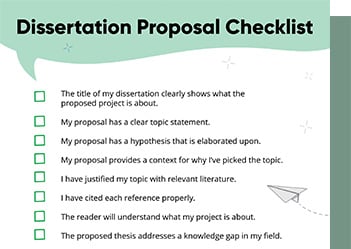
Checklist: Dissertation Proposal
Enter your email id to get the downloadable right in your inbox!
[contact-form-7 id="12425" title="Checklist: Dissertation Proposal"]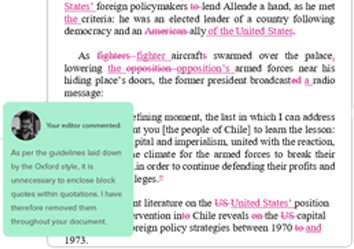
Examples: Edited Papers
Enter your email id to get the downloadable right in your inbox!
[contact-form-7 id="12426" title="Examples: Edited Papers"]Looking
to self-publish
your book?
Top 10 Book Writing Software, Websites, and Tools in 2026
 Mar 06, 2026
 7
min read
7
min read
- Tags: Book Writing, Fiction, Fiction Writing, Novel, Novel Writing
Writing a book today is nothing like it was ten years ago. Back then, most of us opened Microsoft Word, typed blindly, and prayed the file wouldn’t crash. Now, we have powerful book writing software, book writing tools, and book writing websites designed specifically for authors, tools that help you plot, draft, edit, and even format your book for publishing.
We’ll take you through the top book writing tools, ranked by usefulness, affordability, and functionality, as professionals who have tested these platforms on fiction and nonfiction projects. Real benefits, drawbacks, and honest thoughts!
Here are the best book-writing software, tools, and websites of 2026:
1. Scrivener
Best overall book writing software for serious authors
Pricing: One-time purchase (~$59.99), free trial
Platforms: Windows, Mac, iOS
Features of Scrivener
- Automatically saves your work within the program
- Offers a distraction-free full-screen writing mode
- Let’s you set word count or character count goals
- Enables side-by-side document viewing
- Includes built-in script formatting tools
- Offers customizable templates for MLA, APA, novels, novels with parts, screenplays, documentaries, and BBC-style drama scripts
- Helps you organize and separate scenes and chapters easily
- Displays a clear outline with chapters and subchapters shown separately
- Allows you to drag and drop chapters and subchapters for quick reordering
- Offers an optional mobile version for purchase
Pros
- One-time payment (no subscription fatigue)
- Deep organizational tools
- Perfect for long novels and research-heavy books
Cons
- Steep learning curve
- No real-time collaboration
- Interface can feel complex
Experience and review
I loved how simple it was to switch between scenes without having to scroll through a huge Word document. I can keep a character sheet open while writing dialogue thanks to the split-screen mode, which makes everything feel more structured and realistic. However, there are some significant drawbacks.
I had to export chapters to Google Docs for editors because there was no real-time collaboration, syncing across devices relies heavily on Dropbox and careful manual management, and it took me roughly three days of tutorials before I felt fully at ease using the program.
2. Atticus
Best all-in-one book writing software
Pricing: One-time: $147
Platforms: Web-based, desktop PWA
Features
- Browser-based writing editor
- Prebuilt formatting themes for ebooks and print
- Real-time book preview on Kindle, tablet, and print layouts
- Chapter and scene organization
- Export to EPUB and print-ready PDF
- Custom trim sizes and typography
- Collaboration and sharing tools
Pros
- Professional formatting without designers
- Cross-device cloud access
- No monthly subscription
Cons
- Writing editor is less advanced than Scrivener
- Limited offline functionality
Experience and review
Atticus felt refreshingly modern and clean compared to other writing software. I really liked that it integrates writing and formatting in the same software, so I wouldn’t have to go back and reformat everything for publishing.
It’s very easy to use and is a browser-based application, making it easily accessible on any device. The outlining and story planning functionality is very rudimentary, and offline writing capabilities are limited, which can be frustrating during long writing sessions with unreliable internet access.
3. Reedsy Studio
Free book writing website for authors
Pricing: Free core, add-ons from ~$4.99/month
Platform: Web
Features
- A clean and minimalist writing environment to help you focus
- A chapter browser to easily navigate your manuscript
- Functions to help you set writing goals and track your progress
- The ability to import manuscripts from Word documents and plain text files
- Boards to help you keep track of character information, world-building details, and research
- Real-time collaboration tools to work with editors and co-authors
- Commenting and tracking tools to help with feedback and changes
- Pre-formatted preview options to share with beta readers
- Pre-designed templates for ebook and print formats
- Instant export options for EPUB and PDF files
- One-click access to the Reedsy marketplace to connect with professional editors
Pros:
- With its built-in spell checker and goal reminder, this book-writing tool corrects your spelling errors and ensures you stay on track.
- Another advantage of Reedsy Studio is its professional formatting tools. Users can export their manuscripts as EPUB files, making them publish-ready for ebook stores.
- Reedsy Studio also offers in-depth planning templates to help you map out your story and characters.
Cons:
- There is no Reedsy Studio app available for mobile devices.
- Some planning features are locked behind a premium subscription.
- Reedsy Studio has yet to implement an offline mode
Experience and review
Reedsy Studio was surprisingly pleasant to write in, especially since it feels like a minimalist version of Google Docs specifically designed for writers. I really liked the clean design, export-ready formatting, and ease of sharing with editors. It’s very bare-bones, though—there aren’t any in-depth plotting tools, character management, or world-building functionality, so I had to use other software to plan out my story.
4. Novlr
Best minimalist cloud-based writing tool
Pricing: Free plan and paid plans starting from $6 to $14 per month
Platform: Web
Features
- Cloud-based writing editor
- Daily word-count tracking and writing streaks
- Project organization by chapters and scenes
- Writing analytics dashboards
- Autosave and backup
- Export to Word and other formats
- Goal setting and reminders
Pros
- It lets you archive your novels.
- It is equipped with a built-in thesaurus.
- You can write unlimited novels with the help of this tool.
Cons
- Missing project management components.
- No features for world-building.
- It lacks plotting features.
Experience and review
Novlr is excellent for tracking progress and staying motivated. I really enjoyed the daily word targets, analytics, and distraction-free writing mode, which made it very easy to stay on track. The design looks very refined and writer-centric. However, it is subscription-only, and the outlining features are not as robust as Scrivener or Plottr, so I still had to use other tools for planning.
5. Dabble
Best structured book writing tool for plotters
Pricing: Ranges between $7/per month and $29/month (depending on the subscription plan). Dabble’s lifetime pricing is $699.
Platforms: Web and desktop
Features
- Scene cards and storyboard
- Character, location, and plot notes
- Drag-and-drop chapter organization
- Writing editor with dark mode
- Collaboration tools
- Cross-device syncing
- Plotting templates
Pros:
- It comes with helpful features like a built-in thesaurus, find and replace, and goal-tracking features.
- It offers customization options that include data management, dictionary maintenance, cache management, spelling and grammar checking, and light and dark theme options.
- Dabble autosaves and syncs your work to the Cloud.
Cons:
- It offers simple formatting options, which may not be sufficient for many writers.
- The platform has a high lifetime access cost.
- It lacks features for exporting files in EPUB or PDF formats.
Experience and review
Dabble is very good for planning your stories while you are writing. I enjoyed the ability to view chapters, story plots, character information, and story ideas all in one place. The software is very beginner-friendly and does not feel cluttered. However, it is cloud-only, so offline writing is not its strong suit, and it does not have some of the more advanced publishing features.
6. Plottr
Best plotting and story planning software
Pricing: $60/year, and a lifetime plan costs $150
Platforms: Windows, Mac, iOS, Android
Feautures
- Visual story timelines
- Story structure templates (Save the Cat, Snowflake)
- Character arc tracking
- Series bible management
- Drag-and-drop event timelines
- Notes and tags
Pros
- Plottr is a tool that assists writers in plotting out their story, characters, and structure through the use of timelines and templates.
- The tool comes with pre-designed story structures (such as Save the Cat, Snowflake, and Hero’s Journey) that help with plot and pacing.
- The software is very intuitive and easy to use, even for new writers who may feel overwhelmed by complex stories.
- Plottr comes with extensive character and world-building tools that help writers keep track of character traits, relationships, and settings.
Cons
- The software is designed as a planning tool and lacks the functionality of grammar checking, writing assistance, or editing tools.
- The software requires a subscription to use all of its features, which may be a problem for writers on a tight budget.
- The software lacks collaboration tools and is not ideal for writers working on a project with co-authors.
Experience and review
Plottr is an amazing tool for visualizing story planning. The timeline and templates (such as Save the Cat and Snowflake) were very useful in helping me organize my story before I began writing. There are also very detailed templates for character and world-building. However, it is not a writing software; it is strictly for plotting, so I had to go back to writing in either Scrivener or Google Docs, which added an extra step to the process.
7. LivingWriter
Guided book writing software for beginners
Pricing: Paid plans from $12.00 to $14.99/month, free plan available
Platforms: Web, iOS, Android
Features
- Cloud-based editor for writing novels online.
- Organizes books into chapters and scenes.
- Provides built-in plot and story structure templates.
- Lets you create character and world-building profiles.
- Tracks word count and writing progress.
- Supports real-time collaboration with co-authors.
- Allows comments and feedback on drafts.
- Imports Word documents easily.
- Exports manuscripts to Word, PDF, and EPUB formats.
- Automatically saves work in the cloud.
Pros
- LivingWriter comes with pre-designed story templates that help writers organize their plots, scenes, and story structure in an easy-to-plan manner.
- It comes with character and world-building profiles that help writers organize story details and maintain consistency.
- LivingWriter has a simple and easy-to-use interface that is ideal for new and experienced writers alike.
- It comes with word count tracking and progress analysis features that help writers stay productive and meet their writing goals.
Cons
- It lacks advanced grammar checking and style suggestions, which are offered by advanced editing software such as Grammarly.
- The software requires an internet connection since it is cloud-based, which restricts offline writing functionality.
- Some of its advanced features are only accessible through a paid subscription plan, which may not be ideal for budget-conscious writers.
Experience and review
LivingWriter was like a Scrivener alternative, but much easier to learn. I enjoyed the story templates, character boards, and collaboration features, which made it a great tool for co-writing projects. The cloud-based editor is very clean and easy to use. However, it does require an internet connection, and some of the more advanced features are only available on the paid plans.
8. Storyist
Best writing tool for authors on Mac
Pricing: One-time purchase cost $59
Platform: Mac
Features
- Full-featured word processor for novels and scripts.
- Automatically formats manuscripts and screenplays.
- Includes a corkboard and outliner for planning.
- Manages multiple writing projects in one place.
- Stores research notes, images, and references.
- Links story elements and external resources.
- Syncs projects across devices via iCloud or Dropbox.
- Works on macOS and iOS devices.
- Exports files to Word, PDF, Final Draft, and EPUB.
Pros
- Storyist provides a full-featured word processor with built-in formatting for novels, screenplays, and manuscripts.
- It offers powerful outlining and corkboard tools to help writers plan chapters, scenes, and story structure visually.
- Storyist has an intuitive and professional interface that is easy to use for writers on macOS and iOS.
- It includes research storage, linking, and project management tools to keep all writing materials in one place.
Cons
- It does not provide advanced grammar checking, style suggestions, or plagiarism detection like dedicated writing assistants.
- Real-time collaboration is not built in, so sharing drafts with editors requires exporting files.
- Storyist is only available on macOS and iOS, which limits accessibility for Windows and Android users.
Experience and review
Storyist is very capable, particularly for Mac users who are writing novels as well as screenplays. I enjoyed the formatting and corkboard organization tools, which have a very professional feel to them. It’s a great option for writers who want something in between Scrivener and Final Draft software. The drawbacks are that it is Mac-only software, has poor collaboration tools, and requires cloud syncing through services such as Dropbox.
9. Google Docs
Best free book writing tool for writers
Pricing: Free
Platform: Web
Features
- An online word processor accessible in a web browser.
- Saves documents automatically to Google Drive.
- Supports real-time collaboration with multiple users.
- Offers comments, suggestions, and revision history.
- Allows easy sharing with permission controls.
- Integrates with third-party tools and add-ons.
- Works on desktop and mobile devices.
- Provides offline writing mode when enabled.
Pros
- Google Docs allows multiple users to write and edit the same document in real time, making it ideal for collaboration with editors and co-authors.
- It automatically saves your work to the cloud, so you don’t have to worry about losing progress.
- Google Docs has a simple and user-friendly interface that is easy for beginners to learn.
- It includes built-in spelling and grammar suggestions to help writers avoid basic writing errors.
Cons
- It does not offer advanced novel-writing tools like plot outlining, character tracking, or story structure frameworks.
- Large documents with many collaborators can sometimes lag or slow down, affecting the writing experience.
- Some features require an internet connection, although offline mode must be manually enabled and is limited compared to desktop writing software.
Experience and review
Google Docs is my favorite for collaboration. The real-time editing, comments, and version history are all very smooth when working with editors. It’s easy to use, dependable, and accessible from any computer. The problem is that it doesn’t have any novel-writing-specific features such as scene organization, plot organization, or character tracking, and very large documents can sometimes cause it to slow down.
10. Scribble Hub
Top free book-writing websites to write books in various genres
Pricing: Free
Platform: Web
Features
- Web-based platform for publishing serialized fiction.
- Let authors upload chapters directly online.
- Supports story tags and genre categorization.
- Allows readers to comment and rate stories.
- Helps authors build an audience and profile.
- Offers monetization options like donations or premium chapters.
- Provides browsing and discovery tools for readers.
- Focuses on community interaction and distribution.
Pros
- It comes with an easy-to-use publishing tool that allows writers to publish their work quickly.
- By using this tool, you can drag and drop images and other media into your chapters.
- Apart from writing, you can join different forums and connect with authors and readers.
Cons
- Scribble Hub lacks the advanced writing tools available on Novelr, Novel Factory, and Dabble.
- They offer limited options to writers to monetize their work.
- It has a smaller audience for promotion as compared to platforms like Wattpad and Amazon KDP.
Experience and review
Scribble Hub is more of a publishing platform than a writing tool. I liked the ease of uploading chapters, engaging with readers, and developing a following for serialized stories. Feedback and ratings from readers are encouraging. The editor is simple, and you won’t be able to use it for serious writing or organizing long novels; you’ll still need other writing software for that.
This concludes our guide to the best tools for writing a book. Whether you are a beginner or a published author, there is one book-writing tool for everyone.
Once you are done writing, you’ll need to edit your book. Editing enables your creative vision to reach its full potential. To streamline the process of publishing the next potential bestseller, check out our editing and proofreading services, guaranteed to polish your book to perfection.
Here are some other articles you might find interesting: