Newsletter Sign Up

The 10 Best Essential Resources for Academic Research

Within the academic world, research is fundamental to the progress of knowledge and scholarly achievements. Securing the appropriate academic resources can greatly facilitate your academic journey. From undergraduates beginning to explore a novel subject, to graduate students deeply engaged in writing their thesis, or seasoned researchers advancing the frontiers of their disciplines, the digital era presents an abundance of academic research tools readily accessible with just a few clicks.

Here, we delve into the top 10 academic research resources, highlighting their key features and how they can serve as indispensable tools for academic research.

Achieve academic excellence with our expert editing services! 

First, let’s begin by understanding what are considered as academic sources:

What are academic sources?

Academic research resources are specialized tools and databases designed to support scholarly research and academic inquiry. These resources encompass a wide array of materials and platforms that provide access to peer-reviewed journal articles, books, thesis, research papers, and other scholarly content. 

The primary purpose of these resources is to facilitate the discovery and access to reliable, authoritative information that can be used for academic writing, research projects, and scholarly exploration.

Now, you must be wondering, how to find academic sources or where to find academic sources. Don’t worry, we have listed down the best academic research tools to make it easy for you!

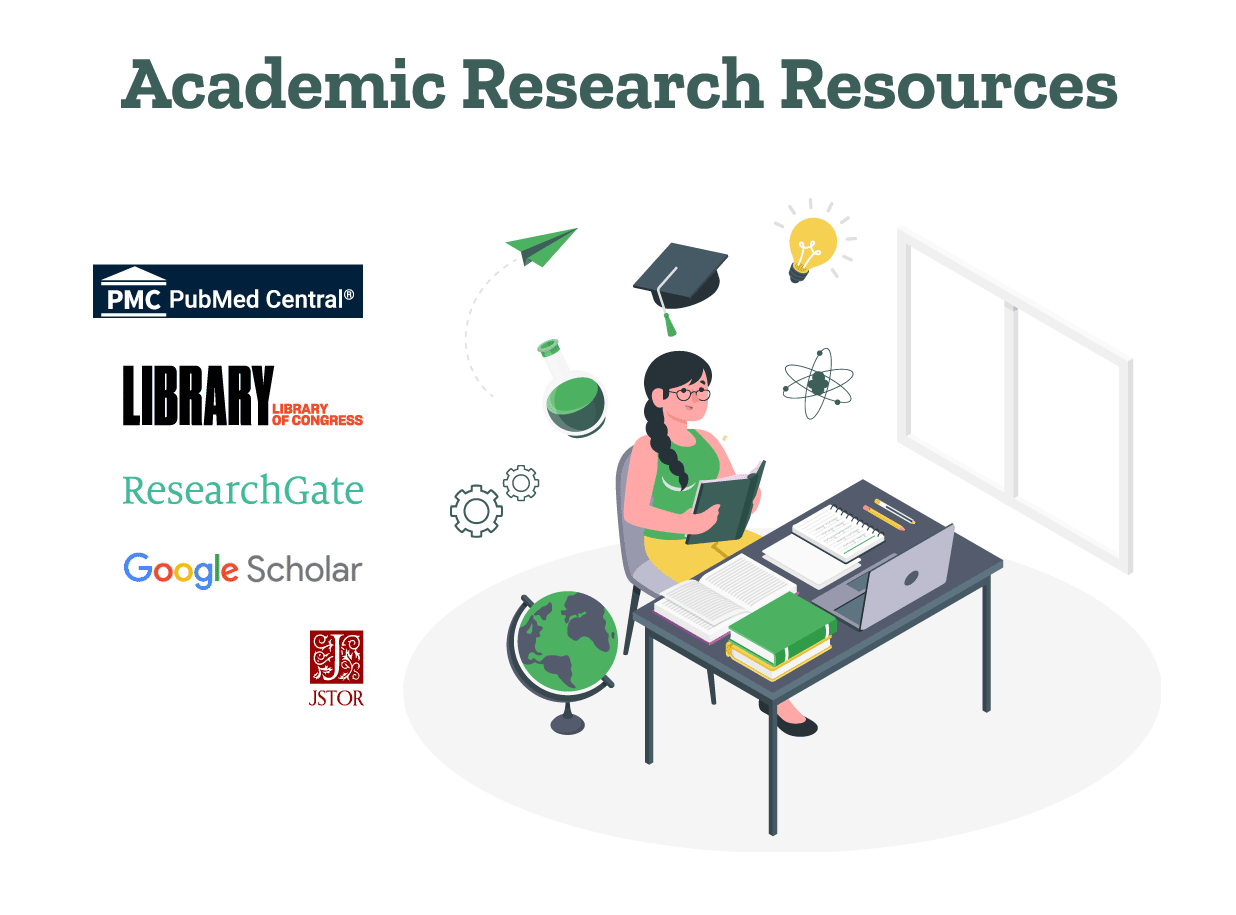
10 Best tools for academic research

Listed below are some of the top examples of academic sources for students, teachers, scholars, and learners:

1. PubMed Central (PMC)

What are academic sources if not peer-reviewed articles and research findings? And PubMed Central gives you just that. PubMed Central stands out as a free full-text archive of biomedical and life sciences journal literature at the U.S. National Institutes of Health’s National Library of Medicine. 

PMC is an essential academic resource for students and researchers in the medical and health sciences, offering access to more than 6 million research articles. It’s a go-to for anyone looking for academic sources for research in these fields, providing a wealth of academic research tools to aid in your studies or investigations.

2. Library of Congress (LOC)

As the largest library in the world, it houses millions of books, recordings, photographs, newspapers, maps, and manuscripts. Its extensive digital collections make it one of the best websites for academic research, especially for those in humanities and social sciences. 

The LOC’s online catalog and digital collections serve as excellent academic resource examples, enabling scholars to explore historical books, photographs, and documents from the comfort of their desks. It can be a useful resource for writing essays and assignments.

3. ResearchGate

ResearchGate is a social networking site for scientists and researchers to share papers, ask and answer questions, and find collaborators. With millions of users, it stands out as one of the top online academic resources, fostering a community where peers can exchange knowledge. 

It’s an invaluable tool for finding academic source examples and collaborating on research projects, making it much easier to find academic sources relevant to your work.

4. Google Scholar

Google Scholar offers a simple way to broadly search for scholarly literature. From one place, you can search across many disciplines and sources: articles, dissertations, books, abstracts, and court opinions.

These academic sources are from academic publishers, professional societies, online repositories, universities, and other websites. This makes it one of the best online academic research platforms for finding free academic resources across a wide range of subjects.

5. JSTOR

JSTOR is a digital library for scholars, researchers, and students, providing access to thousands of journals, books, and primary sources on a wide variety of subjects. This platform is especially valuable for those in the humanities and social sciences.

It’s a prime example of where to find academic sources that are peer-reviewed and reliable, embodying what academic research resources should offer.

6. Google Books

Google Books is a vast database of books and magazines that Google has scanned, converted to text using optical character recognition, and stored in its digital database. It is one of the best academic resources for college students.

Researchers and students can use Google Books to find examples of academic sources and previews or the full text of books across a myriad of subjects. This resource is particularly useful for finding and citing book sources in academic papers.

7. Science.gov

Science.gov serves as a powerful tool for academic writing resources, searching through over 60 databases and more than 2,200 scientific websites. 

It provides users with access to over 200 million pages of authoritative federal science information, including research and development results. It’s an example of academic sources websites that cater to those in the STEM fields, offering free academic resources.

8. BASE (Bielefeld Academic Search Engine)

BASE is one of the world’s most voluminous search engines, especially for academic web resources. BASE provides more than 240 million documents from more than 8,000 sources.

You can access the full texts of about 60% of the indexed documents for free. BASE is an excellent academic resource for finding scholarly internet resources.

9. Microsoft Academic

Microsoft Academic (now part of Microsoft Research) is a free public web search engine for academic publications and literature, developed by Microsoft Research. It offered a unique way to search academic resources, utilizing semantic search capabilities. 

This approach was considered a direct competitor to Google Scholar. Although it was discontinued in 2022, its database still serves as a valuable archive for historical academic research.

10. iSeek Education

iSeek Education is a targeted search engine for students, teachers, and administrators. It offers safe, smart, and reliable resources for your academic research. 

This engine filters out irrelevant content to give you trustworthy websites and credible articles, making it easier to find academic resources for college students and professionals alike.

Utilizing academic research resources

Navigating through these 10 academic resources provides a pathway to enriching your academic projects and research endeavors. From academic research websites like PubMed Central for life sciences literature to broad-based search engines like Google Scholar, each platform offers unique tools and databases to cater to the diverse needs of the academic community. 

Remember, the key to effective research is not just in knowing what academic resources are but also in understanding how to use them efficiently. Each platform offers examples of academic sources, from peer-reviewed journal articles, lab reports, and research papers to historical documents and books. 

By familiarizing yourself with these tools for academic research, you’ll be better equipped to navigate the vast ocean of knowledge and find those scholarly gems that can support your arguments and illuminate your path to discovery.

As experts in academic editing and proofreading services, PaperTrue is always happy to help students and scholars polish their academic work and underscore its uniqueness!

For more useful information, keep on reading:
Research Methodology Guide: Writing Tips, Types, & Examples

No dissertation or research paper is complete without the research methodology section. Since this is the chapter where you explain how you carried out your research, this is where all the meat is! Here’s where you clearly lay out the steps you have taken to test your hypothesis or research problem.

Through this blog, we’ll unravel the complexities and meaning of research methodology in academic writing, from its fundamental principles and ethics to the diverse types of research methodology in use today. Alongside offering research methodology examples, we aim to guide you on how to write research methodology, ensuring your research endeavors are both impactful and impeccably grounded!

Ensure your research methodology is foolproof.

Let’s first take a closer look at a simple research methodology definition:

Defining what is research methodology

Research methodology is the set of procedures and techniques used to collect, analyze, and interpret data to understand and solve a research problem. Methodology in research not only includes the design and methods but also the basic principles that guide the choice of specific methods.

Grasping the concept of methodology in research is essential for students and scholars, as it demonstrates the thorough and structured method used to explore a hypothesis or research question. Understanding the definition of methodology in research aids in identifying the methods used to collect data. Be it through any type of research method approach, ensuring adherence to the proper research paper format is crucial.

Now let’s explore some research methodology types:

Types of research methodology

1. Qualitative research methodology

Qualitative research methodology is aimed at understanding concepts, thoughts, or experiences. This approach is descriptive and is often utilized to gather in-depth insights into people’s attitudes, behaviors, or cultures. Qualitative research methodology involves methods like interviews, focus groups, and observation. The strength of this methodology lies in its ability to provide contextual richness.

2. Quantitative research methodology

Quantitative research methodology, on the other hand, is focused on quantifying the problem by generating numerical data or data that can be transformed into usable statistics. It uses measurable data to formulate facts and uncover patterns in research. Quantitative research methodology typically involves surveys, experiments, or statistical analysis. This methodology is appreciated for its ability to produce objective results that are generalizable to a larger population.

3. Mixed-Methods research methodology

Mixed-methods research combines both qualitative and quantitative research methodologies to provide a more comprehensive understanding of the research problem. This approach leverages the strengths of both methodologies to provide a deeper insight into the research question of a research paper.

Research methodology vs. research methods

The research methodology or design is the overall strategy and rationale that you used to carry out the research. Whereas, research methods are the specific tools and processes you use to gather and understand the data you need to test your hypothesis.

Research methodology examples and application

To further understand research methodology, let’s explore some examples of research methodology:

a. Qualitative research methodology example: A study exploring the impact of author branding on author popularity might utilize in-depth interviews to gather personal experiences and perspectives.

b. Quantitative research methodology example: A research project investigating the effects of a book promotion technique on book sales could employ a statistical analysis of profit margins and sales before and after the implementation of the method.

c. Mixed-Methods research methodology example: A study examining the relationship between social media use and academic performance might combine both qualitative and quantitative approaches. It could include surveys to quantitatively assess the frequency of social media usage and its correlation with grades, alongside focus groups or interviews to qualitatively explore students’ perceptions and experiences regarding how social media affects their study habits and academic engagement.

These examples highlight the meaning of methodology in research and how it guides the research process, from data collection to analysis, ensuring the study’s objectives are met efficiently.

Importance of methodology in research papers

When it comes to writing your study, the methodology in research papers or a dissertation plays a pivotal role. A well-crafted methodology section of a research paper or thesis not only enhances the credibility of your research but also provides a roadmap for others to replicate or build upon your work.

How to structure the research methods chapter

Wondering how to write the research methodology section? Follow these steps to create a strong methods chapter:

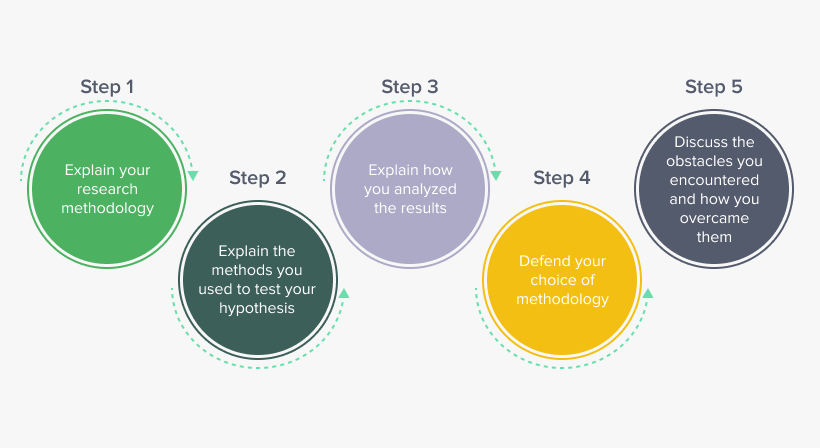
Steps on how to write a research methodology.

Step 1: Explain your research methodology

At the start of a research paper, you would have provided the background of your research and stated your hypothesis or research problem. In this section, you will elaborate on your research strategy. 

Begin by restating your research question and proceed to explain what type of research you opted for to test it. Depending on your research, here are some questions you can consider: 

a. Did you use qualitative or quantitative data to test the hypothesis? 

b. Did you perform an experiment where you collected data or are you writing a dissertation that is descriptive/theoretical without data collection? 

c. Did you use primary data that you collected or analyze secondary research data or existing data as part of your study? 

These questions will help you establish the rationale for your study on a broader level, which you will follow by elaborating on the specific methods you used to collect and understand your data. 

Step 2: Explain the methods you used to test your hypothesis 

Now that you have told your reader what type of research you’ve undertaken for the dissertation, it’s time to dig into specifics. State what specific methods you used and explain the conditions and variables involved. Explain what the theoretical framework behind the method was, what samples you used for testing it, and what tools and materials you used to collect the data. 

Step 3: Explain how you analyzed the results

Once you have explained the data collection process, explain how you analyzed and studied the data. Here, your focus is simply to explain the methods of analysis rather than the results of the study. 

Here are some questions you can answer at this stage: 

a. What tools or software did you use to analyze your results? 

b. What parameters or variables did you consider while understanding and studying the data you’ve collected? 

c. Was your analysis based on a theoretical framework? 

Your mode of analysis will change depending on whether you used a quantitative or qualitative research methodology in your study. If you’re working within the hard sciences or physical sciences, you are likely to use a quantitative research methodology (relying on numbers and hard data). If you’re doing a qualitative study, in the social sciences or humanities, your analysis may rely on understanding language and socio-political contexts around your topic. This is why it’s important to establish what kind of study you’re undertaking at the onset. 

Step 4: Defend your choice of methodology 

Now that you have gone through your research process in detail, you’ll also have to make a case for it. Justify your choice of methodology and methods, explaining why it is the best choice for your research question. This is especially important if you have chosen an unconventional approach or you’ve simply chosen to study an existing research problem from a different perspective. Compare it with other methodologies, especially ones attempted by previous researchers, and discuss what contributions using your methodology makes.  

Step 5: Discuss the obstacles you encountered and how you overcame them

No matter how thorough a methodology is, it doesn’t come without its hurdles. This is a natural part of scientific research that is important to document so that your peers and future researchers are aware of it. Writing in a research paper about this aspect of your research process also tells your evaluator that you have actively worked to overcome the pitfalls that came your way and you have refined the research process. 

Tips to write an effective methodology chapter

1. Remember who you are writing for. Keeping sight of the reader/evaluator will help you know what to elaborate on and what information they are already likely to have. You’re condensing months’ work of research in just a few pages, so you should omit basic definitions and information about general phenomena people already know.

2. Do not give an overly elaborate explanation of every single condition in your study. 

3. Skip details and findings irrelevant to the results.

4. Cite references that back your claim and choice of methodology. 

5. Consistently emphasize the relationship between your research question and the methodology you adopted to study it. 

To sum it up, what is methodology in research? It’s the blueprint of your research, essential for ensuring that your study is systematic, rigorous, and credible. Whether your focus is on qualitative research methodology, quantitative research methodology, or a combination of both, understanding and clearly defining your methodology is key to the success of your research.

Once you write the research methodology and complete writing the entire research paper, the next step is to edit your paper. As experts in research paper editing and proofreading services, we’d love to help you perfect your paper!

Here are some other articles that you might find useful: 

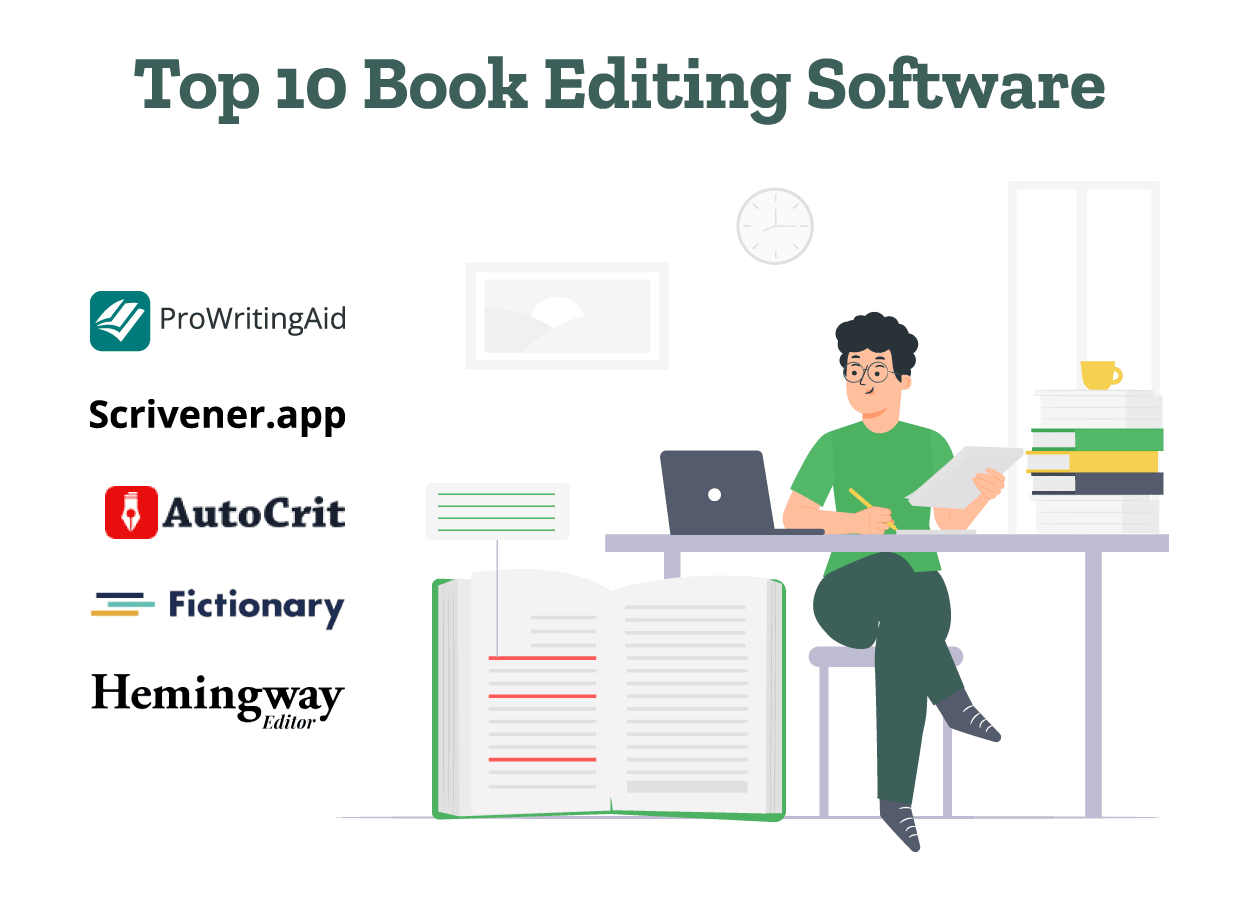
Top 10 Book Editing Software in 2024 (Free & Paid)

Want to self-edit your book using the best software? Discover all the features of the top free and paid book editing software! We’ve also included the costs of the paid software. 

Many book editing software also will help to perfectly format your book. Whether you want to edit your book, organize it in chapters, or convert it into an EPUB, we’ve got you covered. So without wasting time, let’s explore these book editing tools! 

Polish your book’s first draft with specialized editing services!

1. ProWritingAid 

ProWritingAid is one of the most popular AI book editing software. Using this software, you can rectify your book’s grammatical errors and improve word choice. It also gives custom suggestions to enhance the plot, characters, and setting of the story

It also provides show, don’t tell suggestions to help you create an engaging, fictional world. This AI book editor also helps to add sensory details to improve your novel’s pacing. 

Price: It has both, a free and a paid version. The paid version cost starts from $10 per month. 

2. Scrivener 

Scrivener is one of the best book editing software. It gives you the option to edit the order of the chapters and scenes in the story. With this, Scrivener also can help you save any Rewrite (editing) notes in one place. By accessing these notes, you can easily edit your book. 

Scrivener also provides a feature to track the word count and the word frequency. You can use their ‘Text Statistics’ option to check if you’ve overused any words and replace them. 

Price: It costs $59.99 to buy this professional book editing software. 

3. Autocrit 

Autocrit is an online book editing software editing that highlights any unnecessary, repetitive words. It also includes an advanced spelling and grammar checker. With this, Autocrit identifies uninteresting adverbs and gives suggestions to enhance word choice. 

The paid version also includes a summary report and 30+ interactive editing tools. It also consists of advanced reports to enhance the story’s dialogue, writing, and pacing. 

Price: Autocrit has both, a free and a paid version. The monthly plan costs $30 per month and the yearly plan costs $15 per month. 

4. Fictionary 

Fictionary’s professional book editing software evaluates your book’s story structure, pacing, plot, and conflict. Using its Story Map feature, you can identify any lack of tension, conflict, problems in content flow, and other issues. 

It creates a step-by-step editing journey for your book, allowing you to streamline book editing. Using Fictionary’s paid packages, you can edit 3-10 manuscripts at a time. Fictionary also gives the option to track any document changes. 

Price: Fictionary’s story editing software costs $19 per month. 

5. Hemingway Editor 

Authors can use Hemingway Editor to make their writing more concise and engaging. It identifies long and complex sentences in the text. With this, Hemingway Editor points out phrases that have simpler alternatives. 

It highlights sentences with passive voice and gives suggestions to change them. If there are any weak adverbs, it also gives word choice suggestions to enhance the text.  It also works as an AI book editing software. You can also use Hemingway’s ‘Fix Writing with AI’ to rephrase your content better. 

Bonus! This AI book editor also enhances the text’s tone, length, and writing style.

Price: Hemingway Editor offers a 14-day free trial. After this, you’ll need to upgrade to its paid plan which starts from $10 per month. 

6. SmartEdit 

SmartEdit is a reliable online book editing software. You can use it in Word by installing its Microsoft Word Add-In. If you don’t have Word, you can use their free app SmartEdit Writer. 

It identifies overused words, cliches, misused words, unusual dialogue tags, misnamed pronouns, punctuation errors, and long sentences. SmartEdit runs 25 checks on your document to highlight these and other issues. 

Price: SmartEdit offers two packages of services. While SmartEdit for Word costs $77, the SmartEdit Pro version costs $139. 

7. Grammarly 

Used globally by authors and students, Grammarly is one of the best free book editing software. It highlights any spelling and word choice errors and gives suggestions to rephrase your content. Grammarly also identifies passive voice usage, and complex sentences in your content. 

Using Grammarly, you can also determine the tone of your writing (Formal, Friendly, Optimistic). It also gives suggestions to correct any incorrect capitalization and punctuation errors. If you’ve used any repetitive words, Grammarly gives you alternate synonyms for those words. 

Price: Grammarly has both, a free and a paid version. The premium version costs $12 per month. 

8. Reedsy Book Editor 

Reedsy Book Editor is one of the top book editing tools. Using the Reedsy Book Editor, you can edit your book structure and split chapters. Reedsy’s book editor also offers collaborative editing. It also has a spell-check feature to correct any spelling errors. This is a free editing tool. 

With this, Reedsy’s Book Editor also gives book formatting options to adjust line spacing and ensure proper alignment. It also removes any unnecessary line breaks and double spaces to format your book. 

Price: Reedsy Book Editor is a free online book editing software. 

9. Google Docs 

Google Docs is one of the best free book editing software using which you can check your book’s spelling and grammar. It also has a dictionary to find definitions or synonyms of any word. With this, Google Docs also provides word count statistics and an option to review suggested edits. 

Using Google Docs, you can also format your book’s line spacing, add headings, and organize your book chapters. You can also add headers, footers, and page numbers to your book. Google Docs also allows you to track changes. 

Price: This is a free online book editing software. 

10. Microsoft Word 

Microsoft Word is a globally used software for writing and editing documents. It provides a simple and user-friendly interface for editing. Using Word, you can check your document’s spelling and grammar. Word also has a thesaurus and an option to read aloud the text. This can help you identify any errors. 

With this, Word also allows you to track changes and compare two versions of the same document. Using Word, you can also add headings, headers, footers, and page numbers and format your book (alignment, line spacing, font size, etc). 

Price: This is a free book editing software 

Now that you know the best book editing software, you can choose the perfect one. However, we’ll be honest: These book editing software might not provide in-depth editing and feedback like a human editor. 

At PaperTrue, we offer expert editing and proofreading services for your book. With this, we can also help you create a book cover design and format your book. 

Here are some other articles you might find interesting: 

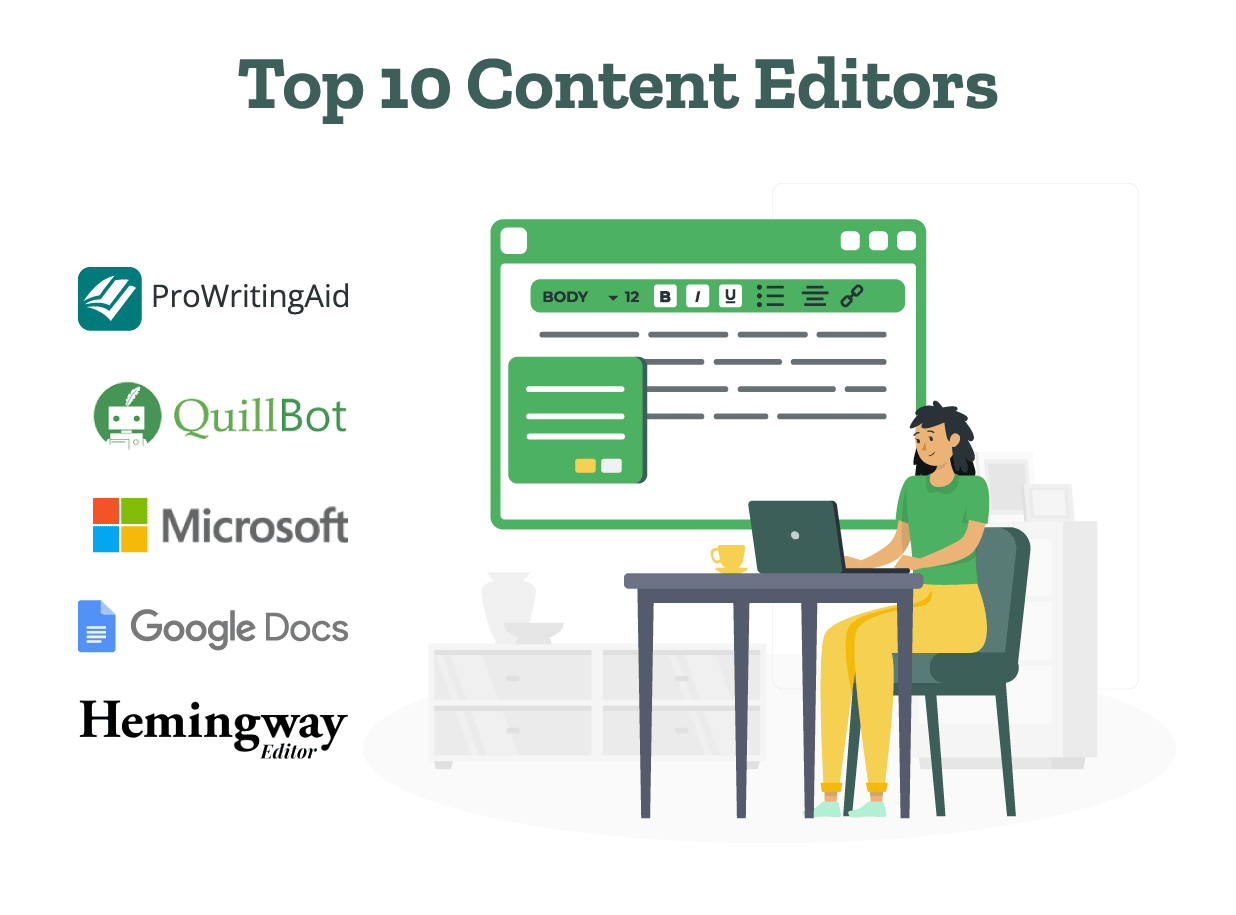
10 Best Content Editing Tools and Software (Free + Paid)

However good your draft is, editing your content is paramount. Innovative technologies have dramatically changed the game for content editing tools, moving far beyond the era of simple manual proofreading and spell-checking. 

This blog will guide you through the top 10 content editor tools and software, highlighting their useful features and benefits to improve your writing workflow!

Elevate your content with expert editing services!

Let’s have a look at the 10 best content editor tools and software:

1. ProWritingAid

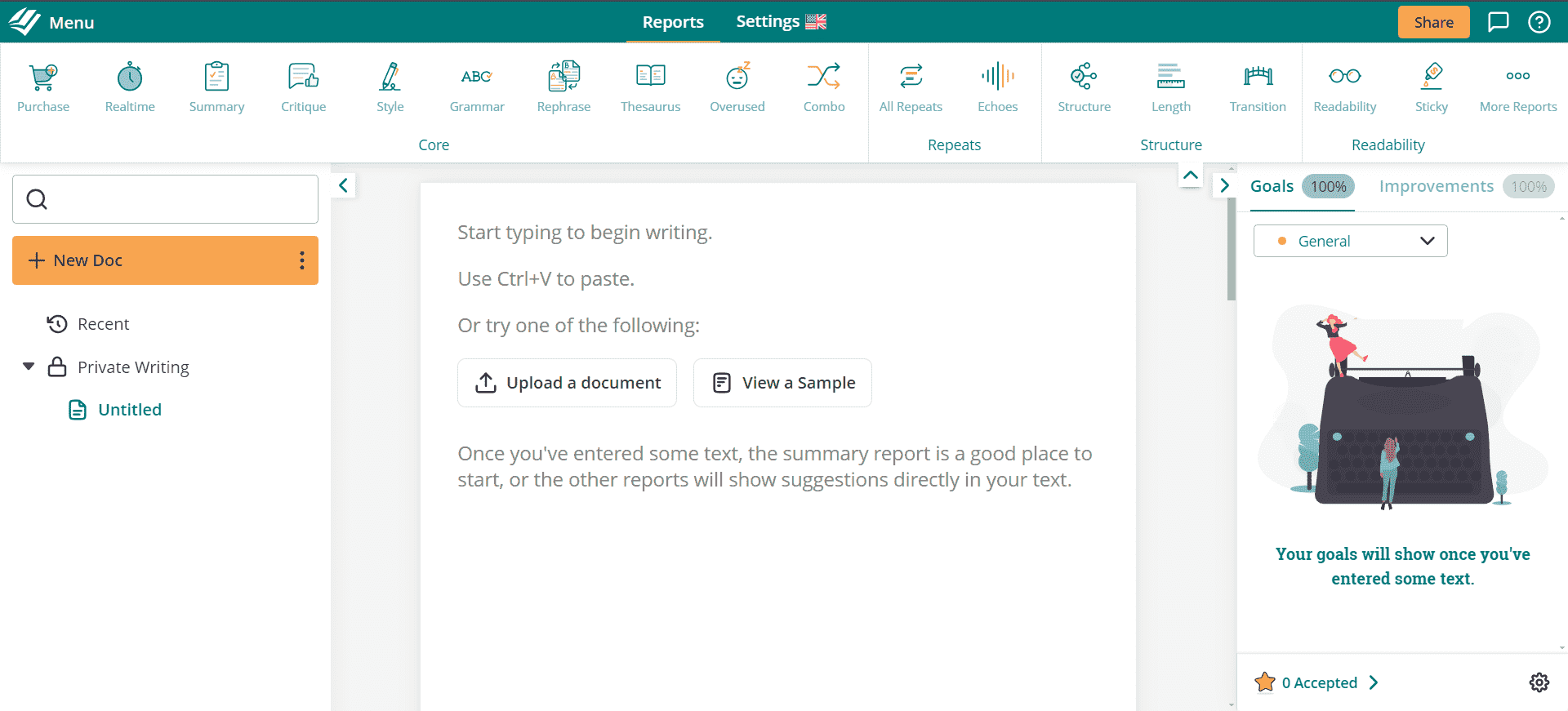
This is the ProWritingAid content editor tool.

ProWritingAid stands out as a comprehensive writing and editing assistant, designed to improve your writing through advanced style. It also provides a grammar checker tool. It offers in-depth reports on your text, analyzing everything from readability to sentence length variation, and providing personalized recommendations. 

The content editor tool’s ability to integrate with various platforms makes it a versatile choice for writers looking for different types of editing. Its customizable feedback and suggestions help not only to polish your current piece but also to enhance your overall writing skills over time. This makes it one of the best content editors for those looking for free content editing tools.

Pricing: ProWritingAid has a free version and paid versions. The paid plans start at $30 per month.

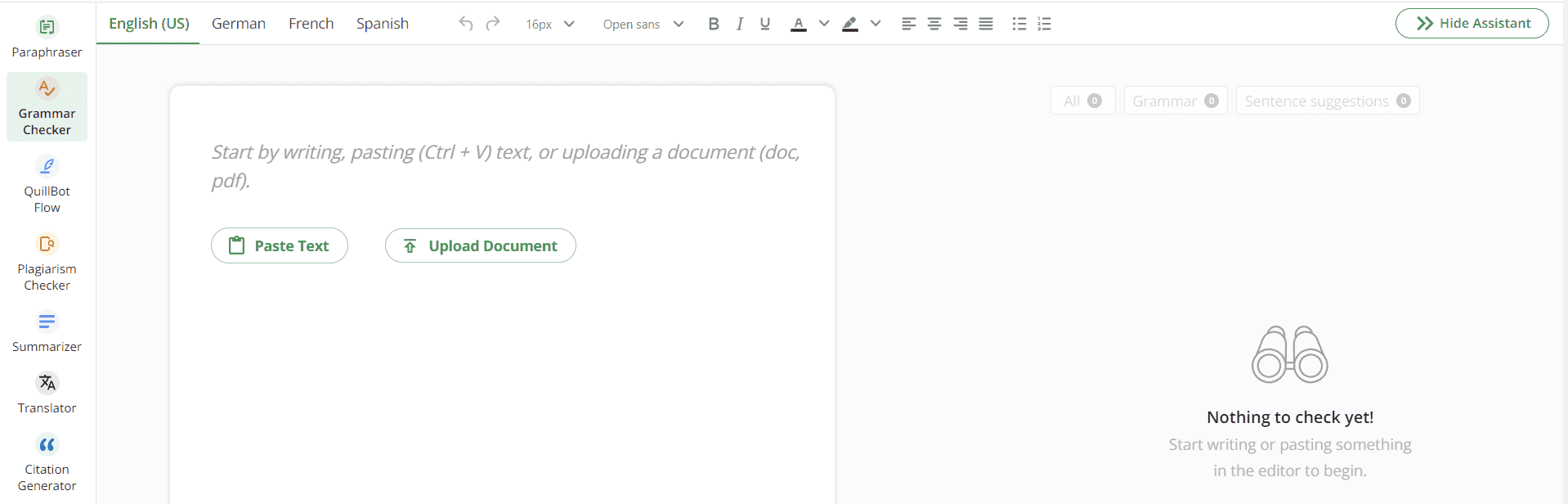
2. QuillBot

This is the Quillbot content editor tool.

QuillBot emerges as an AI content editor tool that excels in refining your writing, ensuring there are no grammatical mistakes. Its grammar and punctuation checker, alongside a paraphrasing tool and summarizer, make it a comprehensive solution for writers aiming for precision and conciseness.

QuillBot’s capability to improve the structure of a sentence and offer clarity suggestions, coupled with its accessibility as a free content editing tool, positions it as an essential utility in a writer’s toolkit for content editing.

Pricing: QuillBot provides a free version along with premium plans. The paid plans start at $19.95 per month. 

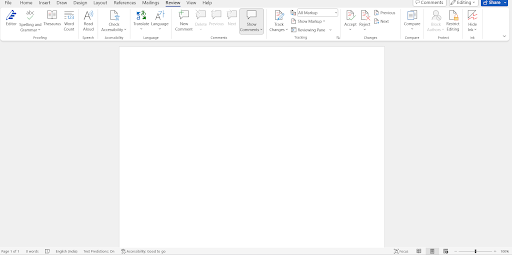
3. Microsoft Word

This is the Microsoft Word content editor tool.

A classic in the realm of content editor software, Microsoft Word continues to be a go-to for writers seeking a blend of traditional and advanced manuscript editing or book editing tools. With features like advanced grammar and spelling checker, editor insights, and a plethora of templates, Word caters to a wide range of writing needs.

Its familiar interface, coupled with the power of Microsoft 365 integration, ensures that writers have access to extensive content editing tools that are both powerful and user-friendly.

Pricing: Microsoft Word’s web version is available for free. The software version however has to be bought at $159.99 for a lifetime subscription. Monthly subscription plans start at $6.99 per month. 

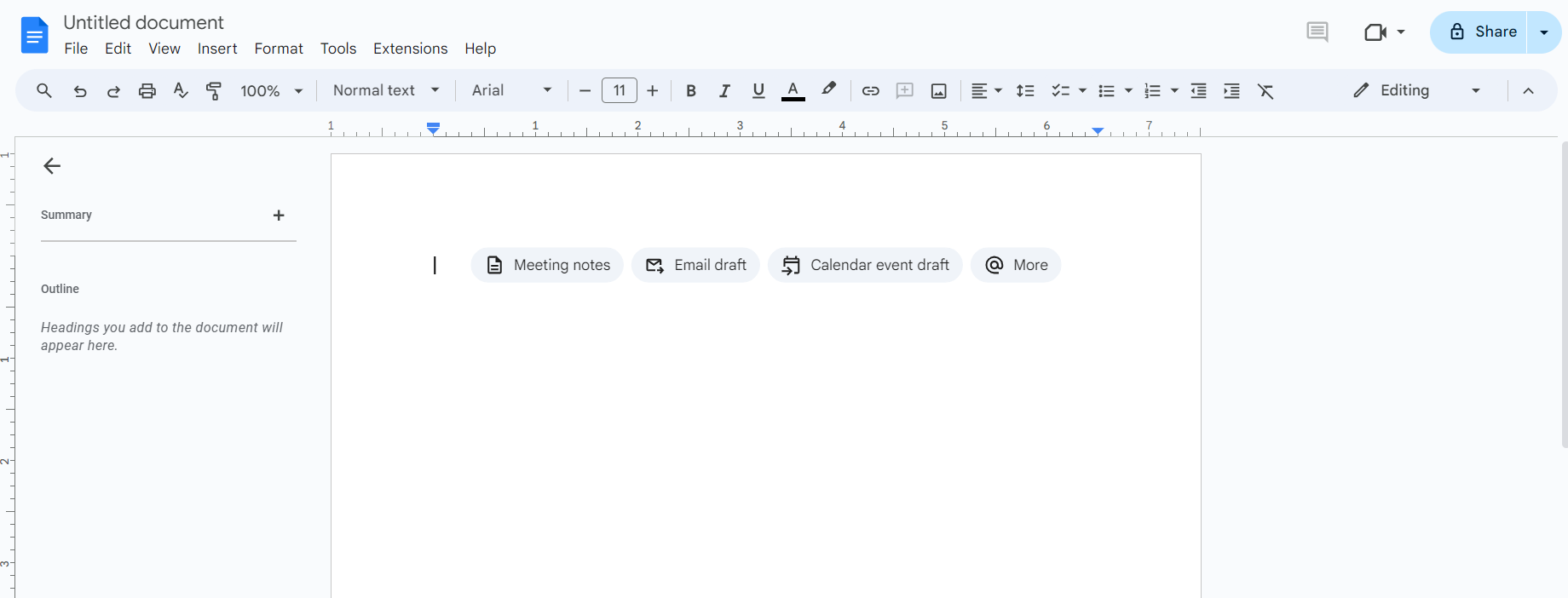
4. Google Docs

This is the Google Docs content editor tool.

Google Docs revolutionizes collaboration with its cloud-based platform, allowing multiple users to edit documents in real-time. Its Explore feature automates the research process, suggesting relevant articles, images, and even formatted citations, streamlining content creation.

Voice typing caters to authors who prefer dictation, and the extensive add-on library extends its functionality. It encompasses everything from bibliography generation to advanced grammar checks. This is the best content editor tool, indispensable for writers prioritizing flexibility and collaboration.

Pricing: Google Docs is a free, web-based content editing tool.

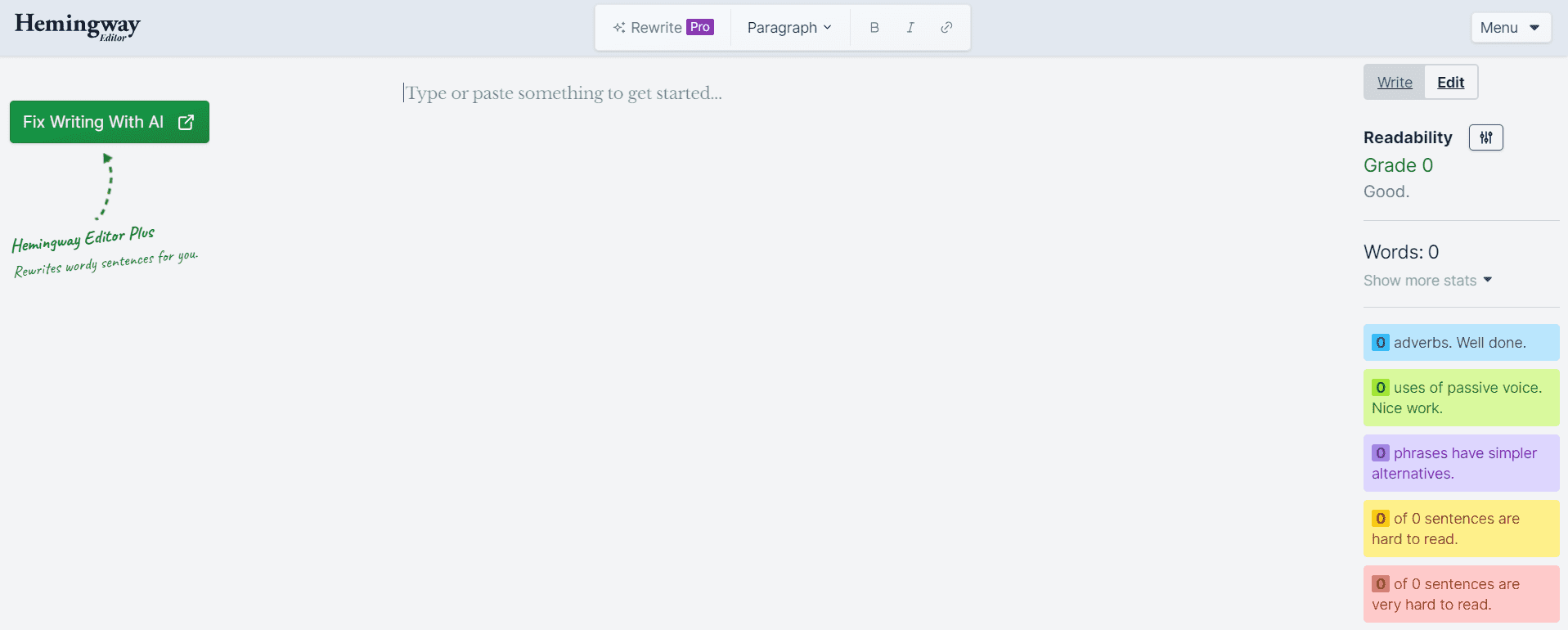
5. Hemingway Editor

This is the Hemingway Editor content editor tool.

The Hemingway content editor is designed to make your writing clear and concise, highlighting areas for improvement such as the use of passive voice, verbs, adverbs, and complex sentences.

Its straightforward interface offers immediate feedback, helping writers craft various types of content, from creating assignments to writing novels. Hemingway Editor is an excellent writing tool for authors looking to refine their style and produce content that resonates with their audience.

Pricing: Hemingway Editor’s online version is free. To buy the desktop app version, $19.99 is the pricing.

6. Ginger

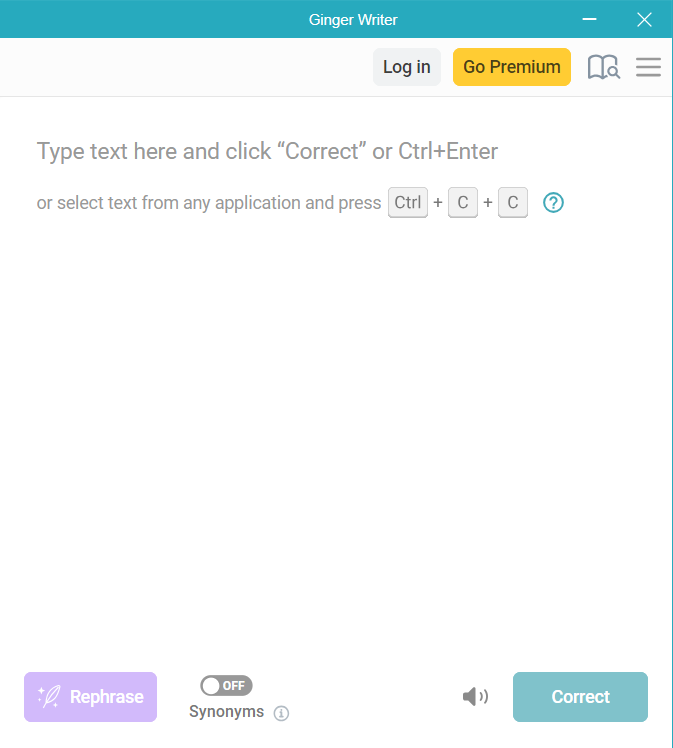
This is the Ginger content editor tool.Ginger’s content editing software offers an all-in-one solution for grammar and language checking, ensuring that your writing is not only error-free but also polished and engaging.  Its unique features, such as the sentence rephrasing tool, translation tools, and a personal dictionary, support writers in enhancing their English language communication skills.

The real-time English correction capability and support for multiple languages make Ginger an invaluable tool for content editors looking to elevate their writing quality. Its AI content editing abilities make Ginger stand out.

Pricing: Ginger provides a free content editor software version. The paid plans with better functions, start at $13.99 per month.

7. Wordrake

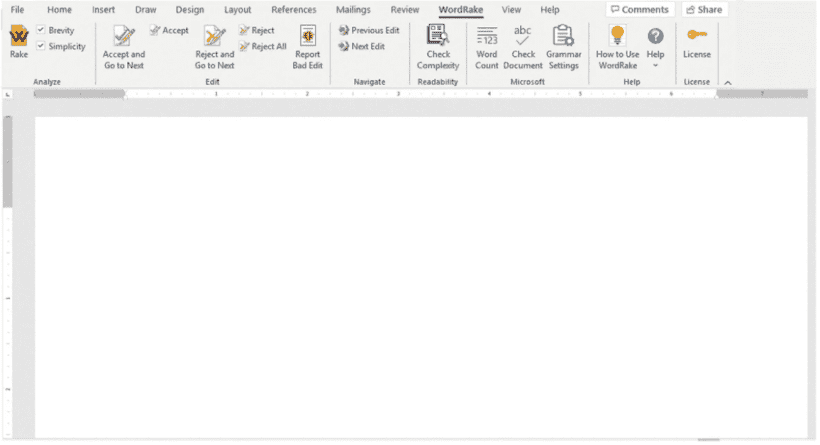
This is the WordRake content editor tool.

WordRake is a content editing software that suggests edits to make writing clear and concise. It integrates directly into Microsoft Word and Outlook, making it easy for professionals to edit assignments, emails, book reports, and documents within familiar interfaces.

Its strength lies in removing unnecessary words and jargon, improving the overall clarity and editing of business and legal communications without altering the message’s original intent.

Pricing: Wordrake provides a free 7-day trial on its software. The price for purchasing the software is $129 annually.

8. Frase

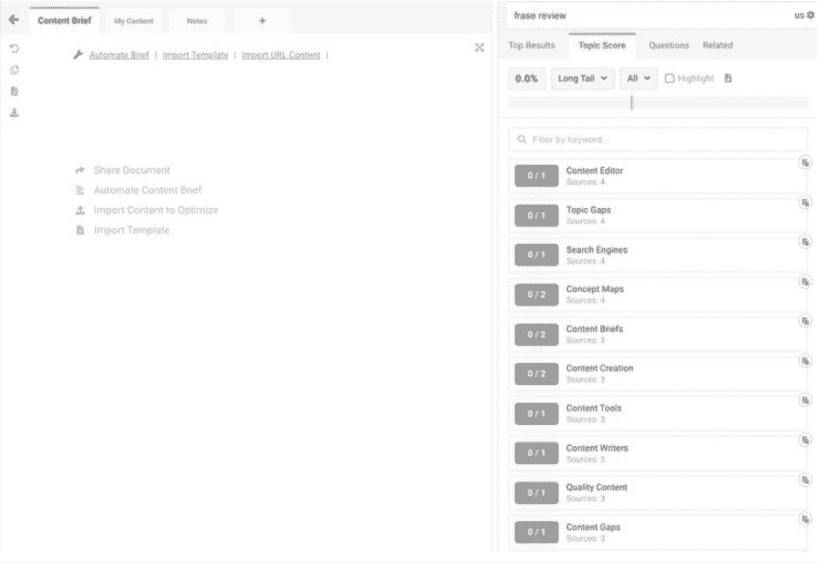
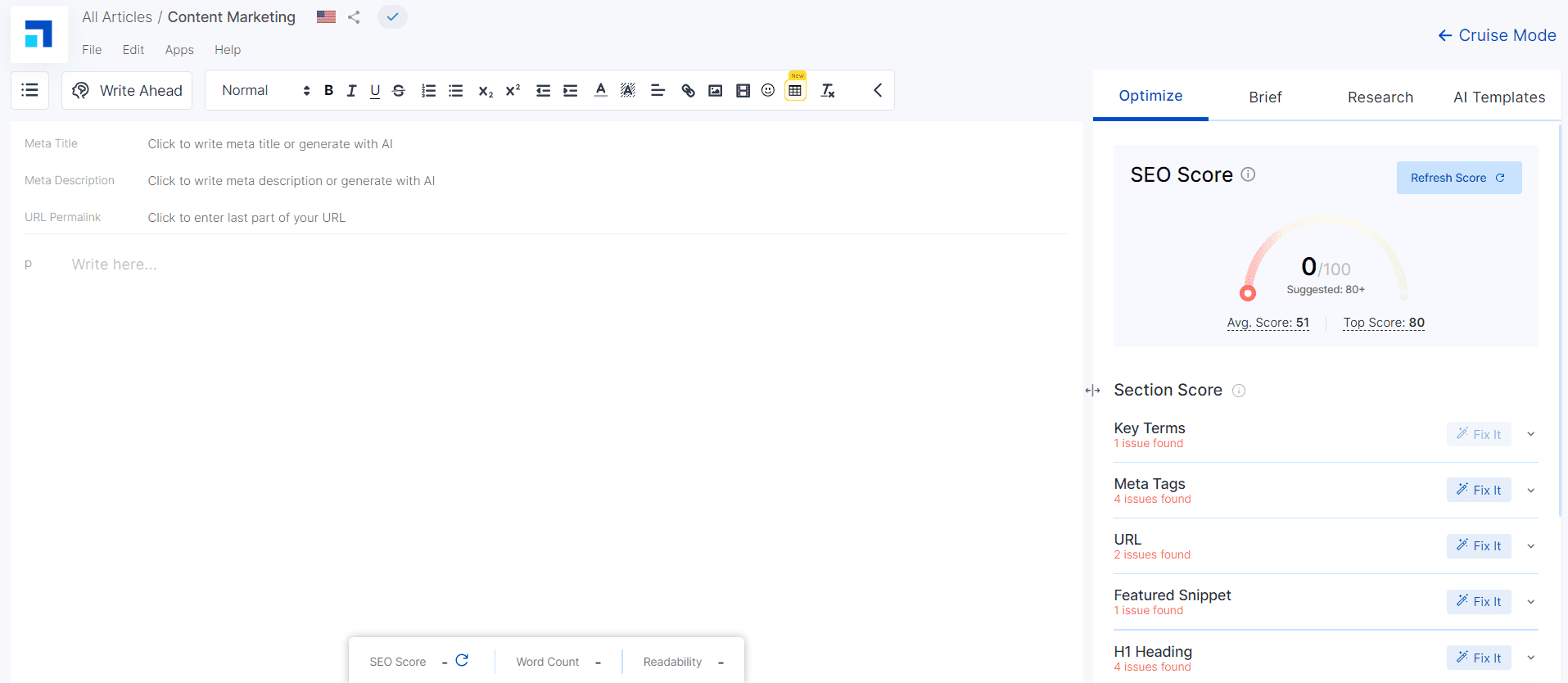
This is the Frase content editor tool.

Frase is an AI content editing tool to optimize content for SEO, offering a content briefing feature that outlines key topics and questions to address in your writing. Its keyword analysis tool and content scoring system help writers ensure their articles are content-rich.

The articles are aligned with SEO best practices, increasing their visibility on search engines. For content marketers and bloggers, Frase is a game-changer, enabling them to craft content that catches readers’ attention and also resonates with search algorithms.

Pricing: Frase provides a 5-day trial at $1 and the paid subscription plans start at $14.99 per month.

9. Semrush Writing Assistant

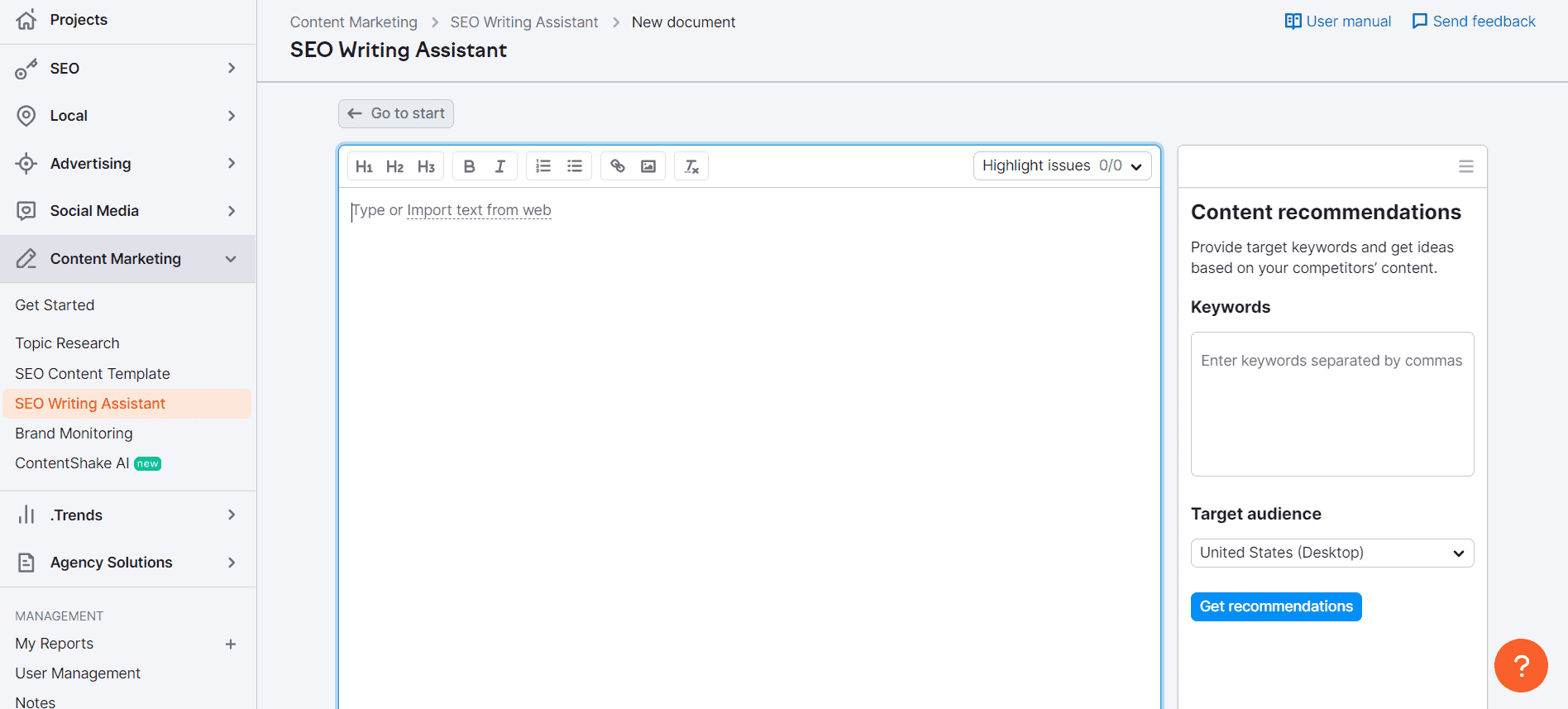
This is the SEMrush Writing Assistant content editor tool.

Semrush Writing Assistant provides real-time SEO recommendations, integrating seamlessly with Google Docs and WordPress. Its suggestions on readability, SEO, tone of voice, and originality make it a comprehensive tool for writers aiming to optimize their online content.

Semrush Writing Assistant also provides a plagiarism checker that ensures the uniqueness of your text, a crucial feature for maintaining credibility and avoiding copyright issues.

Pricing: Semrush Writing Assistant offers a free version with very limited features. The subscription plan with all the features starts at $249.95 per month. 

10. Typely

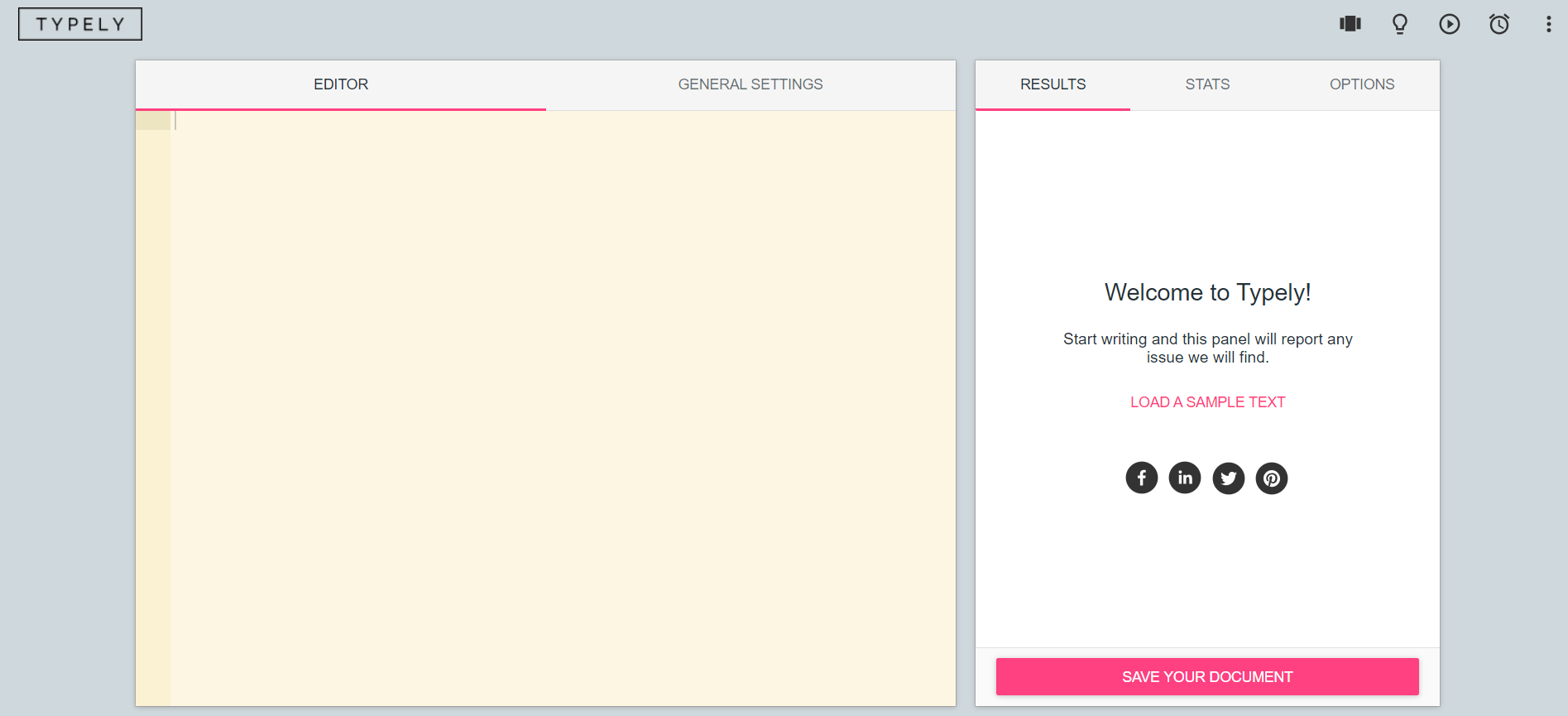
This is the Typely content editor tool.

Typely is a dedicated writing and proofreading environment free from distractions. It focuses on typographical errors and readability, offering detailed reports that highlight issues affecting the quality of your writing.

Its simplicity and focus on the essentials make it an ideal content editor for writers who need a straightforward, effective tool for editing and proofreading manuscripts and finalizing them.

Pricing: Typely is a free content editing tool.

Choosing the right content editor tool or software is crucial in the journey of content creation. The tools highlighted in this blog cater to a wide range of needs, from grammar checking and style enhancement to SEO optimization and collaborative writing.

You can now select the best content editing tools from these. However, these tools might not provide in-depth feedback as human editors. As an expert provider of editing and proofreading services, PaperTrue provides in-depth feedback and can polish your content to perfection. As we continue to witness advancements in AI and technology, the future of content editing looks promising!

Keep on reading for more useful resources:

How to Write an Abstract in MLA Format: Tips & Examples

If you’re confused about how to write an abstract in the MLA format, you’re not alone. Since the MLA Handbook doesn’t mention concrete abstract formatting guidelines, students are often unsure about this. That ends today because we’ve compiled a complete guide to the MLA abstract format.

We’ll tell you how to format an abstract in MLA style and what to include while writing it. If any confusion lingers, we have some MLA abstract examples to clear things up. Let’s begin with a hint, though: Always pay attention to your university, department, or course formatting guidelines!

Perfect your paper with expert editing!

What is an MLA format abstract?

An MLA format abstract is a concise summary of an academic work that mentions its key elements, helping readers scan through the findings. It’s sort of a trailer for academic texts: Researchers can read through the abstract to find out if a work is relevant to their research.

For this reason, an abstract should be brief and include keywords. But you can achieve this in two ways:

1. Informative abstract: Summarizes the background, major points, research methodology, results, conclusions, and recommendations. Typically around 250 words in length.

2. Descriptive abstract: A brief overview of your document without results, conclusions, or recommendations. Typically around 100 words in length.

Does the MLA format have an abstract?

No, MLA format doesn’t typically have an abstract, especially for shorter works like essays and research papers. In the case of longer documents like dissertations or academic books, the writers can use independently established guidelines. As a student, you should refer to the department’s formatting guidelines or check with your instructor.

There’s a reason MLA format papers and essays don’t usually have an abstract. Since MLA format is mostly used in humanities, there are few data points and methodology details to summarize. The focus is on the text itself and how it explores the topic.

If you’re asked to write an abstract, however, you should know why it’s important.

Why is an abstract important?

An abstract is important because it helps students and researchers decide whether your work can be of use to them. A well-written abstract reveals the full scope of your paper or thesis. Abstracts are also accessible to a wide audience while the rest of your work may be behind a paywall. So, an abstract is a way for you to reach a broader readership.

More importantly, abstracts are commonly used by databases and search engines to index and categorize academic research. So, a keyword-friendly MLA format abstract (with help from some academic SEO practices) can make your work easy to discover.

So, let’s find out how to format an abstract in MLA style.

MLA abstract format guidelines

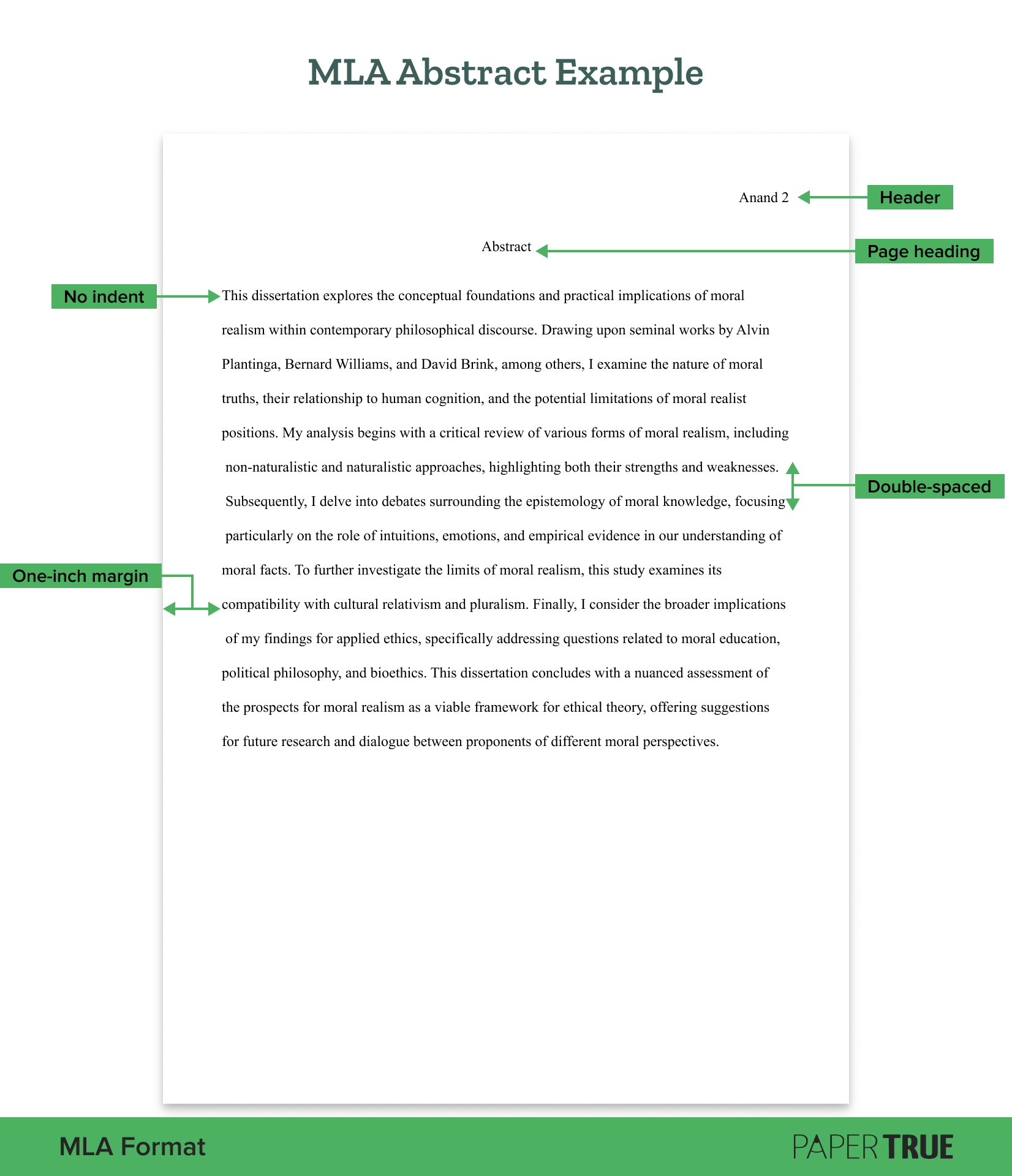
Here are the formatting guidelines for an MLA abstract page:

  • Place the abstract page after the MLA title page (unless instructed otherwise).
  • Maintain a one-inch margin on all sides. 
  • Add an MLA header (last name and page number) in the upper right corner. 
  • Double-space all text on the page.
  • Use an 11- to 13-point standard font (Times New Roman, Arial, Georgia, or Calibri).
  • At the top of the page, add the heading “Abstract” and center it.
  • Don’t indent the first line.
  • Ideally, write the entire abstract as a single paragraph.
  • Italicize the names of other works mentioned such as books, movies, and TV shows.
  • Spell out any acronyms when mentioning them for the first time.

Can’t quite picture it? Let’s remedy that! Here’s an abstract example in MLA format:

The image displays an MLA abstract example that contains all the important elements included in an MLA abstract page.

MLA style allows a lot of flexibility with these guidelines, so there aren’t many hard-and-fast rules. For example, there are no rules in the MLA Handbook about how keywords should be placed after the abstract. So if you’re asked to include them on your abstract page, you should check the university or department guidelines.

When in doubt, consult with your instructor about how to format an element on the abstract page. Professional researchers can rely on the journal’s or publication’s formatting guidelines.

Now that you know the MLA abstract format, you should learn how to write an impactful one. If your abstract is uninspiring or vague, you can lose out on some readers and some potential citations for your work!

How to write an abstract in MLA format

Here are some tips on how to write an abstract in MLA style:

  • Write your MLA abstract after you’re done with the entire paper or thesis, so it’s comprehensive and has no blind spots. Your thesis and methods will evolve as your research progresses, so an abstract written after its completion is more authoritative.
  • Keep the abstract brief. About 100–300 words are sufficient.
  • Use straightforward language that’s easy to understand; avoid using jargon for the sake of it.
  • Summarize the main points of your work, including the thesis statement, methodology, key arguments, major findings, and discussion. If you find this difficult, you can take a gradual approach. Start by writing a rough summary, condensing each section into 1–3 sentences. Then, shorten this further until you’re left with 5–7 sentences.
  • Begin your abstract by clearly stating your research question or objective.
  • Provide brief background information, but only if it’s essential for understanding the thesis statement.
  • Mention only the most important details about your research methodology or approach.
  • Present your key findings in brief, emphasizing their implications.
  • Highlight your contribution to your subject through the research, but don’t exaggerate any findings.
  • Get feedback from classmates and edit the abstract accordingly.
  • Check whether you’ve kept the formatting consistent with the rest of the document.
  • Proofread the abstract once last time when you’re done.

While writing an abstract in MLA format, you may not have a concrete methodology or data points. This is especially true for courses like literature. In that case, you simply have to present an overview of your process. Briefly mention the framework or approach with which you analyzed an artwork and your findings.

Plus, the space of 5–7 sentences doesn’t leave much room for ambiguities. So, keep your MLA abstract crisp, interesting, and easy to understand. If you need help ensuring this, our paper editing services have got you covered!

Sample MLA abstract

The MLA abstract example we saw above highlighted the formatting guidelines. Now, let’s take a look at the details an abstract should include.

a.Thesis statement

b.Methodology

c. Argument

d. Findings

e. Discussion/recommendation

Abstract

This critical analysis asserts that contemporary Caribbean authors challenge and redefine Western literary paradigms by interrogating notions of identity. By examining works such as Marlon James’ A Brief History of Seven Killings (2014) and Nalo Hopkinson’s Brown Girl in the Ring (1998), this study demonstrates how these writers decolonize the canonical gaze through their innovative use of language, genre, and narrative structure. The paper argues that these texts employ subversive strategies to disrupt colonial narratives and center marginalized voices, thereby critiquing neocolonial power structures. These literary interventions are significant within broader discussions about postcolonial theory, cultural hybridity, and diasporic identities. This exploration complicates the notion of identity and invites further research into the role of literature in relation to social networks of power, both within the Caribbean region and in global contexts.

This sample concludes everything there is to know about writing an abstract in MLA format. If you’d like to keep reading about academic writing and formatting, here are some resources:

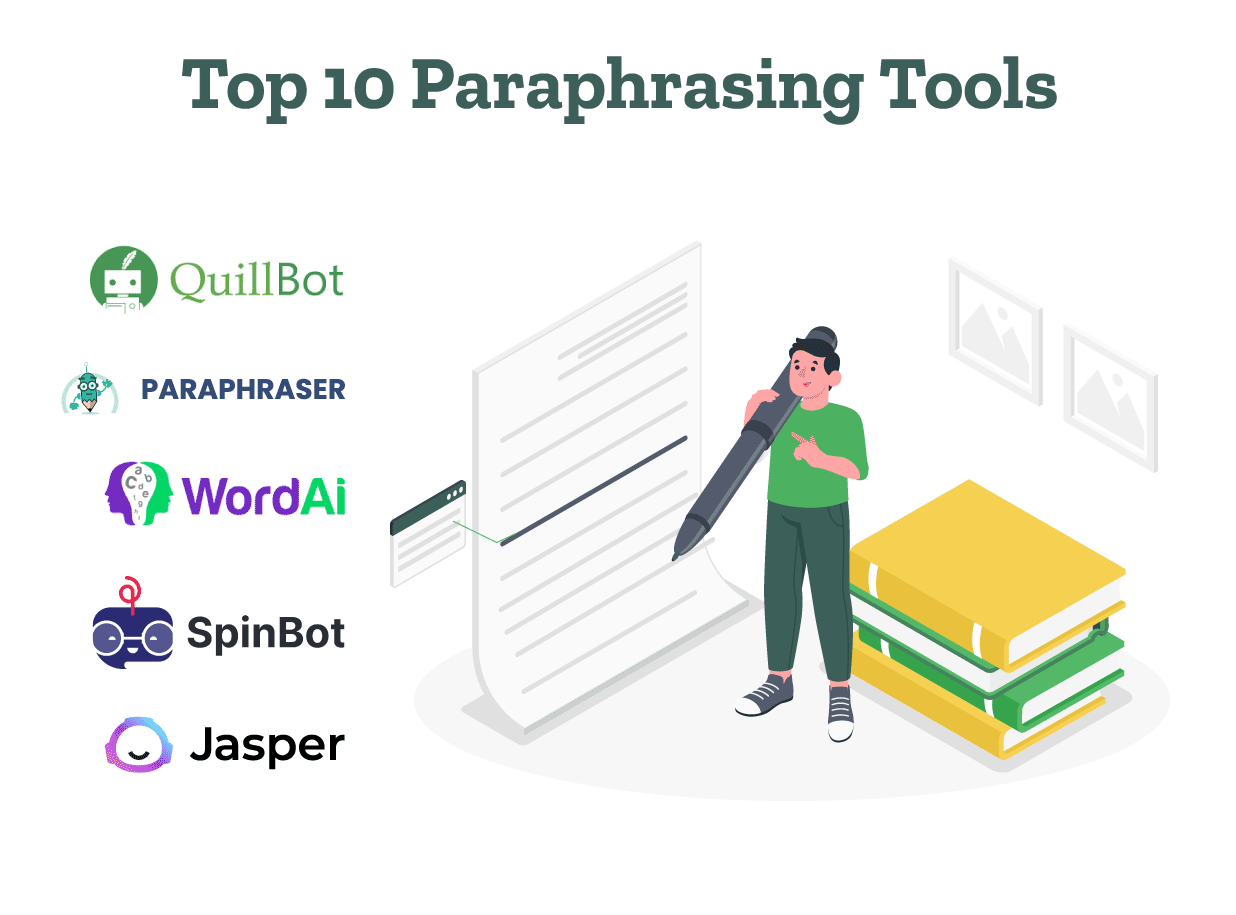
Top 10 Paraphrasing Tools for All (Free & Paid)

Want to avoid plagiarism while writing? Paraphrasing is the way to go! In this article, we’ve given the features of the best paraphrasing tools. We’ve included both free and paid tools and the costs involved. 

These online paraphrasing tools restructure your sentences by giving synonyms and alternate word phrases. Many of these tools also check your document’s grammar and syntax. So without wasting time, let’s explore these tools in detail! 

Transform your paraphrased text with perfect editing!

1. QuillBot

QuillBot is the best AI paraphrasing tool that can rewrite any document you desire. Some of its key features are: 

  • An AI-powered thesaurus to suggest synonyms. 
  • 8 paraphrasing modes: Standard, Shorten, Expand, Formal, Creative, Custom, Simple, Academic, Shorten, and Fluency.
  • Easy integration with Google Docs, Word, Chrome, Facebook, LinkedIn, and Gmail. 
  • QuillBot seamlessly supports documents in multiple languages like English, German, French, Spanish, etc. 
  • Can paraphrase documents in USA, UK, Australian, and Canadian English dialects. 

QuillBot has both a free and a premium version. The premium version also includes paraphrasing for unlimited words, a plagiarism checker, faster processing speed, and tone insights. 

Price: Using QuillBot’s free plan, you can edit 125 words. The monthly package costs $19.95 per month. 

2. Paraphrasing.io

Using the word paraphraser, you can restructure the text without changing the original meaning for free. Here are some of its stand out features:

      • 7 paraphrasing modes: Simple, Reworder, Creative, Shorten, Formal, Professional, and Academic. 
      • Supports 16+ languages.
      • The tool gives the option to further rephrase words in the output. Click on the underlined parts and change the content as many times you want.
      • Flexible output formats; .txt and .docx.HHH
      • Also, you can check for plagiarism in the document by clicking the ‘Plagiarism Checker’ button in the tool’s interface.

The word paraphraser has both a free and a paid plan. In the free version, you can paraphrase up to 1000 words. Register on the website to push the limit to 1500 words. With the paid plan, you can paraphrase and check plagiarism for 3000 words per try.

Price: $9 per month, All-in-one package with all premium modes unlocked. Or, $36 yearly (Most Valuable Package.)

3. WordAI 

WordAI is a fast rephrasing AI tool that can provide 1,000 rewrites if required. Some of its main features are: 

          • Option to upload articles in bulk for rewriting. 
          • Supports HTML content, allowing you to view, edit, and rewrite HTML content. 
          • Ability to import articles for rewriting. 
          • Can rewrite content to pass Copyscape’s plagiarism detection. 
          • Can split sentences, completely restructure the sentence, change phrases, and provide customized rephrasing. 

WordAI offers a 3-day free trial for its services. After this trial, if you choose to accept their services, they offer a 30-day money-back guarantee (if you’re dissatisfied). 

Price: WordAI has 3 plans: Starter ($9), Power ($27), and Enterprise where the costs vary as per the requirements. 

4. SpinBot 

SpinBot is considered by many as the best free paraphrasing tool online. It also checks your document’s grammar. Some of its vital features are: 

          • The ability to rewrite 1,000 words at a time. 
          • An option of “Ignore Words” to retain content you don’t wish to rephrase. 
          • A Summarizer to summarize your content. 
          • An option to rewrite capitalized words (proper nouns/ titles) if required. 
          • By installing SpinBot’s free extension, you can easily use it on Chrome, Google Docs, and Word. 

SpinBot has 3 modes: Standard, Random, and Longest. While the standard mode modifies only a few words, the random mode also corrects grammar. In contrast, the Longest mode changes your input text completely. 

Price: SpinBot is a free paraphrasing tool. 

5. Jasper 

Jasper is one of the top AI writers and online paraphrasing tools. Some of its vital features are: 

          • Provides various templates such as Content Improver, Creative Story, Blog Post Intro Paragraph, and Blog Post Conclusion Paragraph. 
          • It gives the option to describe the content’s tone and rephrases as per the tone suggested. 
          • Provides an option to add keywords to be included in the document. 
          • Ability to generate multiple variations of the same text. 
          • Offers built-in plagiarism detection through your Copyscape account. 

A con is that several features of Jasper such as unlimited features usage, performance analytics, custom workflow, and templates are only included in the Business plan. 

Price: Jasper has 3 plans which are: Creator ($39 per month), Pro ($59 per month), and Business plans where the costs vary as per requirements. 

6. Semrush

Semrush’s free online paraphrasing tool can rewrite 200 words at a time. Some of its key features are: 

          • The free version gives you 3 paraphrased versions of any content. 
          • It analyzes and describes your content’s readability and tone. 
          • It gives statistics on the text’s word count. 
          • It uses synonyms and alternate phrases to rephrase the text. 
          • It shortens sentences to restructure them and enhance readability. 

Semrush also provides other free tools such as a Summary Generator, Title Generator, and Proofreader

Price: Semrush has a free paraphrasing tool. 

7. Rephrase 

Rephrase is a reliable sentence paraphrasing tool online that rewrites text without changing the meaning. Some of its important features are:

          • It offers 5 paraphrasing modes: Fluency, Standard, Creative, Smart, and Formal. 
          • It provides an option to summarize the text. 
          • Supports documents in various languages like English, German, French, Spanish, and Norwegian. 
          • It can summarize the text if required. 
          • It gives the option to check for plagiarism and grammatical mistakes

Rephrase also provides additional tools like Punctuation Checker, Citation Generator, Online Text Editor, and Word Changer. 

Price: You can choose from 3 packages: $9 per week, $22 per month, or $165 per year. 

8. Text Cortex

Text Cortex is a free paraphrasing tool online where you can paste your text to rephrase the content. Some of its essential features are: 

          • A tone changer using which you can modify your article’s tone to cheerful, decisive, casual, encouraging, or formal. 
          • Rephrasing modes like Simple, Creative, and Expand. 
          • An option to summarize the content. 
          • Support for 25+ languages. 
          • Easy integration with Chrome. 

Text Cortex has both a free and a paid version. However, its paid version doesn’t include any additional features that are not there in the free plan. 

Price: Text Cortex offers a 14-day free trial. The paid plan starts at $15.19 per month where you can rephrase up to 62,500 words. For unlimited usage, you need to pay $83.99 per month. 

9. Ref-N-Write 

This is one of the best rephrasing tools for researchers. Some of its main features are:

          • It provides several word choices for rephrasing. 
          • It shortens sentences for better readability. 
          • Its ‘Academic Proofreading’ option gives suggestions to ensure the document’s formal and academic tone. 
          • It can also correct your document’s grammar and punctuation
          • You can also use this tool in Microsoft Word

With this, Ref-N-Write also provides additional features like an Academic/Plagiarism Checker and an Academic Phrasebank. 

Price: You can sign up for a 15-day free trial. For upgrading to the full version, the cost is 29.99 Euros (approximately $32.49). 

10. SpinnerChief 

SpinnerChief is an advanced AI paraphrasing tool that can divide longer sentences into several sentences, and expand and shorten content. Some of its important features are: 

          • It provides an option to use synonyms to rephrase the content. 
          • SpinnerChief supports documents in English, Spanish, French, German, Japanese, Italian, Korean, Hindi, etc. 
          • It can translate documents into various languages if required. 
          • Easily handles HTML content and retains its formatting
          • Also corrects the document’s grammar and generates the document’s summary. 

Using SpinnerChief’s best free online paraphrasing tool, you can rephrase 150 words at a time. Deeper, structural changes can only be made by opting for the pro version. 

Price: The Starter package costs $167 and the Business package costs $547. 

Now that you know the best paraphrasing tools, you can select the perfect one for your document. However, these tools might not provide in-depth feedback and can ignore some errors. At PaperTrue, we provide expert editing and proofreading services for your document. With this, we also perform a plagiarism check and review citations. 

Here are some other articles you might find useful: 

10 Best AI Writer Tools Every Writer Should Know About

An AI writer is like a virtual writing partner who’s there to spur your creativity and help you blast through the writing process. These AI wizards are not just about putting words on a page; they’re about crafting stories, generating ideas, and polishing prose until it shines. 

Navigating through the numerous options can feel overwhelming. That’s where we come in, offering you a guided tour of the top 10 AI writing assistants. From generating blog posts at the speed of thought to refining marketing copy until it’s just right, we’re diving deep into what makes these AI writers tick. Features, advantages, pricing—you name it, we’re covering it.

Perfect your draft after AI writing!

So, let’s explore the best AI writing tools together!

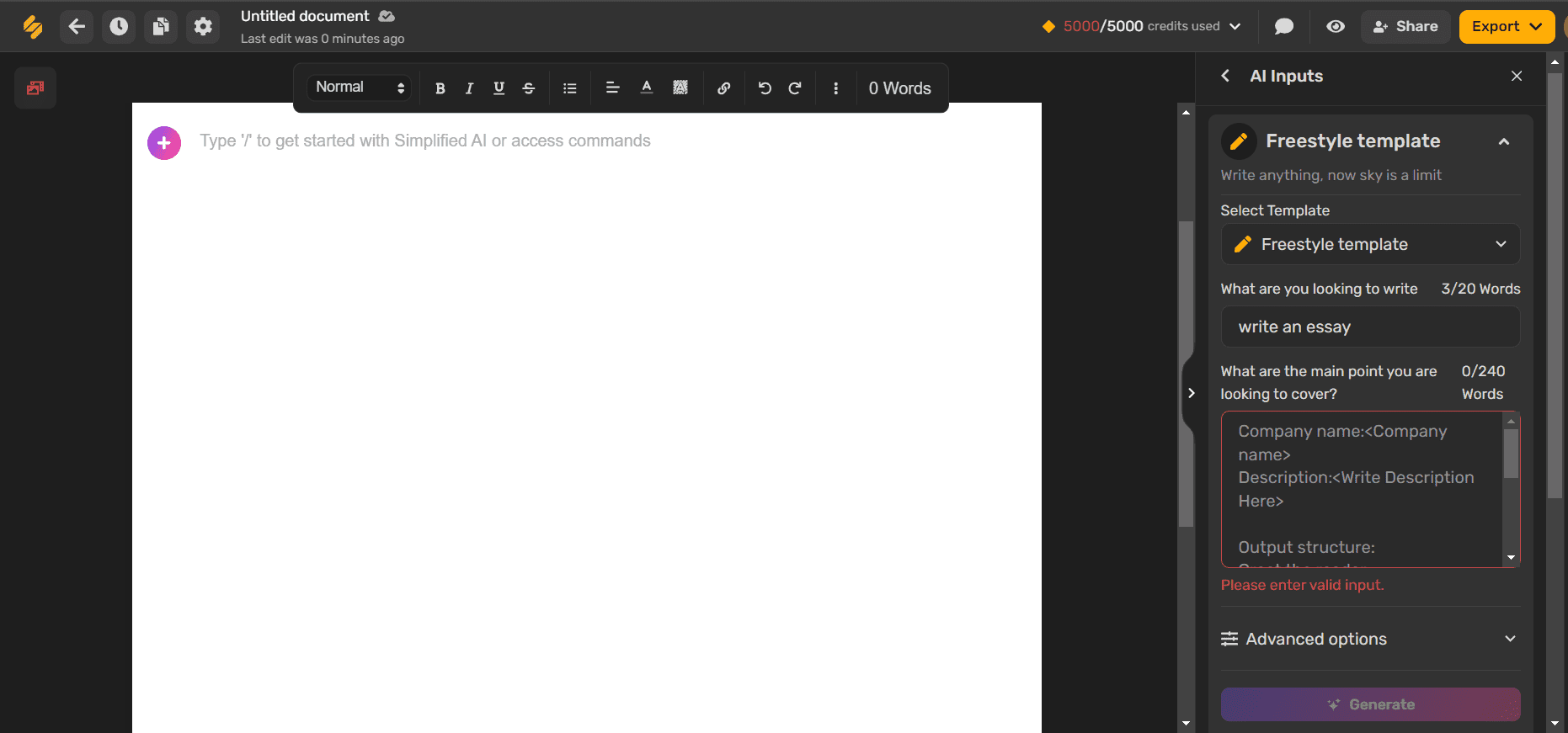
1. Simplified

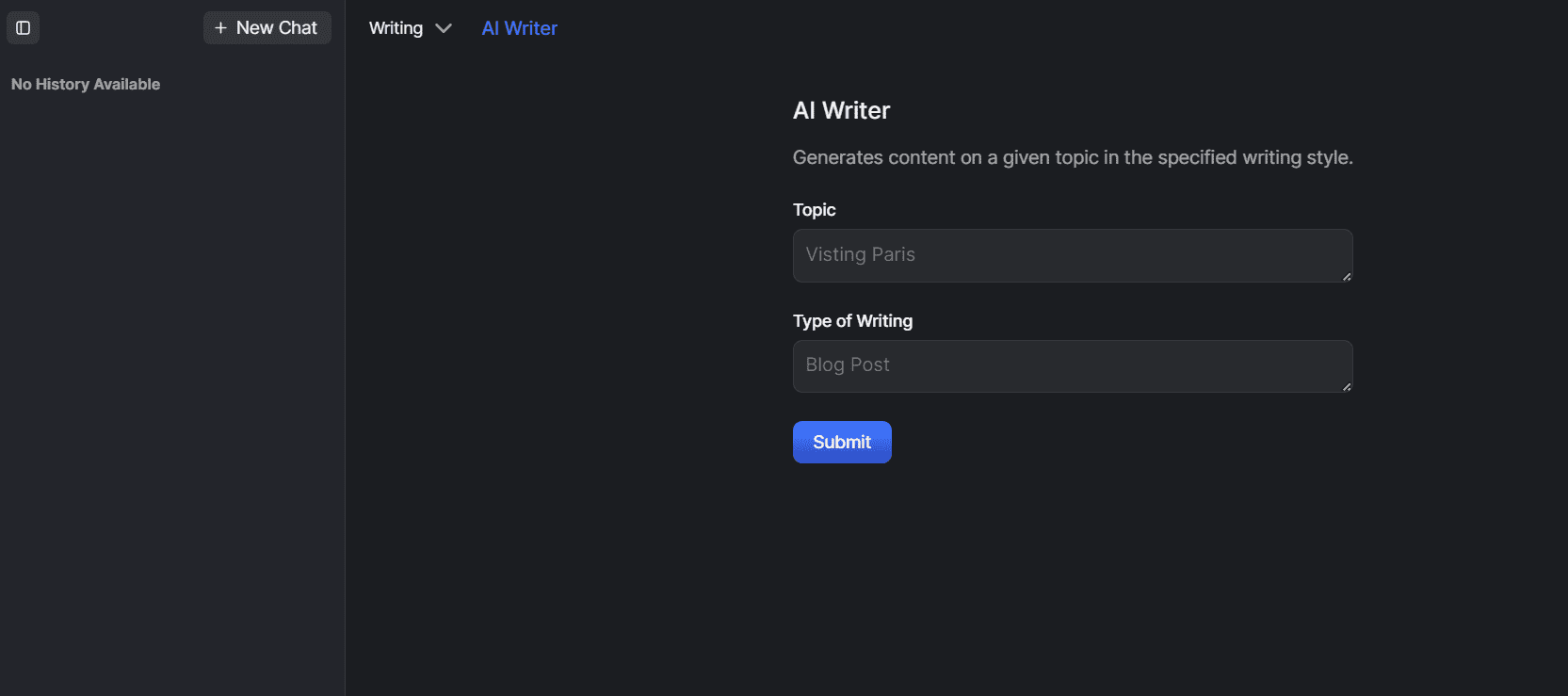
Simplified AI Writer

Features:

  • Simplified AI Writer offers an intuitive platform for generating long-form and short-form content. Users can easily start writing blogs, articles, essays, and even books.
  • It includes over 50+ templates and an AI Writer Free Flow mode for generating new, engaging copy in minutes​​​​​​.
  • The platform supports generating content in multiple languages, ensuring a wide reach​​.
  • Simplified also offers features like AI-powered paraphrasing and rewrites, sentence expansion, and paragraph generation, making it the best AI writer.

Advantages:

  • It’s highly versatile, catering to a variety of content needs from marketing materials to social media posts and SEO copy​​.
  • This AI writing platform allows for easy collaboration with teams and clients.
  • Simplified’s AI Writer produces original content, tailored to specific user inputs, ensuring uniqueness and relevance​​.

Pricing: Simplified offers a free AI writer plan allowing up to 5000 words per month. Paid plans start at $11 per month, offering up to 35000 words.

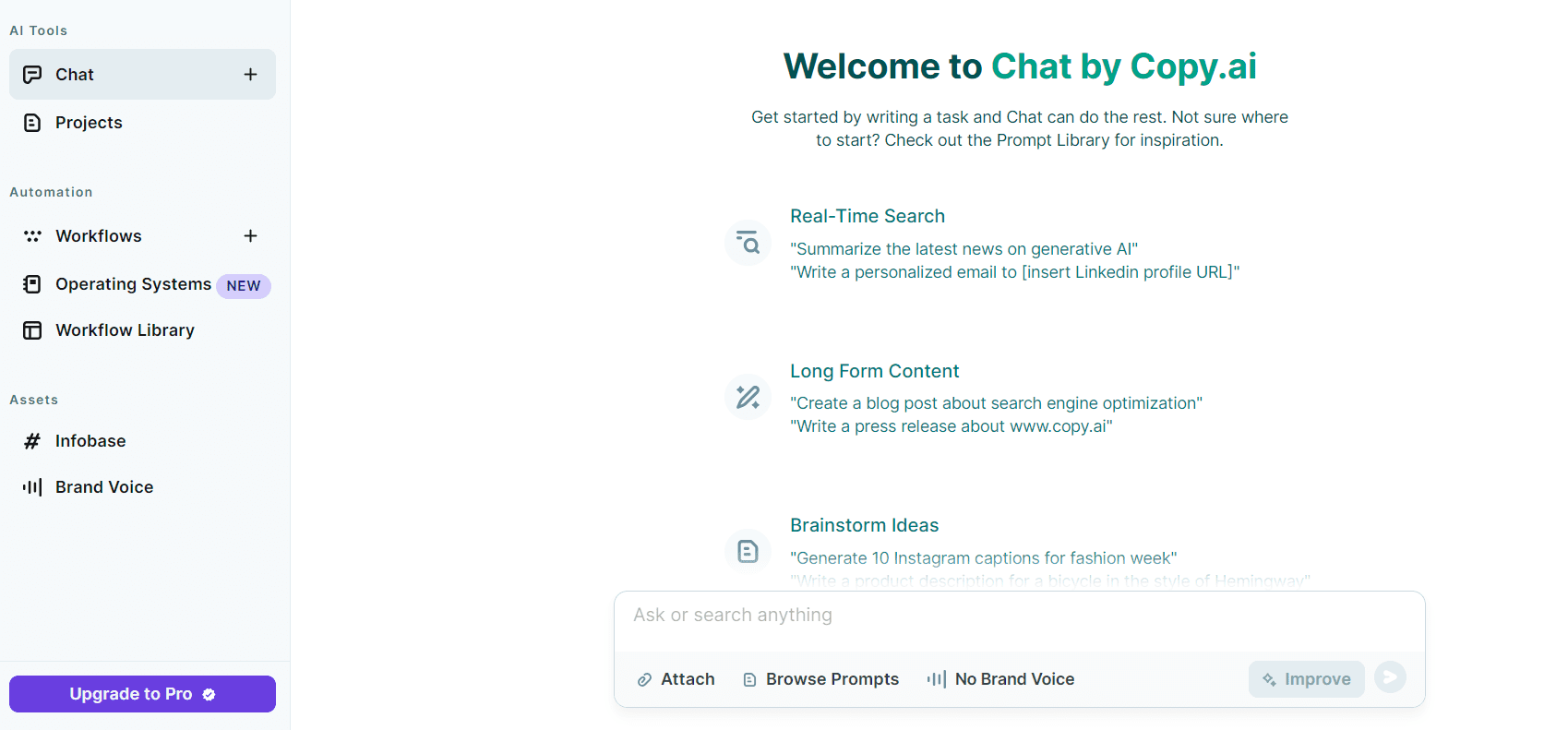
2. Copy.ai

Copy.ai AI Writer

Features:

  • Copy.ai is designed to be an all-in-one AI writing software that generates high-quality content within seconds.
  • It boasts a simple, user-friendly interface that requires just a brief description of your content needs to generate creative, engaging copy.
  • With a wide range of templates and book writing tools, Copy.ai is the best free AI writer that aims to streamline the writing process for creators at all levels.

Advantages:

  • One of the key benefits of Copy.ai is its emphasis on creativity.
  • One of the best AI writing tools, Copy.ai is like having a brainstorming partner that never runs out of ideas, helping you to overcome writer’s block and keep your content fresh and exciting.
  • Its versatility makes it suitable for individuals and businesses across various industries, be it essay writing or resume writing.

Pricing: Copy.ai offers a free trial plan to get you started, allowing you to use 2000 words per month. Paid plans start at $49 per month, offering unlimited words.

3. Writesonic

Writesonic AI Writer

Features:

  • Writesonic steps into the AI writing arena with a focus on marketing content.
  • One of the top AI writing tools, Writesonic offers tools specifically designed to create compelling advertisements, landing pages, and blog posts.
  • It leverages advanced AI technology to understand your product or service and generate content that not only engages readers but also drives conversions.

Advantages:

  • Writesonic offers a user-friendly interface.
  • The platform stands out for its marketing-oriented features, including the ability to create SEO-optimized content that can help increase your website’s visibility on search engines.
  • This free AI writer makes it easy for non-technical users to produce high-quality content quickly.

Pricing: Writesonic offers a free AI writing tool version, with a limit of 10,000 words per month. Subscription plans start at $20 per month allowing usage of unlimited words.

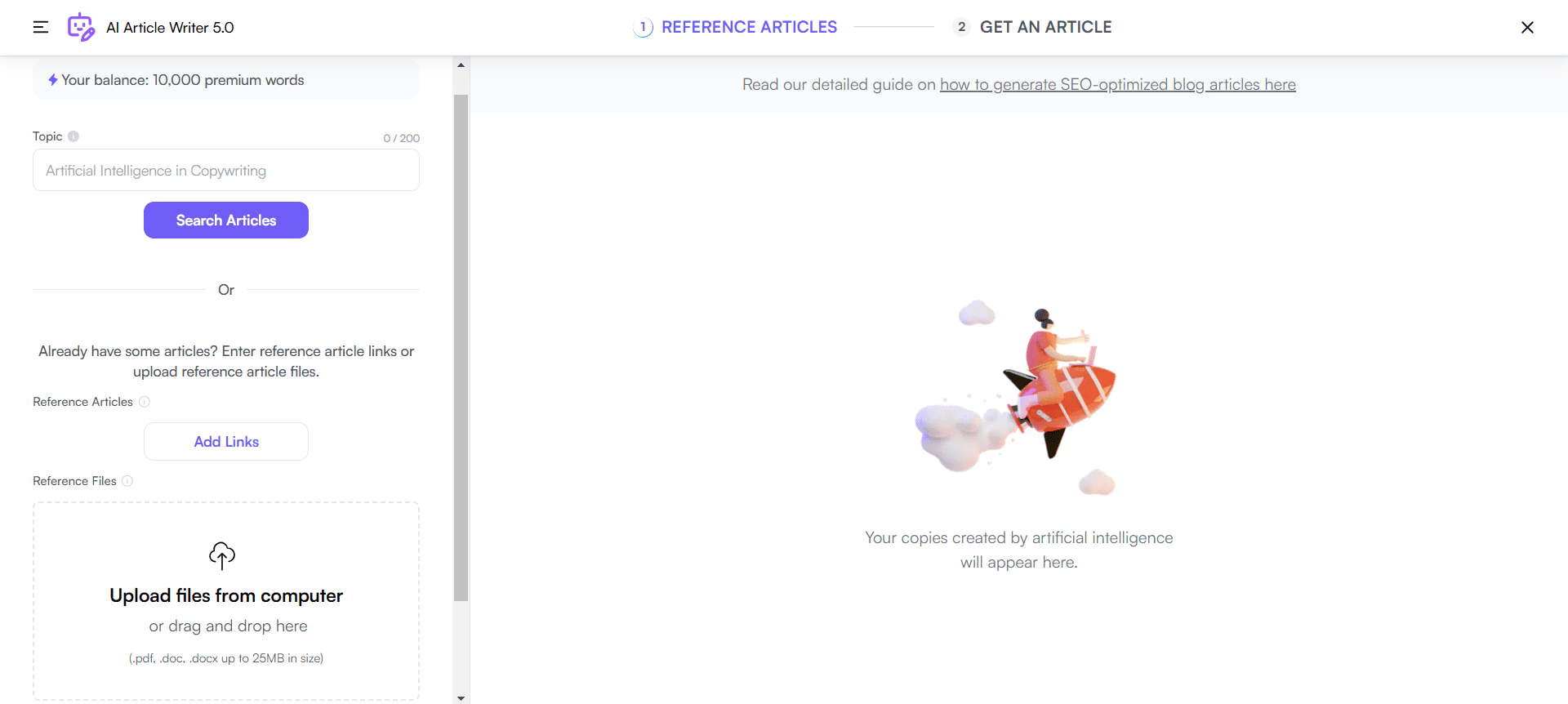
4. Content at Scale

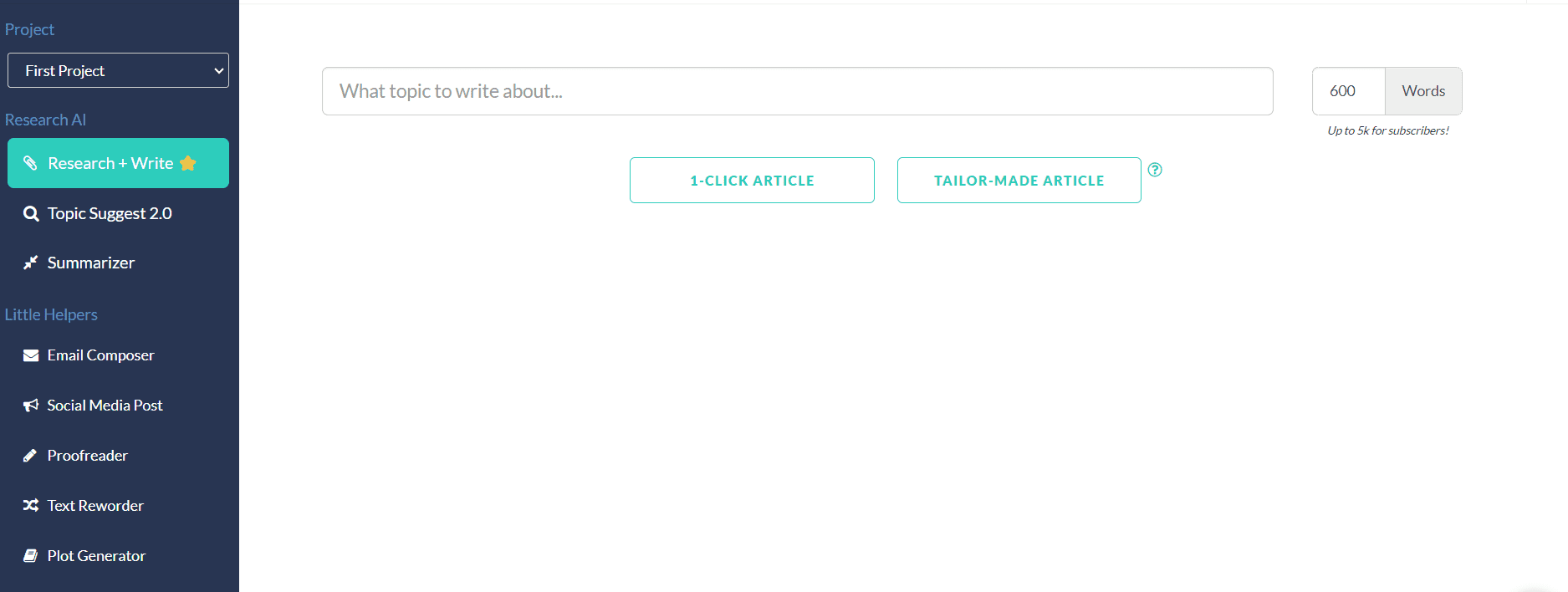
Content at Scale AI Writer

Features:

  • Content at Scale specializes in producing long-form content, automating research, writing, and SEO optimization.
  • This paid AI writing tool generates content that includes comprehensive analysis and research.
  • Designed to produce a large volume of content efficiently, it is one of the top paid AI writing tools, meeting the needs of content marketers and bloggers.

Advantages:

  • Content at Scale automates tasks that typically take hours, freeing up resources for other projects.
  • Content at Scale’s AI text generator ensures consistent quality and tone across all content, valuable for maintaining brand identity.
  • It improves content discoverability through SEO optimization features, enhancing your digital or book marketing strategy.

Pricing: Content at Scale doesn’t provide a free AI writer trial. The premium plans start at $49 per month.

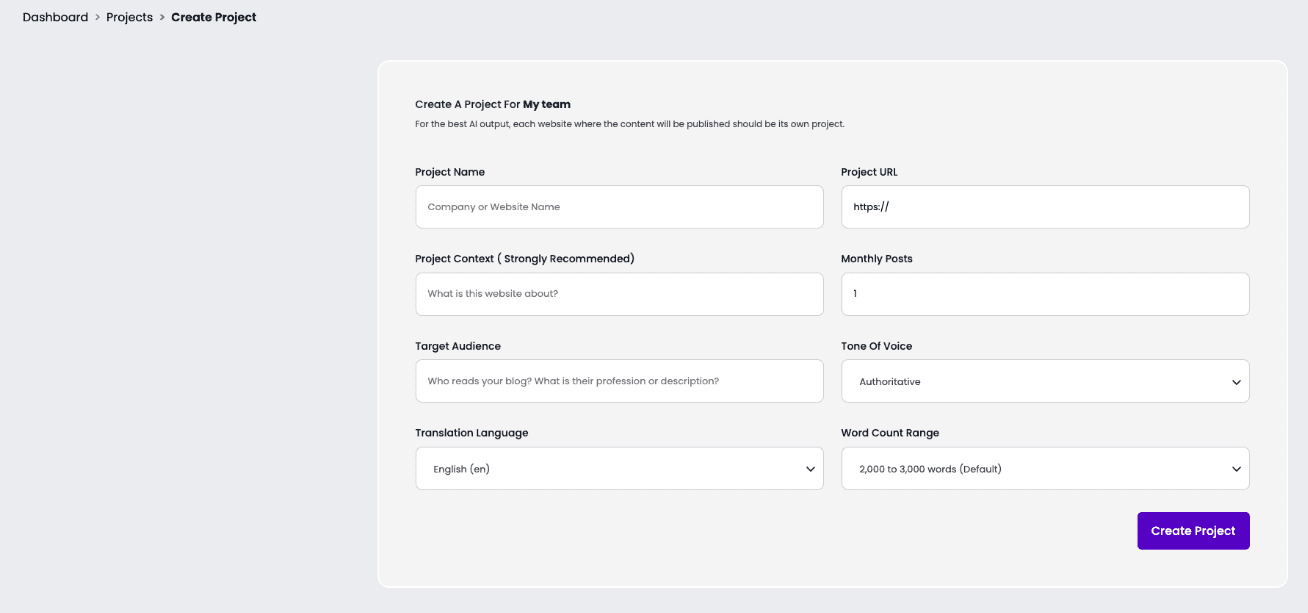
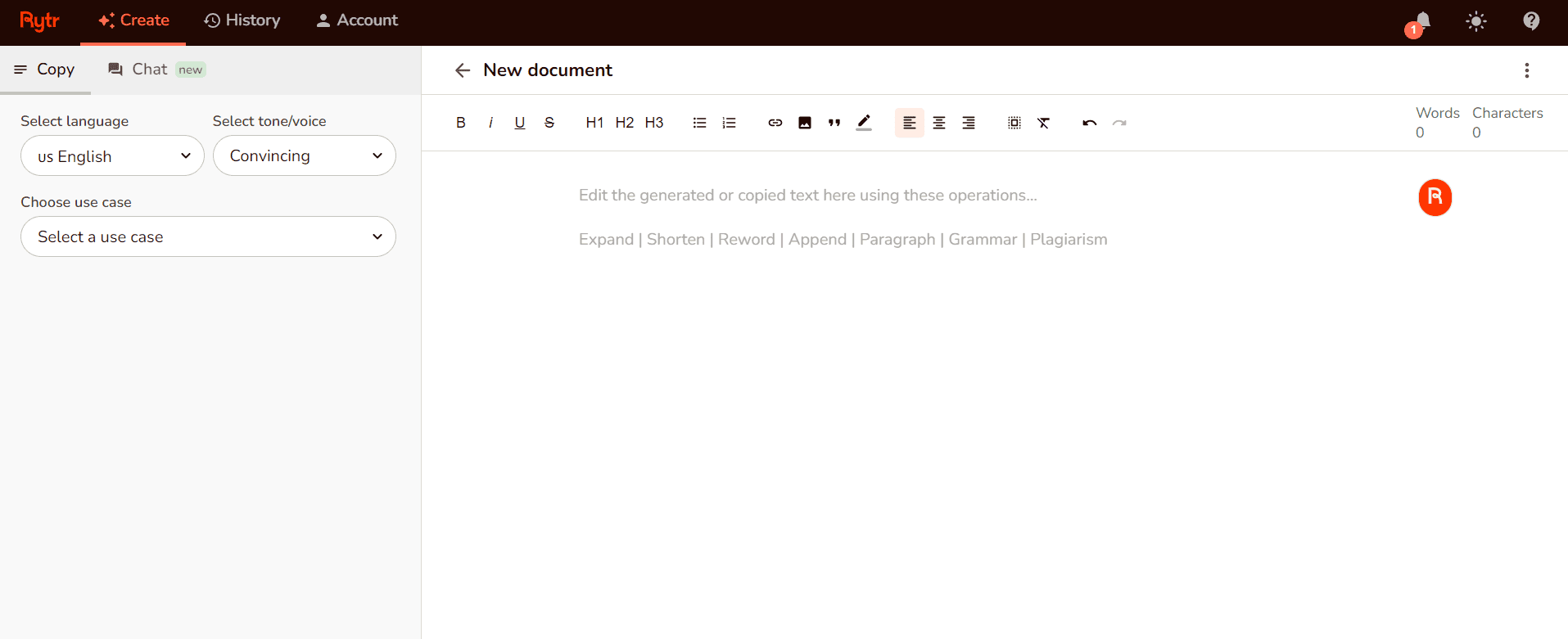
5. Rytr

Rytr AI Writer

Features:

  • One of the best free AI writing tools, Rytr is tailored for creating specific types of short-form content like emails, ad copy, and social media posts.
  • Rytr offers content creation in 30+ languages, accommodating a broad spectrum of global content needs.
  • It provides over 20 tones of voice, enabling personalized and nuanced content creation.

Advantages:

  • Known for its user-friendly interface, Rytr simplifies the content creation process for users of all skill levels.
  • Offers generous monthly character limits, making it accessible for individuals and small businesses.
  • The AI writer’s wide range of templates and tones makes it versatile for various content needs, from professional emails to engaging social media posts.

Pricing: Rytr offers a free AI text generator version. The free version provides 10,000 monthly credits to users whereas paid plans start from $9 per month, providing 100,000 monthly credits.

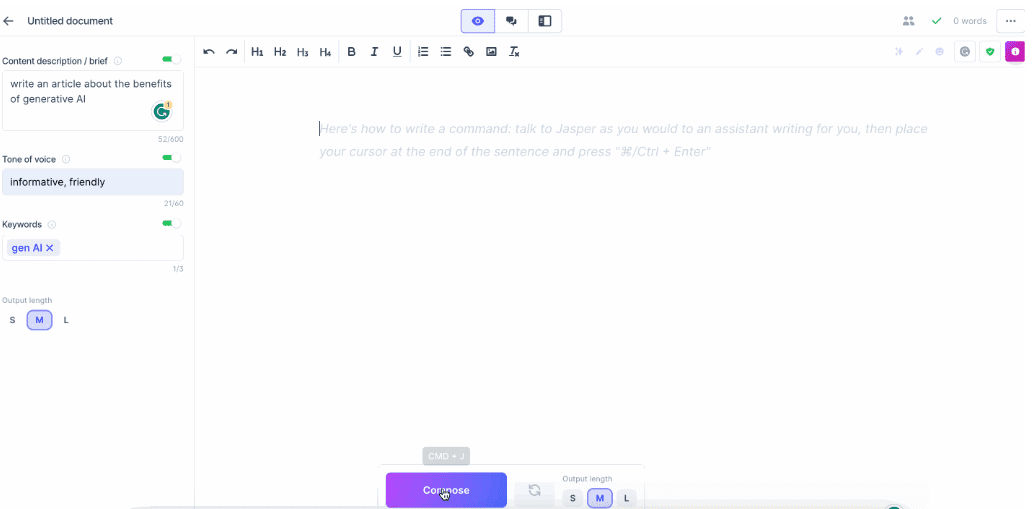
6. Jasper.ai

Jasper.ai AI Writer

Features:

  • Jasper.ai generates content in over 25 languages, catering to a global audience.
  • It is capable of creating everything from professional book reports to writing novels.
  • Jasper.ai includes brainstorming tools and content improvers for refining, proofreading, and polishing writing.

Advantages:

  • Jasper.ai is adaptable to various styles and tones and ensures versatility in content creation for individuals, businesses, and academic writing alike.
  • Renowned for producing content that is both engaging and well-written, Jasper.ai is one of the best AI writing software.
  • It streamlines the content creation process, making it accessible to users with varying levels of technical expertise.

Pricing: Jasper.ai provides a 7-day free AI writer trial. The paid plans start at $39 per month.

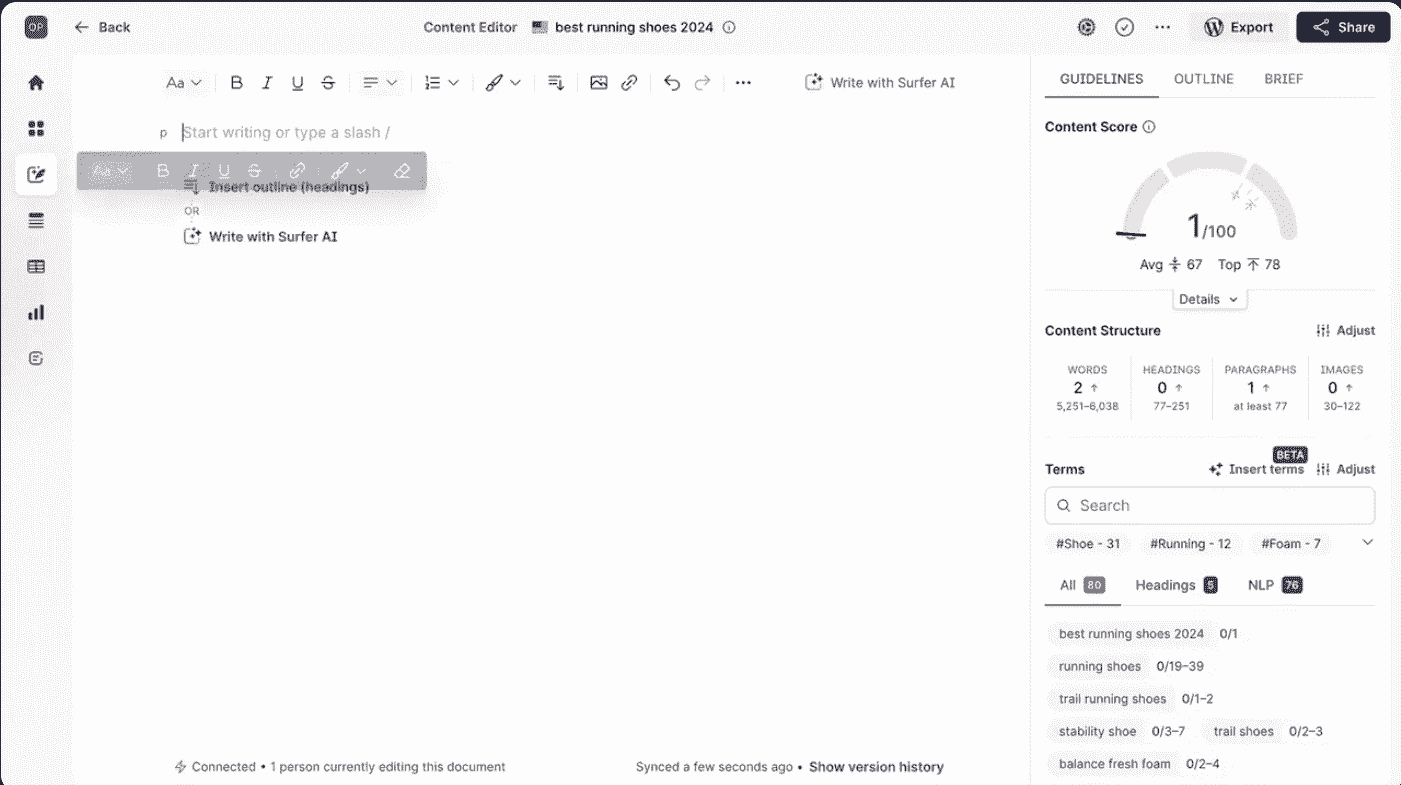
7. SurferSEO

SurferSEO AI Writer

Features:

  • SurferSEO focuses on creating content that is optimized for search engines to improve website rankings.
  • This paid AI writer provides insights and analytics to guide content creation based on current SEO best practices.
  • It offers in-depth keyword research tools to identify the best keywords for your content.

Advantages:

  • By focusing on SEO, SurferSEO helps increase your content’s chances of ranking higher in search results.
  • SurferSEO empowers writers to create content backed by solid data and analytics.
  • Its tools simplify the process of planning and executing a comprehensive content strategy.

Pricing: SurferSEO provides a free AI writer version with credits of up to 5 articles per month. Paid plans start at $89 per month with credits of 30 articles per month.

8. HyperWrite

HyperWrite AI Writer

Features:

  • HyperWrite AI offers suggestions and improvements as you write, making the content creation process smoother.
  • Being the best AI writing tool, it can mimic various writing styles to match the desired tone and audience of the content.
  • It speeds up the drafting process by providing instant suggestions for sentences and paragraphs.

Advantages:

  • By offering real-time suggestions, it helps improve your writing.
  • HyperWrite reduces the time spent on drafting, revising, and wholly in writing your content.
  • It helps overcome writer’s block by providing creative suggestions for content.

Pricing: HyperWrite provides a free version with 15 generations per month. The premium packages start at $19.99 per month.

9. Scalenut

Scalenut AI Writer

Features:

  • Scalenut integrates SEO guidelines into content creation for better ranking possibilities.
  • It generates articles, and blogs, and writes essays using AI in a quick manner.
  • Having all the qualities of the best AI writer, it automates the research resources and processes to provide data and insights.

Advantages:

  • It offers a suite of tools for both content generation and optimization.
  • By automating research, Scalenut ensures that the content is relevant and up-to-date.
  • Scalenut streamlines the workflow and simplifies the content creation process, making it more efficient and effective.

Pricing: Scalenut provides a free AI writer version with 2000 AI words per month. The premium plans start at $39 per month and provide 100000 AI words.

10. AI-Writer

AI-Writer

Features:

  • AI-Writer specializes in creating full articles from just a headline, using AI to research and generate content.
  • This AI writing software offers features to rewrite existing content or content editing to improve its quality or alter its tone.
  • It generates articles with SEO in mind, helping to improve search engine rankings.

Advantages:

  • Ai-Writer automates the research process, significantly reducing the time needed to create content.
  • It produces complete articles that require minimal editing before publication.
  • Providing SEO-optimized articles, this AI writer aids in forming a more effective content strategy.

Pricing: AI-Writer provides a 7-day free trial. The subscription plans begin at $29 per month and provide up to 40 pieces of content per month.

Each of these AI writing tools brings something unique to the table, whether it’s optimizing content for SEO, enhancing creative writing, or streamlining the research process. By understanding the features and advantages of each, writers and content creators can select the tool that best fits their needs.

After writing with the help of these AI writers, you can always opt for professional editing and proofreading services like PaperTrue, to make your writing more polished and elevated!

Want to keep reading? Here are some useful resources for you:

The Essential Types of Editing Every Writer Needs to Know

Hey there! If you’re delving into the world of writing, especially if you’re eyeing a career in this field, understanding the various types of editing is crucial. It’s like knowing your tools before you start building.

Whether you’re a budding author, a hopeful editor, or just curious about the publishing process, this guide is for you. From developmental to mechanical, we’re going to explore the different types of book editing that make a manuscript shine. So, get ready to dive in!

Whatever your document, we’ll edit it to perfection!

Before understanding what are the different types of editing, let’s start with the basics of what editing is.

What is editing?

Editing is the act of refining text by checking grammar, spelling, punctuation, and structure to enhance clarity and quality. This crucial step polishes all written work, from novels to blogs, for a professional finish.

Editing is a diverse mix of techniques, each targeting specific goals, from differences in developmental editing’s broad approach to line editing’s detailed focus. Grasping these different types of edits and finding the perfect editor is key to success in writing and publishing.

These are the different kinds of editing:

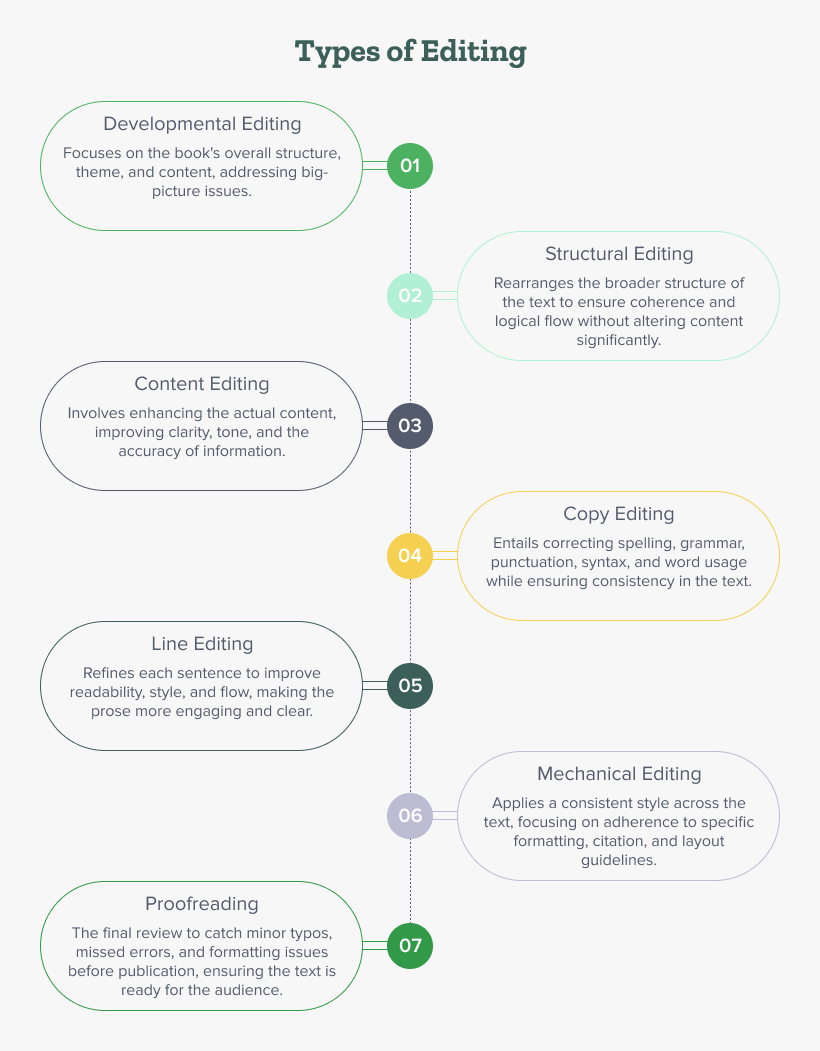
Types of editing

1. Developmental editing: Crafting the blueprint

Picture developmental editing as the guiding hand that shapes the narrative’s foundation. This type of editing is all about the macro elements of a manuscript—structure, plot outline, character development, and story theme integrity. It’s a type of book editing that focuses on the “big picture”. A developmental editor works side by side with the author, providing strategic direction to enhance the narrative’s depth and resonance. It’s a transformative process, turning raw ideas into a cohesive and compelling story.

2. Structural editing: Organizing the narrative

Following developmental editing, structural editing comes into play, focusing on organizing and optimizing the manuscript’s overall structure. This crucial step involves assessing the arrangement of chapters, sections, and paragraphs to ensure they contribute effectively to the manuscript’s narrative flow and coherence. Structural editing aims to enhance the work’s logical progression, improving readability and ensuring that each piece of the narrative fits perfectly within the overarching setting of the story or argument.

3. Content editing: Enhancing the narrative

Going ahead in the manuscript editing process, we encounter content editing—another critical type of editing for books. This phase is all about enhancing the substance of the work. Content editors scrutinize the narrative for pacing, clarity, and consistency. By making substantial revisions, they improve the story or argument’s flow and impact. They tackle issues that developmental editing might have identified, ensuring that each section of the manuscript contributes effectively to the whole.

 4. Copy editing: Attention to detail

As we approach the final stages of preparing a manuscript for publication, copy editing becomes paramount. This type of edit focuses on the minutiae: grammar errors, punctuation, spelling, and syntax. Copy editors meticulously comb through the text, correcting errors and standardizing book formatting to ensure the manuscript is not only error-free but also consistent and coherent. Their keen eyes catch discrepancies that could distract or confuse readers, ensuring that the manuscript adheres to the highest standards of written language.

5. Line editing: Refining the voice

Line editing, while often combined with copy editing, is a different kind of editing. This editing type focuses on the manuscript’s language, ensuring style and clarity, fluidity, and elegance in the prose. Line editors refine the author’s voice, enhancing sentence structure, word choice, and rhythm to improve readability and engagement. Their goal is to make every sentence as powerful and clear as possible. They ensure that the text communicates its intended message effectively.

6. Mechanical editing: Ensuring consistency

Mechanical editing is a specialized type of editing that focuses on the consistency and accuracy of technical elements within the manuscript. This involves following particular style guides like APA, Chicago, and MLA and using terminology correctly. It also means being consistent in spelling, punctuation, and formatting. Mechanical editing ensures that the manuscript meets industry standards and practices, providing a level of polish.

7. Proofreading: The final polish
Manuscript proofreading stands as the final checkpoint in the editing process. This type of editing style is all about catching those last-minute typos, misspellings, and formatting issues that might have slipped through previous edits. Proofreaders aim to refine the document, making it ready for publication. They meticulously examine details to prevent any that could spoil the reader’s experience. Their work is crucial in upholding the manuscript’s quality, making it a seamless and enjoyable read.

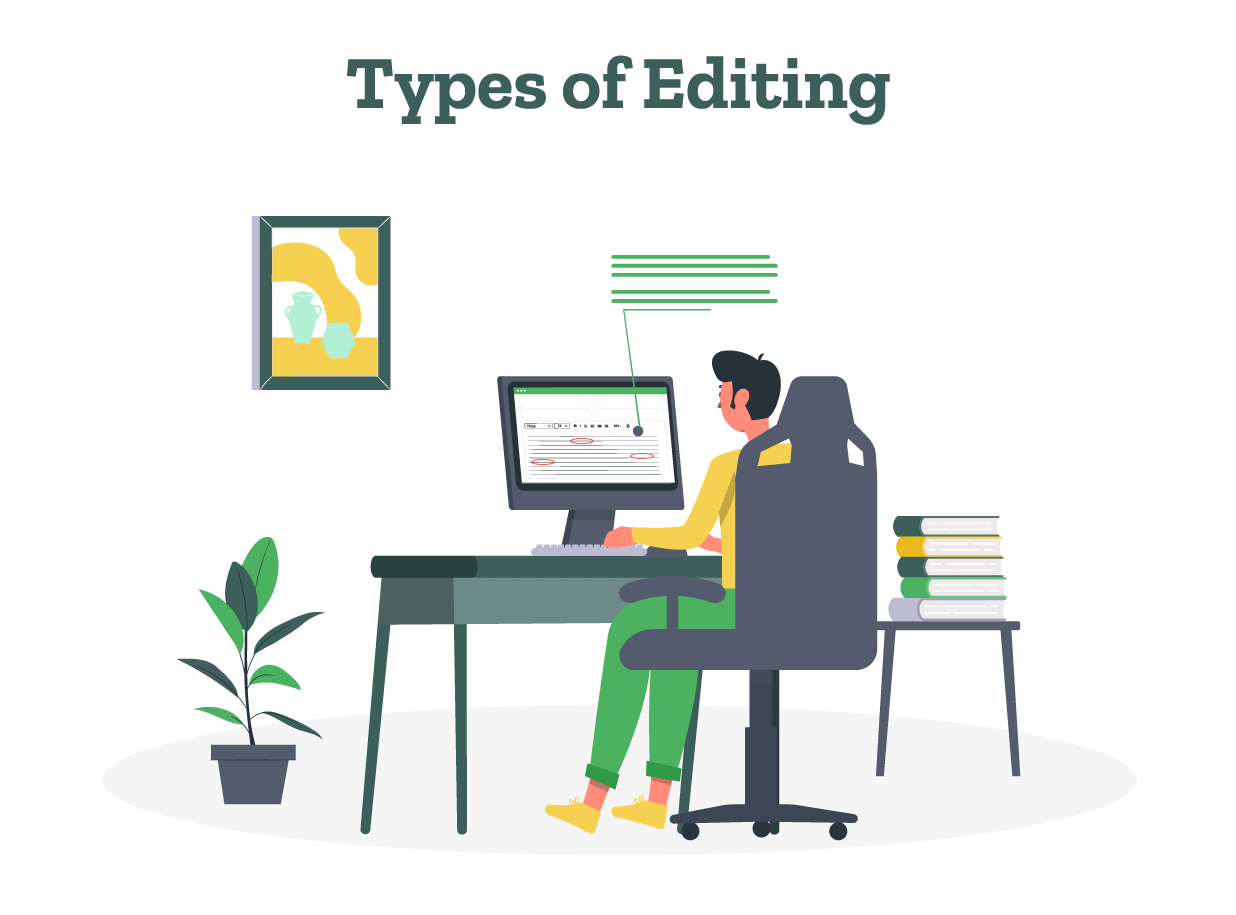
An infographic detailing seven types of editing, including developmental, structural, content, copy, line, mechanical, and proofreading.

Niche Areas of Editing Expertise

Beyond these core kinds of editing, several different niche areas of editing cater to specific genres or formats:

  • Technical Editing: Tailored for technical and scientific manuscripts like research paper editing and thesis editing, it focuses on clarity, accuracy, and usability for target audiences.

  • Academic Editing: Academic editing specializes in scholarly texts, ensuring adherence to academic standards and citation styles and formats.

  • SEO Editing: Optimizes online content for search engines without sacrificing user engagement, blending marketing savvy with editorial acumen.

As we conclude our journey through the diverse landscape of editing, it’s clear that all the editing types play a pivotal role in transforming a document. Whether you’re polishing a novel, refining an academic paper, or optimizing a website’s content, the principles of effective editing remain the same.

As experts in editing and proofreading services, we ensure that every piece of writing reaches its highest potential by embracing the full spectrum of editing practices. PaperTrue can help you achieve the best editing for your document and make it perfect!

Want to keep reading? Here are some more articles we’ve worked on:

How to Write a Query Letter (Examples + Free Template)

Want to create a query letter that stands out? In this article, we’ve explained the basics of writing a query letter with simple steps. From how to start a query letter to which elements to include, we’ve covered everything!  

We’ve also added good query letter examples and a template for you. Good literary agents receive thousands of queries daily, so it’s important to spare no effort to create one. So without further delay, let’s begin! 

Create a compelling query letter for your book!

How to write a query letter in 6 easy steps 

Use an active and vibrant voice while writing a query letter for a novel/non-fiction book. Follow these steps to create the perfect query letter! 

1. Address the literary agent 

Begin with a friendly greeting starting with Dear, followed by the agent’s name. For example, “Dear Rachel”. 

2. Write a strong opening  

You can start with an intriguing question or a shocking, thought-provoking statement. This statement/question should be directly relevant to the book’s content/themes. 

Some other strategies to do this are: Highlighting an unexplored theme, an engaging plot twist, an impactful quote, a catchy dialogue, or an anecdote. (Alternatively, you can also start by mentioning the book’s title, word count, and genre). 

3. Create a compelling book description 

Introduce the readers to the book’s protagonist, setting, the main conflict/high stakes. Describe the book’s strengths and what makes it unique (new themes, a twist on common themes, interesting character choices, or unforgettable/unconventional fictional characters

If it’s a nonfiction book, write how it will be useful for readers in the book description

4. Personalize your book pitch for impact 

Research the top literary agents in your genre and their requirements. If you’ve met them/someone recommended the agent, you can write this. Basically, explain why you’re writing them a query letter. 

Link your work to their interests. For example, if they’re looking for children’s book submissions and you’ve written one, mention this. If there are similarities in terms of background, or shared experiences, highlight this fact. 

5. Add a brief, engaging author bio 

Write a short bio of 2-5 sentences. If you’ve written any books, add them to the author bio. If your book is inspired by real-life events, write this fact. 

Some other strategies for writing a strong bio are: 

  • List any press coverage/speaking engagements/ writing communities you’ve been part of. 
  • If you’ve received any awards/grants for your writing, mention this. 
  • For non-fiction books, write how your background is relevant to the book’s subject matter. 

6. Conclude your query letter

The conclusion should ideally be 1-2 sentences and not very long. Express enthusiasm and confidence about the book’s potential. 

You can also tactfully request the next step such as asking for the manuscript sample pages, a full manuscript request, or a meeting to discuss further (optional). Also, thank the agent for their time. After this, add your contact information so that the agent can reach out if interested. 

7. Thoroughly edit and proofread 

Once you’re done writing, check the query letter for any word choice, spelling, and grammatical errors. You’ll also need to remove extra, unnecessary words for optimum length. Wondering how long should a query letter be? The answer is 150-250 words. 

You can also have your query letter reviewed by the best editing services

Want to read examples of good query letters? Browse through our next section! 

Best query letter examples  

Browse through the top 2 sample query letters to literary agents to write your own! Both query letter samples demonstrate the basic format for querying agents. 

1. The Book Thief by Markus Zusak 

Dear Maria,

In Nazi Germany, a young girl’s world changes forever when she steals her first book. The Book Thief is a 100,000-word historical novel that will resonate with fans of The Diary of Anne Frank and Sarah’s Key.

After Liesel’s brother dies, she is adopted by the Hubermanns. Liesel grows to love her new parents as she comes of age in Molching while the Nazi party gains control. She befriends Max, a Jewish refugee hidden by the Hubermanns, and discovers the comfort and danger books can hold as she rescues them from Nazi book burnings. As Liesel collects stories, she realizes the tremendous power words have to change the world.

Told through the eyes of Death, The Book Thief offers a unique perspective on friendship, language, family, and standing up for what’s right – even in the darkest times. With well-drawn characters and emotional depth, this book appeals to the humanity within us. 

We are writing to you because we noted your interest in historical fiction books. 

I have written several other novels like The Underdog, Fighting Ruben Wolfe, The Messenger, and Getting the Girl which have received wide acclaim. I also received the Book of the Year award for The Messenger in 2003 and Best Book for Young Adults for Getting the Girl

I hope you’ll consider representing The Book Thief, and I’m happy to provide sample chapters if required. 

Thanks a lot for your time,

Markus Zusak

Mobile: 2233466557 

Email: [email protected] 

Now let us see the next sample query letter for a literary agent. 

2. The Fault in Our Stars by John Green 

Dear Robert,

I am seeking representation for my YA novel, The Fault in Our Stars. It is complete at 68,000 words.

Sixteen-year-old cancer survivor Hazel Grace Lancaster has never been a love story kind of girl. That is, until the fateful night in Support Group when she meets metaphor-loving Augustus Waters, who just might change her mind.

As Hazel and Augustus bond over their shared wit and disdain for the conventional cancer story, their connection deepens. Together they confront big questions about life, love, and leaving a mark on the world. When a startling turn of events jeopardizes their new relationship and forces them to reconsider what others value most in life, Hazel and Augustus must determine how best to spend the time they have left.

This poignant love story explores life, loss, and making peace with uncertainty. With genuine characters and emotional depth, it will resonate with fans of contemporary YA fiction.

I have written YA novels like Looking for Alaska, Paper Towns, and An Abundance of Catherines which have been tremendously successful. I also received ‘The Printz Honor’ award for Looking for Alaska and the Edgar Award for Best Young Adult Mystery for Paper Towns. I am confident I can make this novel a celebrated success like my previous novels. 

Thanks a lot for your time, 

John Green

Mobile: 5544655446

Email: [email protected] 

Please note: The contact details for the authors given are fictional and only for demonstrating the query letter format. 

This sample query level for the novel The Fault in Our Stars demonstrates how to strongly pitch a book. Inspired by this sample query letter to a literary agent? Let’s see a query letter template to help you write one! 

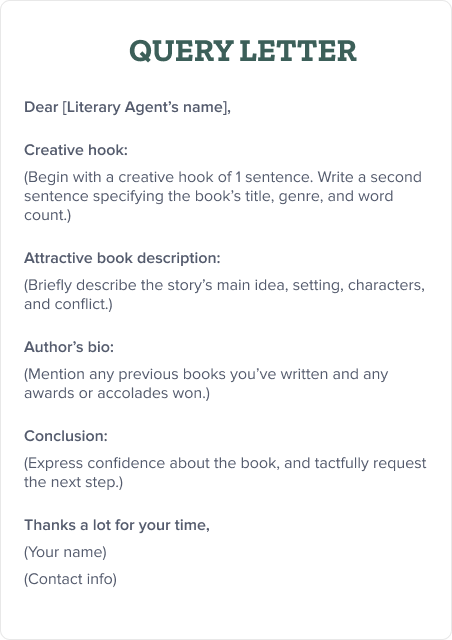
Query letter template 

This template includes all basic elements such as the book description, author’s bio, and more. Whether you’re writing a novel query letter or a non-fiction query letter, this template will help! 

The image displays a standard query letter template.

This article clearly highlights what is a query letter. After understanding how to write a query letter for a literary agent, you can start brainstorming to create one. However, we’ll be honest: Writing a query letter isn’t easy and it’s best to hire professionals to do so. 

At PaperTrue, our expert team can create the perfect query letter. This will enable you to send well-edited query letters to publishers/agents. With this, we also provide professional editing and proofreading services for your book. 

How did you find this article about writing query letters? Do you have any additional tips for writing query letters? Let us know in the comments section! 

Here are some articles you might find useful: 

How to Copyright Your Book?

If you’ve thought about copyrighting your book, you’re on the right path.

Explore more